YouTube Description Generator: How to Write YouTube Descriptions That Get More Views

Even if your YouTube thumbnail and YouTube video title convince viewers to view your content, YouTube description makes sure that your video gets understood, indexed, and recommended by YouTube algorithm.
YouTube description often becomes the stepchild of thumbnails and titles, even though a lot of time goes into making these two. But you need not overlook the importance of description since a great YouTube description helps enhance your search visibility and boosts your video watch time.
This article will show you the importance of a YouTube description, what a good YouTube description entails, YouTube description tips, and the usefulness of using a YouTube Description Generator.
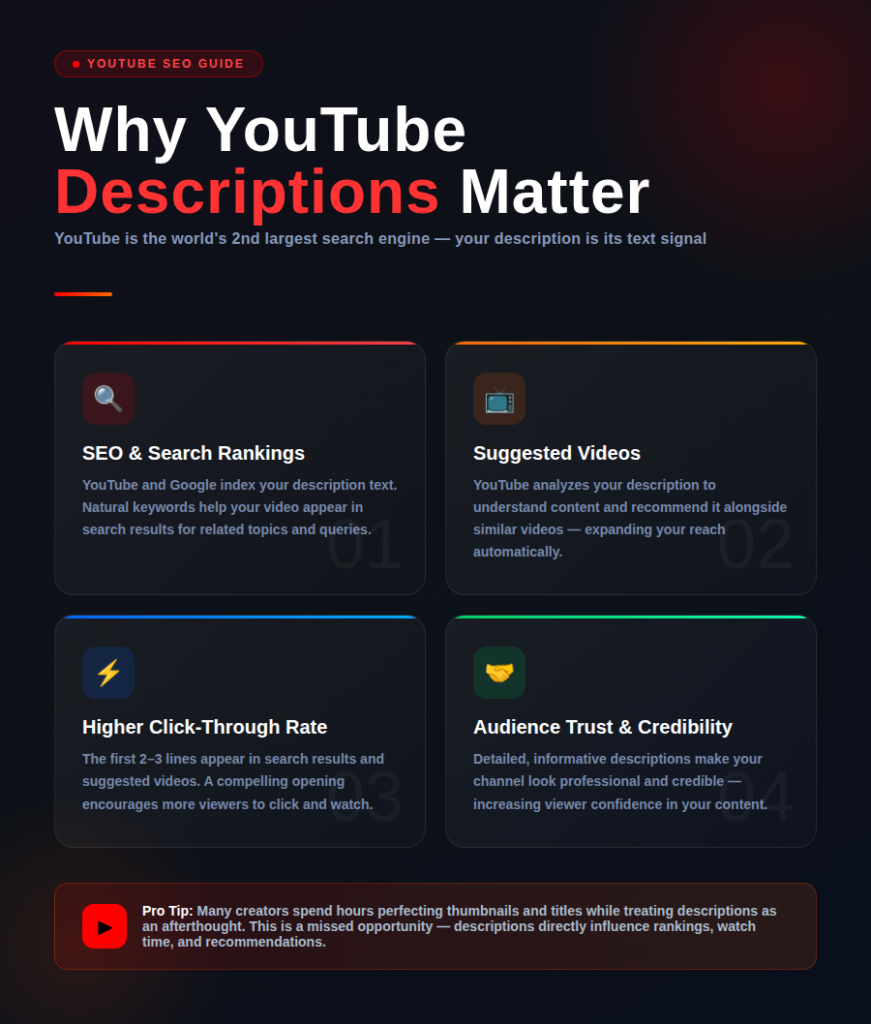
Why YouTube Descriptions Matter
YouTube is the world’s second largest search engine, just like Google, and depends on text signals for understanding what the content is all about. Description is a very critical signal that YouTube uses to know what your video is all about.
Benefits of a great YouTube description include:
SEO (Search Engine Optimization)
The text in the description can be indexed by both YouTube and Google. This means that using keywords will help in ranking higher in the search results..
Suggested Videos
YouTube will use the text to understand the content well and then suggest your video with those that are similar.
Higher Click-Through Rates (CTR)
The first few sentences of your description will be displayed when your video comes up in search results. Make sure you grab their attention from the start.
Building Audience Trust
A detailed and informative description makes your channel appear more professional and credible, increasing viewer confidence in your content.
What to Include in a YouTube Description
A good YouTube description should include various elements.
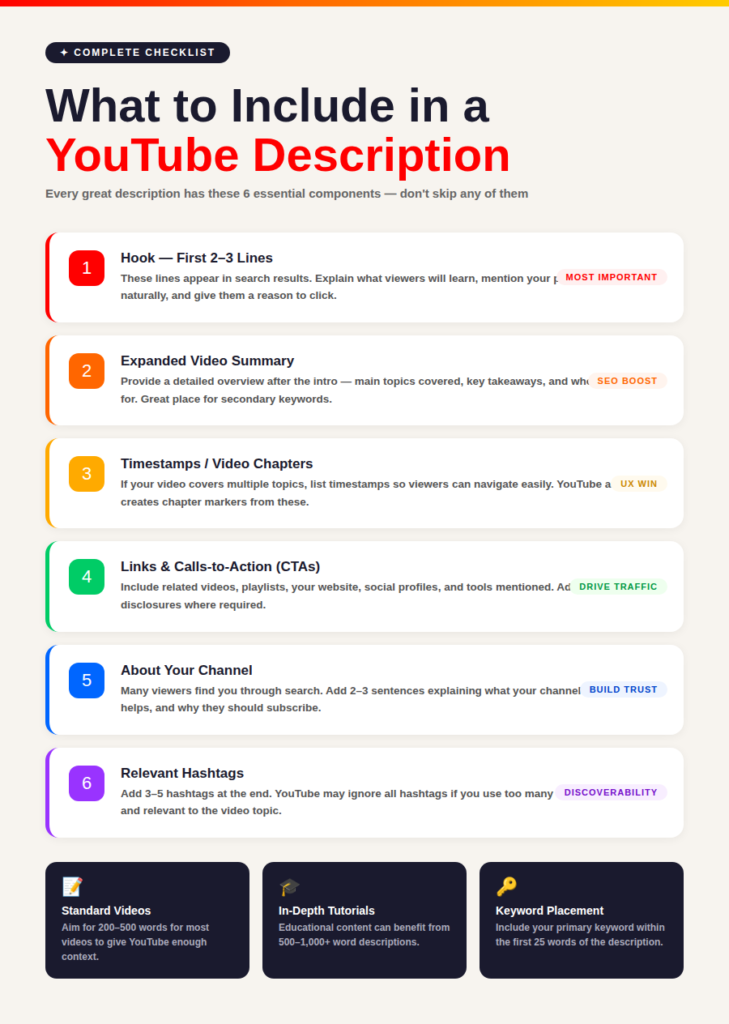
1. Hook (First 2–3 Lines)
The opening lines are the most critical section of your description since they are visible in search engine and recommendation results on YouTube.
Use these lines to:
- Explain what viewers can expect to learn
- Include the main keyword in an organic way
- Persuade viewers that they need to watch the video
Example
“You will learn everything about YouTube keyword research in this video! If you want to grow your channel faster, this guide is for you!”
2. Expanded Video Summary
After the introduction, provide a detailed overview of the video’s content.
Explain:
- Main topics covered
- Key takeaways
- Who the video is intended for
This section is also a great place to naturally include secondary keywords and related search terms.
3. Timestamps (Video Chapters)
If your video covers multiple topics, include timestamps so viewers can navigate easily.
Example
0:00 – Introduction
1:30 – What is Keyword Research?
3:45 – Finding Seed Keywords
6:20 – Competitor Analysis
9:10 – Choosing the Best Keywords
12:00 – Final Tips
Timestamps improve the viewing experience and help YouTube create chapter markers automatically.
4. Links and Calls-to-Action (CTAs)
Include relevant links that provide additional value to viewers.
Examples include:
- Related videos
- Playlists
- Website or blog
- Social media profiles
- Products and tools mentioned in the video
- Affiliate links (with proper disclosure)
Strong CTAs can encourage viewers to subscribe, watch another video, or visit your website.
5. About Your Channel
Many viewers discover videos through search and may not be familiar with your channel.
Include a short section explaining:
- What your channel is about
- Who your content helps
- Why viewers should subscribe
Example
“We publish weekly YouTube growth, SEO, and content marketing tutorials designed to help creators grow faster and build successful online businesses.”
6. Relevant Hashtags
Add three to five relevant hashtags at the end of your description.
Example
#YouTubeSEO #YouTubeGrowth #ContentMarketing #VideoMarketing #KeywordResearch
Avoid using excessive hashtags. YouTube may ignore all hashtags if too many are included.
YouTube Description Best Practices
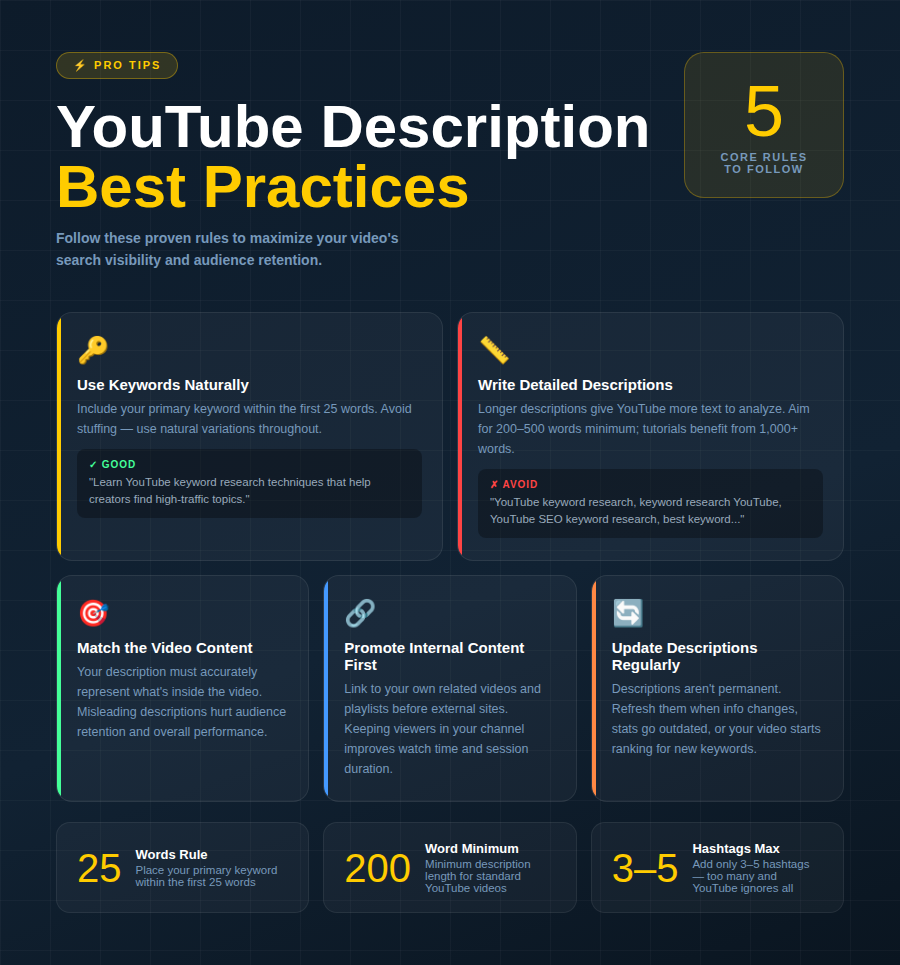
Use Keywords Naturally
Include your primary keyword within the first 25 words whenever possible.
Avoid keyword stuffing. Instead, use natural variations and related terms throughout the description.
Good Example
“Learn YouTube keyword research techniques that help creators find high-traffic topics and rank higher in search results.”
Poor Example
“YouTube keyword research, keyword research YouTube, YouTube SEO keyword research, best keyword research YouTube.”
Write Detailed Descriptions
Longer descriptions provide YouTube with more context.
Aim for:
- 200–500 words for standard videos
- 500–1,000+ words for in-depth tutorials and educational content
Match the Video Content
Your description should accurately represent what’s inside the video.
Misleading descriptions can negatively impact audience retention and overall performance.
Promote Internal Content First
Before sending viewers to external websites, consider linking to:
- Related videos
- Relevant playlists
- Other content on your channel
Keeping viewers within your channel can improve watch time and session duration.
Update Descriptions Regularly
Video descriptions are not permanent.
If:
- New information becomes available
- Tools change
- Statistics become outdated
- Videos begin ranking for new keywords
Update your descriptions to keep them relevant and optimized.
How a YouTube Description Generator Can Help
It may be tedious to write down the descriptions for all the videos, especially for those people who post videos frequently.
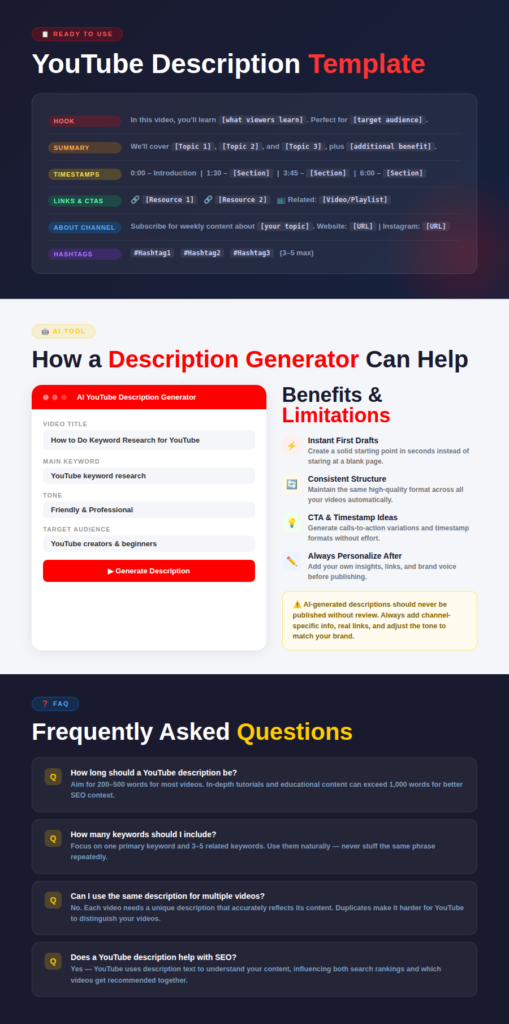
YouTube Description Generator makes use of AI technology to come up with video descriptions depending on your:
- Title
- Keywords
- Target audience
- Voice tone
- Key points
Benefits
A description generator can help you:
- Time-saving
- Generation of first drafts
- Consistency
- Creation of CTA content
- Structure creation
Limitations
Descriptions written by AI technology cannot be uploaded without checking.
Your descriptions will need personal touch through:
- Personal insights
- Channel-specific information
- Links and resources
- Voice tone adjustment
YouTube Description Template
Use the following template for your videos:
Hook
In this video, you’ll learn [what viewers will learn]. Perfect for [target audience].
Expanded Summary
We’ll cover [Topic 1], [Topic 2], and [Topic 3], plus [additional benefit].
Timestamps
0:00 – Introduction
[Add timestamps]
Links Mentioned
- Resource 1
- Resource 2
- Resource 3
Related Videos
- Related Video 1
- Related Playlist
Subscribe
Subscribe for weekly content about [your topic].
Find Us Online
Website: [URL]
Instagram: [URL]
Twitter/X: [URL]
About the Channel
[Short channel description]
#Hashtag1 #Hashtag2 #Hashtag3
Frequently Asked Questions
How Long Should a YouTube Description Be?
There is no strict limit, but 200–500 words is recommended for most videos. Longer educational videos may benefit from descriptions exceeding 1,000 words.
Does a YouTube Description Help with SEO?
Yes. YouTube uses description text to understand your content, which can influence rankings in search results and recommendations.
How Many Keywords Should I Include?
Focus on one primary keyword and three to five related keywords. Use them naturally throughout the description.
Should Every Description Include the Primary Keyword?
Yes. Ideally, place the primary keyword within the first 25 words while keeping the text natural and readable.
Can I Use the Same Description for Multiple Videos?
No. Each video should have a unique description that accurately reflects its content. Duplicate descriptions can make it harder for YouTube to distinguish between videos.
Final Thoughts
More than simply a section for putting links in, your YouTube description is actually crucial when it comes to optimizing your video’s search engine optimization. Descriptions can help YouTube understand your video, enhance its discoverability, increase watch times, and give viewers the best possible experience.
Whether you create descriptions manually or with a YouTube Description Generator, the trick lies in writing descriptive and detailed content, which also includes keywords and resources worth sharing.
Why not spend some time today and optimize the descriptions of your top-performing videos?