Why Are My Backlinks Not Showing Up in Ahrefs? Common Causes and Fixes

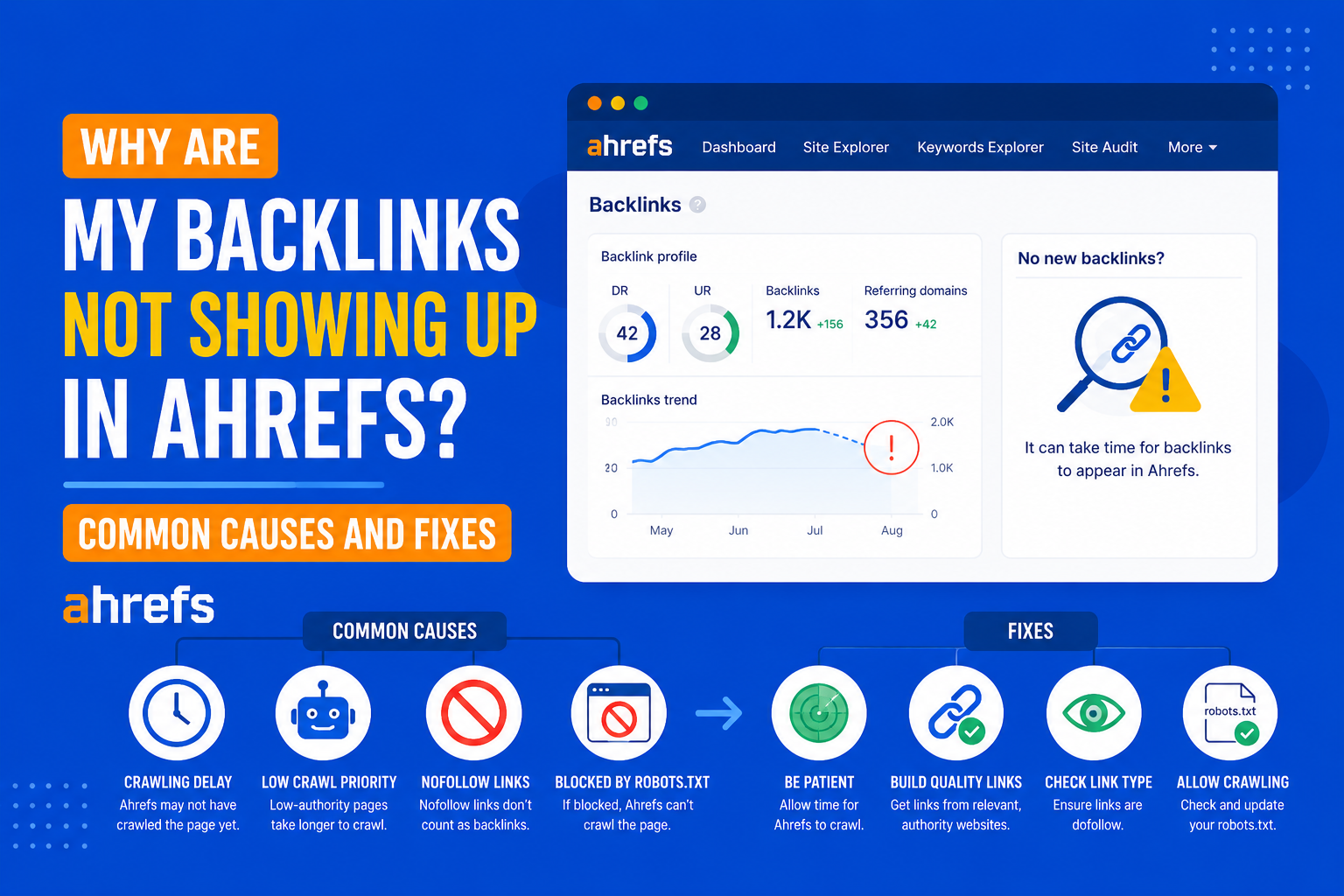
You’ve established a backlink. You know that it works. Yet you simply cannot find it on Ahrefs. It’s one of the most widespread issues for SEO professionals, and yet it’s hardly ever a bug. There are concrete reasons for which a backlink does not get indexed by Ahrefs, and knowing about them will help you avoid confusion.
In this guide, we go over those reasons.
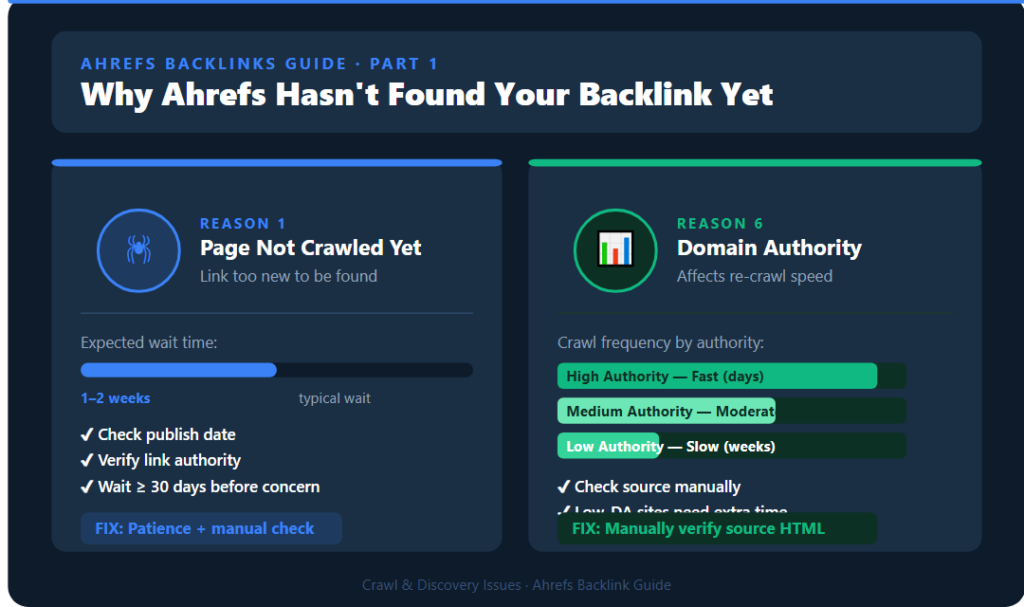
Reason 1: Ahrefs Hasn’t Crawled the Page Yet
This is also the simplest explanation: the Ahrefs crawler simply has not found or re-found the page.
Ahrefs runs one of the biggest crawlers in the business, but that does not mean that they can discover all pages at once. There may be new pages or low authority sites where there is less link building that takes longer to be found
What to Check
- How recent is the publication date of the link? If it is less than a few days to a couple of weeks old, then it simply hasn’t been discovered yet.
- Is there any authority of traffic coming to the linking page at all? More established and often crawled websites will have pages that are indexed faster than those of lesser known websites.
What to Do
Just be patient, most legit backlinks to websites that are being crawled will become visible in 1–2 weeks. In case a month has passed and there is still no trace of the link appearing, then check out the other possible reasons listed below.
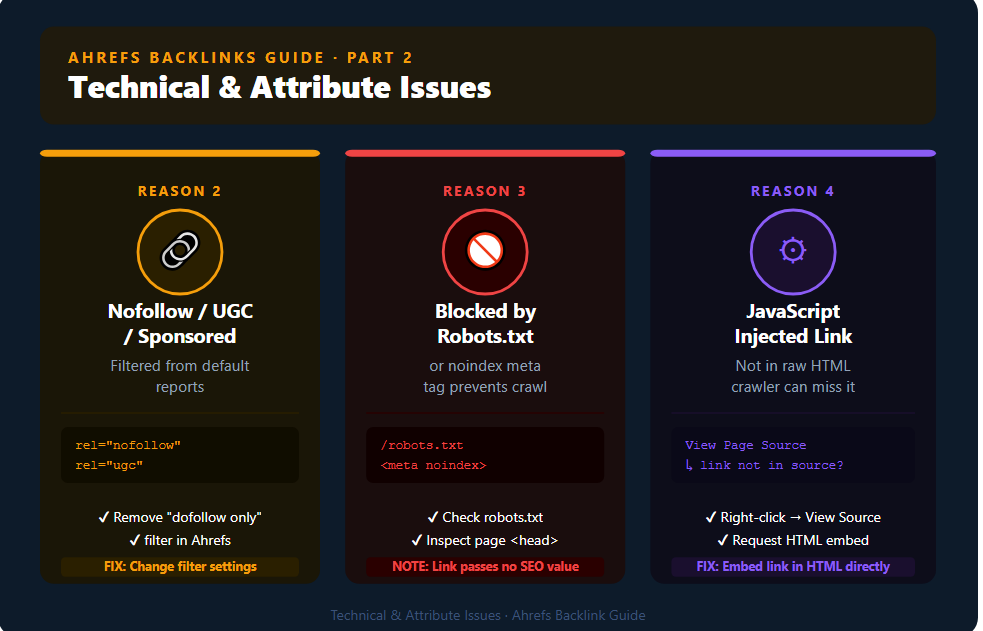
Reason 2: The Link Has a “Nofollow,” “UGC,” or “Sponsored” Attribute
Ahrefs tracks nofollow, user-generated content, and sponsored links, but whether or not they will be shown depends on the type of report and filter you are using in the tool.
What to Check
- Examine the source code of the page where the link is located and see if there is your URL with rel=”nofollow”, rel=”ugc” or rel=”sponsored”.
- If you use Ahrefs, check out your filter settings in the Backlinks section and ensure that you don’t have a filter set to “do follow only”, it will show only do follow links.
What to Do
Make sure that your filters in Ahrefs are set to show all links, not just do follow links. It doesn’t mean that this link is not tracked anymore; it is just categorized differently.
Reason 3: The Linking Page Is Blocked by Robots.txt or Noindex
In case the page which has your backlink is restricted by robots.txt or noindex Meta, Ahrefs crawler would not be able to reach or index the page, hence it wouldn’t be able to count any links from that page, including yours.
What to Check
- Visit [linking-domain.com]/robots.txt and check whether the specific page or directory is disallowed for crawlers.
- View the page’s source code and check the <head> section for a noindex meta tag.
What to Do
While there isn’t much you can do to influence how Ahrefs indexes your page, what’s more important to keep in mind is the fact that if a page is either blocked or set to noindex, it probably won’t pass much SEO value through this link either way.
Reason 4: The Link Was Added Dynamically via JavaScript
There are some pages that load their data, including hyperlinks, dynamically by means of JavaScript after the page is fully loaded. Although Ahrefs’ crawler became much better at rendering JavaScript over time, it cannot ensure 100% accuracy when identifying links injected by this method, particularly on complex webpages.
What to Check
- If you want to see the true source code of the page (by right-clicking and selecting ‘View Page Source’), instead of its rendered version seen in developer tools of the browser, and the link you need isn’t there, then it was likely injected using JavaScript.
What to Do
It would be best if the website owner could embed the link directly into the HTML code of the page instead of using JavaScript injection in the client side.
Reason 5: The Page Was Removed, Redirected, or Changed
If the link was live at the time of your check but isn’t now in Ahrefs, then the most probable cause is some changes made to the actual linking page.
What to Check
- Is the page still active when visited directly?
- Was the page redirected to another page?
- Was the content of the page modified so that the link was removed?
- Was the whole domain down or redesigned?
What to Do
It re-crawls sites periodically, and if the link does not exist anymore, it will be eventually classified as a “lost” backlink in your statistics. You can check this using the “Lost” filter within your Backlinks report.
Reason 6: Crawl Frequency and Domain Authority Affect Re-crawl Speed
The importance of frequent crawling by Ahrefs is determined not only by the importance of the site but also by its authority and previous crawling experience.
What This Means
If your backlink is from a smaller or newer site that lacks much authority, then it will take longer for Ahrefs to pick up your backlink, not because of a mistake but simply due to resource allocation for crawling the web.
What to Do
If it is a very important link you are tracking, you can just check the source code of the page manually instead of waiting for Ahrefs to show it to you.
Reason 7: You’re Checking the Wrong Target Mode
It’s a simple yet frequent error: The Site Explorer tool of Ahrefs makes you select a “mode” – it could either be a URL, prefix, domain or subdomains while analyzing your target.
What to Check
- When tracking backlinks for a particular page, always select “exact” mode along with the entire URL, rather than “domain” mode.
- If you are tracking backlinks for your domain as a whole and that link is posted under either a www or non-www version, you should select “subdomains” mode.
What to Do
Always verify your settings within the Site Explorer before considering the link missing. Mismatched mode is one of the most frequent reasons for missing links.
How to Manually Verify a Backlink Exists
To further ensure if your link is active or not, perform a manual check of your link.
- Open up the linking page on your browser.
- Do a quick search using Ctrl+F (Cmd+F for Mac) on the page for your domain name.
- Right-click and inspect the link to see the href value and any actual attributes of the link, such as nofollow, sponsored, and ugc.
- Go into the page source and check if the link is there.
Through this manual verification process, you know for sure whether the link is present or not regardless of which tool may or may not have indexed the link.
When to Stop Worrying About It
A backlink doesn’t necessarily have to be indexed in your SEO tool for it to be helpful. In the case where you yourself have checked that it exists and it’s indeed a working do follow link, then it must already be adding some value even without being registered by any third party tool. Ahrefs and other similar tools are extremely useful for spotting trends and finding opportunities,but not for verifying whether a particular link actually exists or not.
Final Thoughts
It is rare for missing backlinks in Ahrefs not to have an explanation, be it in timing of crawling, link attributes, filters being applied, JavaScript rendering, or changes on the linking page. Go through all these factors step-by-step until you conclude that there might be something wrong.
Patience and a manual verification will usually solve the issue. Just keep in mind that it does not matter if the link was not indexed by some particular tool, its importance for your SEO strategy depends on whether the link exists.