Software Development Collaboration Tools, The Complete Guide

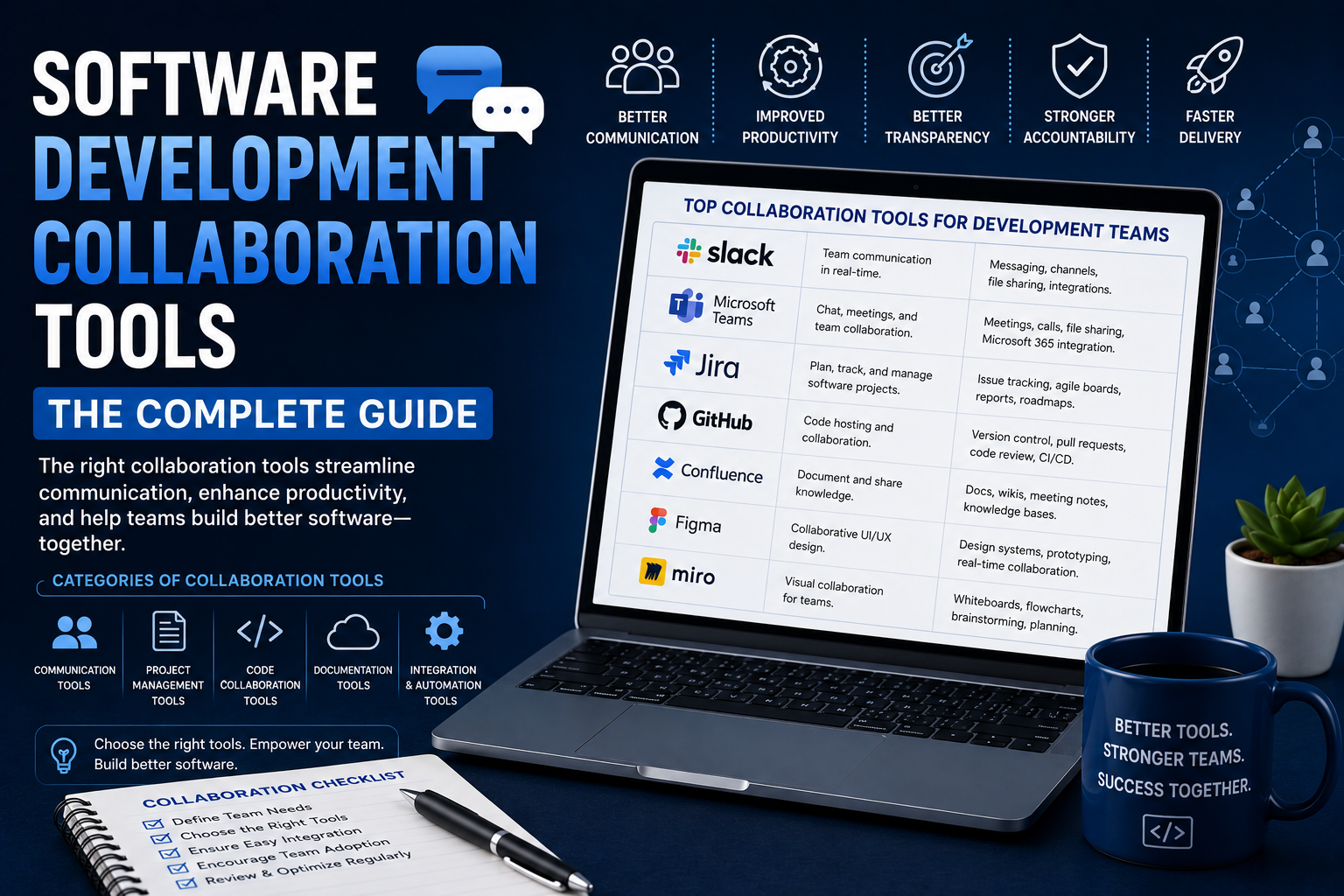
Software is developed by a team, not by an individual developer. The effectiveness of the communication, coordination, and collaboration within a team has a direct effect on the final product delivered.
Using proper collaboration tools will facilitate communication, avoid context switching, overcome bottlenecks, provide accountability and bring distributed teams together.
This paper highlights the categories of collaboration tools used in the software development process along with the features one should look at.
1. Version Control and Code Collaboration
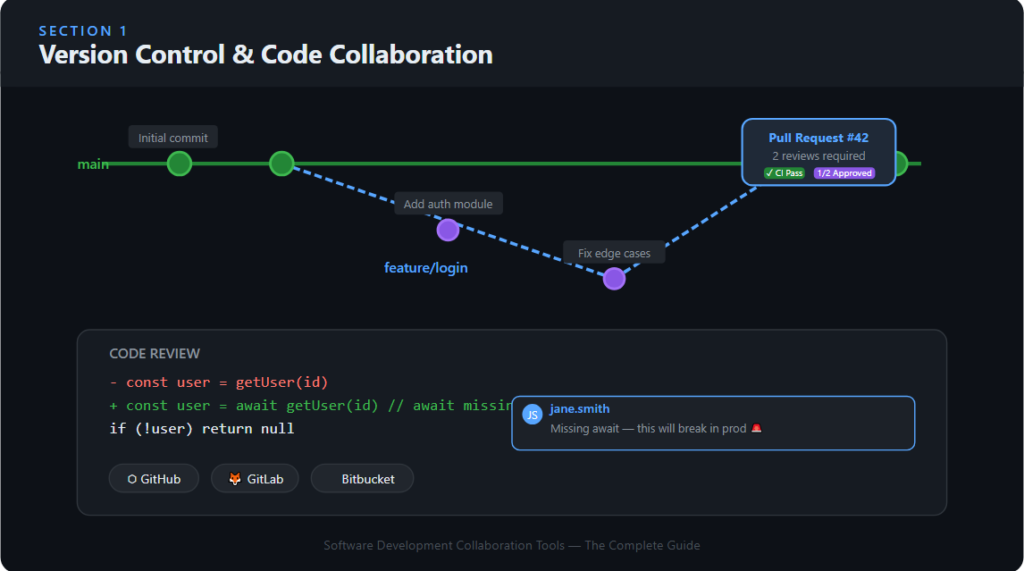
Version control is essential for software collaboration. This process enables developers to safely collaborate on the same codebase concurrently without risking data loss.
What to Look For
- Branches and merge operations
- Pull requests and code reviews
- Inline code comments
- CI/CD integration
Top Tools
GitHub
The most popular coding hosting and collaboration platform. It works well both for open source projects and enterprises.
GitLab
A full-fledged DevOps platform with code hosting, continuous integration/continuous deployment, and project management capabilities built into one product.
Bitbucket
Atlassian users (Jira, Confluence) appreciate this product.
2. Project and Task Management
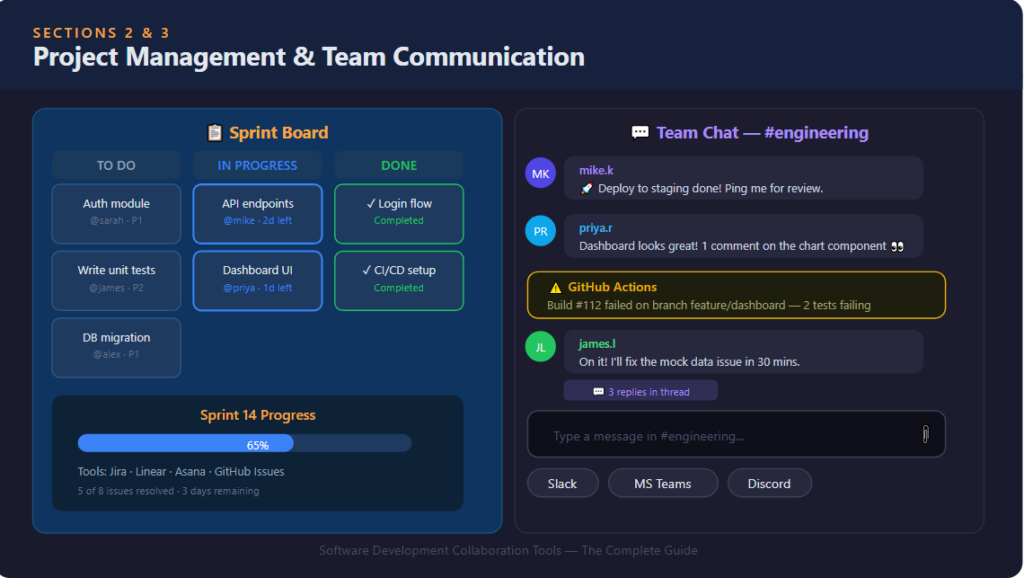
A common understanding is necessary for software development teams regarding what product is being developed, by whom, and the timeline associated with it.
What to Look For
- Backlog & Sprint Management
- Issue Tracking & Bug Reporting
- Custom Workflows & Status Tracking
- Code & Communication Integrations
Top Tools
Jira
The industry-standard solution for agile software development teams. Extremely customizable and integrates with everything.
Linear
A quicker and easier version of Jira, widely used by startups and engineering organizations.
Asana
More suited for engineering/non-engineering mixed teams.
GitHub Issues / GitLab Issues
Built-in task management right from your code platform.
3. Communication and Messaging
Communication tools used by software developers to converse about decision making, unblocking, and alignment.
What to Look For
- Organized channels by teams/projects/subjects
- Threaded discussions
- Dev tools integration (GitHub, Jira, CI alerts)
- Message searching and history
Top Tools
Slack
Most popular real-time communication tool between developers. Integrates with almost all developer tools through its ecosystem of apps.
Microsoft Teams
More common in business settings, especially in companies utilizing Microsoft 365.
Discord
More common in developer circles and smaller startups.
4. Documentation and Knowledge Management
Code that lacks documentation is problematic. Groups require common spaces to record architectural decisions, onboarding procedures, runbooks, and product documentation.
What to Look For
- Text formatting and markdown
- Code and diagram snippets
- History and versioning
- Search
Top Tools
Confluence
Popular documentation tool used by enterprise engineering teams, particularly those who use Jira.
Notion
Multi-purpose collaboration workspace where documents, wikis, and databases can be stored together. Used by product and engineering teams.
Readme
Built specifically for documentation of API for developers.
GitBook
Documentation website that is frequently employed for internal engineering wikis.
5. Design and Prototype Collaboration
Designers and engineers require collaborative tools that enable designers to deliver design and specifications to engineers for feedback and UI iteration.
What to Look For
- Specifications for Export (spacing, color, fonts)
- In-line Comments & Annotations
- Prototypes for review by engineers
- Version control for designs
Top Tools
Figma
Leader in design collaboration software. Enables co-editing, dev handoff specifications, and prototypes.
Zeplin
Designed exclusively for hand-off from design to development.
InVision
Intended for interactive prototypes and design reviews.
6. CI/CD and DevOps Collaboration
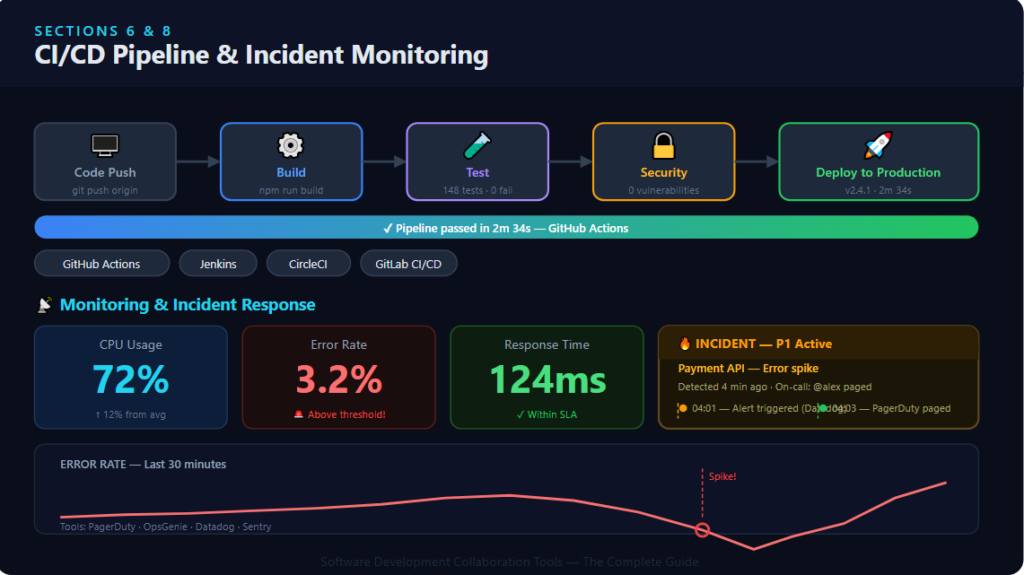
CI/CD tools automate the entire build-test-deployment process and provide insight into the state of the codebase.
What to Look For
- Automated build and testing pipeline
- Notifications about deployment statuses
- Integration with version control and monitoring software
- Permissions for production deployment
Top Tools
GitHub Actions
GitHub native CI/CD, growing in popularity because of simplicity.
Jenkins
Very flexible, open source. The traditional CI/CD option for complex pipelines.
CircleCI
Fast cloud-based CI/CD for developers.
GitLab CI/CD
In-built in GitLab, best suited for teams using that platform.
7. Code Review Tools
Structured code review is one of the most high-leverage activities in software development. The presence of tooling makes the process much easier.
What to Look For
- In-line comments on individual lines
- Code review process
- Approvals before merging
- AI-powered suggestions (becoming more popular)
Top Tools
GitHub Pull Requests
Most widely adopted code review process.
Reviewable
More sophisticated code review for GitHub repositories.
Gerrit
Useful in big companies like Google for fine-grained control of code reviews.
8. Monitoring and Incident Collaboration
When something goes wrong, teams require means of detecting and resolving issues in real time.
What to Look For
- Real-time alerting and anomaly detection
- On-call scheduling and escalation
- Incident communication channels
- Post-mortem documentation
Top Tools
PagerDuty
On-call management and incident response standards.
OpsGenie
Comparable to PagerDuty, widely used by teams using Atlassian software.
Datadog
Observability platform featuring alerting, dashboards, and logging capabilities.
Sentry
Specialized in error tracking and performance monitoring of application code.
How to Choose the Right Stack
There is no perfect “right” suite of tools for collaborating. The optimal stack will vary based on:
- Team size:– Small teams can make do with basic tools; larger teams require more structure.
- Existing infrastructure:– On AWS? GitHub Actions is the way to go. On Atlassian? Jira, Confluence, and Bitbucket are a natural fit.
- Engineering culture: While some teams opt for fewer tools, others seek tight integration at all levels.
- Remote vs. in-office:Fully remote teams usually have to plan for more asynchronous tooling.
The greatest error that teams make is over-tooling. When you have 10 collaboration tools but none integrate, you have more friction than if you had only three that integrate.
Bottom Line
The best collaboration software for software development makes the gap between people, decisions, code, and context smaller. The best tools help you collaborate, detect bugs earlier, and align as a team without unnecessary meetings.
Start off with the basics: version control, project management, communication, and documentation, and build up from there.