SERP Features Explained: A Complete Guide for SEO Professionals

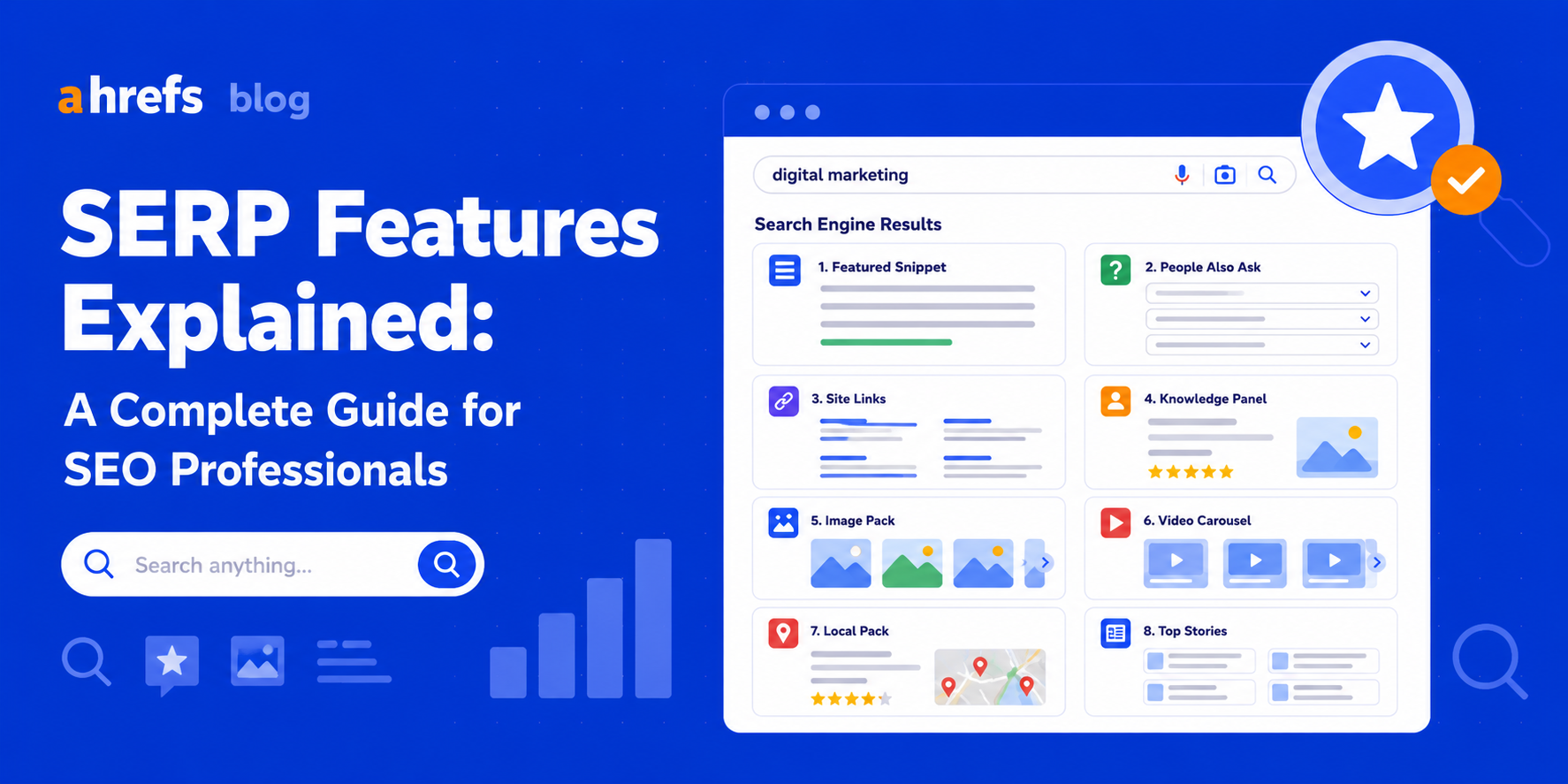
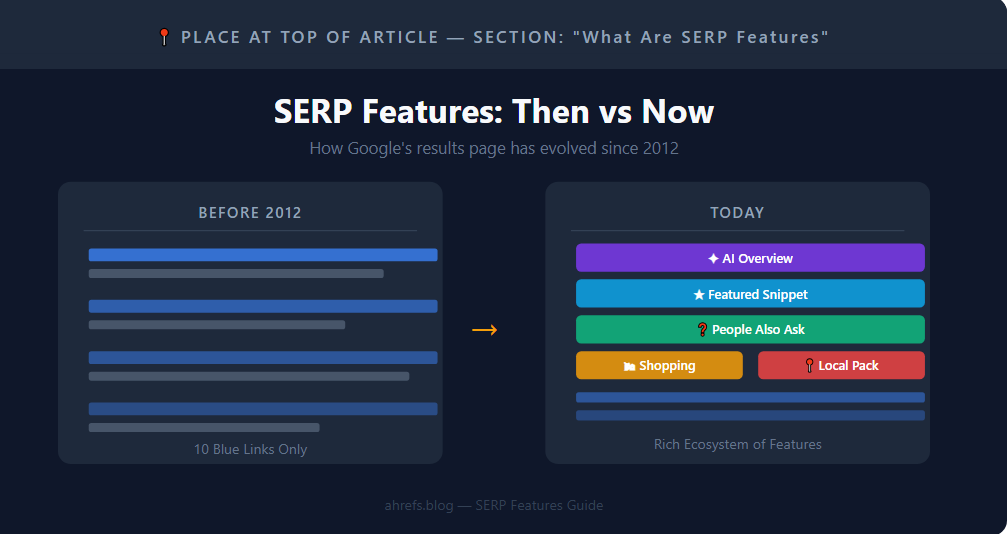
Today, the layout of Google’s search engine result pages is completely different from what it was like five years ago. From simple ten blue links, Google SERPs have evolved into featured snippets, People Also Ask, local pack, images carousel, and AI-generated summary.
Nowadays, having the knowledge of what SERP features exist and how to use them for SEO purposes is extremely crucial.
What Are SERP Features?
SERP features include enriched results that occur within the search engine result pages in Google Search, other than the standard blue organic results. These SERP features retrieve information directly from websites, structured data, and Google’s database.
Different from organic results, these SERP features aim to answer queries without having to click on any links. Google began developing SERP features starting in 2012.
Why SERP Features Matter for SEO
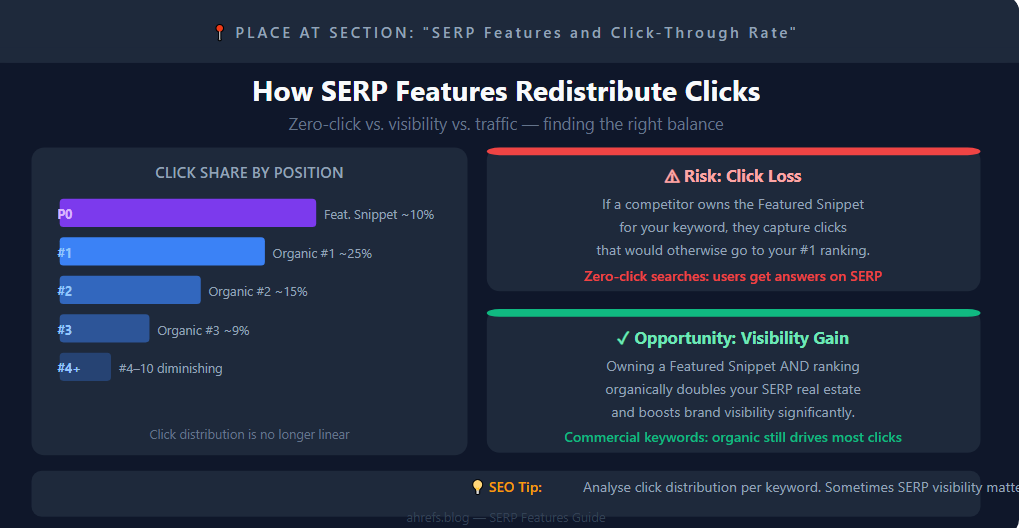
SERP Features completely altered the distribution pattern of clicks on the search results page.
The pattern used to be straightforward: Position 1 got the highest click-through rates, while click-through rates were lower in each succeeding position. SERP features disrupted the pattern altogether.
Featured Snippets, for instance, appear at Position 0, which is higher than all organic rankings. Research proves that they get anywhere between 8 and 12% of the clicks, which would otherwise go to the organic #1 ranking.
here are thus two conflicting implications here:
- The loss of clicks: With your competitor owning the featured snippet for your chosen keyword, they are gaining the attention you would otherwise have gotten.
- The gain of visibility: With you acquiring the featured snippet alongside organic ranking, your overall visibility goes way up on the SERP.
The Major SERP Features
Featured Snippets
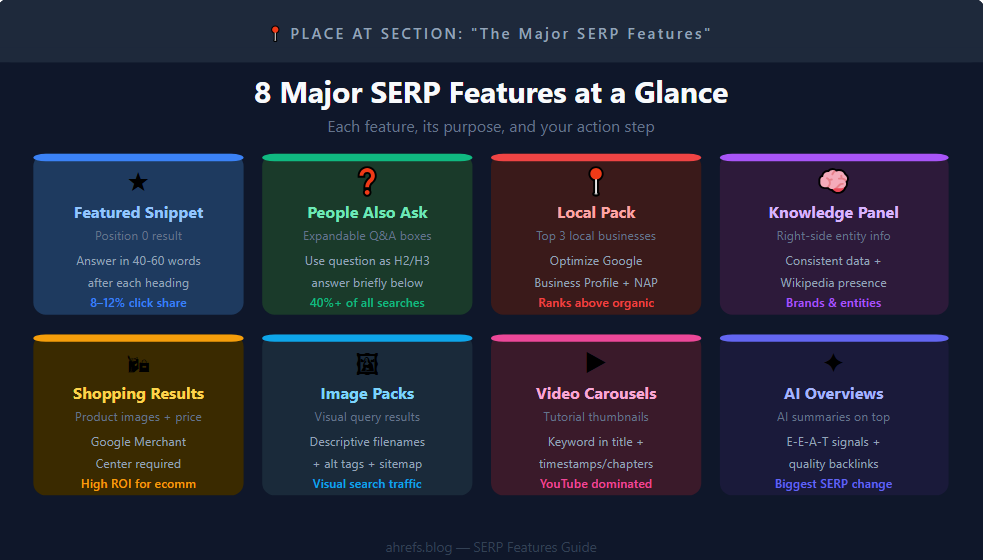
Featured Snippets are displayed in a large block on the top of the results page, featuring a response directly extracted from a website.
Three Main Formats
- Definition and explanation snippets: defining a concept (“What is X?”)
- Process snippets: describing a process (“How to do X?”)
- Comparison table snippets: comparing two or more items (“X vs Y comparison”)
How to Earn Them
Answer questions with Ahrefs’ Keyword Explorer (use the filter to find questions). Provide concise, clear answers in 40-60 words directly following the heading for each question.
Important: You have to be ranking in the top 10 to get a Featured Snippet.
People Also Ask (PAA)
The PAA boxes show relevant questions which can be clicked to reveal the answers available from web pages. They follow several natural search results and dynamically generate more related questions when a certain answer is clicked on.
PAA boxes are shown in more than 40% of searches on Google.
How to Target Them
Using the Ahrefs Keywords Explorer’s Questions filter, look for some questions that relate to your topic. Create specific sections in your content, use the question as an H2/H3 heading, and then answer it briefly in your first paragraph under the section.
Local Pack
Local Pack is displayed for searches like “coffee shop near me” and “dentist Chicago,” and displays the three local companies with ratings, working hours, location information, and an embedded map.
Local Pack ranks above the natural search results and earns high click-through rates. Not being listed here is costing you traffic.
How to Appear
- Optimize your Google Business Profile
- Create consistent NAP (Name, Address, Phone)
- Create genuine online reviews from customers
- Make sure your website is localized
Knowledge Panels
Knowledge panels show up on the right-hand side of desktop search results for entities, brands, people, locations, and organizations. It shows facts from structured sources like Wikipedia and Google’s knowledge graph.
Brands can benefit from having their data structured consistently, having a Wikipedia page, and brand signals to be recognized by Google’s knowledge graph.
Shopping Results
Product results featuring images, pricing information, and the name of the seller when someone performs a search related to their products. This is handled via Google Merchant Center. It’s worth noting that for e-commerce sites, Shopping Results could generate extremely high ROI.
Image Packs
Image results showing up in response to visual queries. In order to boost your chance of ranking, use:
- Descriptive file names (seo-audit-checklist.jpg vs. IMG_1234.jpg)
- Descriptive alt tags
- An image sitemap submission
Video Carousels
Video thumbnails for search terms related to tutorials. This function is dominated by YouTube.
To Earn Placements
- Insert target question keywords into video titles
- Insert timestamps/chapters in long-form videos
AI Overviews
Summaries created by AI displayed above organic results for informational searches. These snippets source content from various websites on the internet and are one of the biggest changes in search engine result pages.
How to Position for AI Overviews
- Deliver complete and precise content
- Get links from reliable sources to your content
- Use heading hierarchy with conclusive answers
- Develop E-E-A-T characteristics (Experience, Expertise, Authority, Trustworthiness)
SERP Features and Click-Through Rate
Not every SERP feature increases traffic. On the contrary, some features can lower your traffic.
In zero-click searches, users receive answers from SERP without having to visit any website, and currently, zero-click searches constitute a considerable share of all Google searches; Featured Snippets and AI Overviews play a leading role.
However, that does not mean that you should stop trying to target such features. The appearance of your website in such featured positions adds brand visibility, which is beneficial. In case of commercial keywords, the traditional ranking will continue bringing most of the clicks anyway.
Conclusion: learn how clicks are distributed among your targeted keywords. Sometimes it is more useful to have visibility on SERP than the traffic.
How to Track SERP Features with Ahrefs
The Ahrefs Keywords Explorer highlights the SERP features that can be seen on the search results page for any keyword. The overview of the SERP displays the results page as is and includes all the active features.
To Find Opportunities at Scale
- How to Build a List of Keywords With Relevant SERP Features Using Ahrefs
- Filtering SERP features for keywords having those SERP features
- Cross-check with your current rankings
- Keyword priority: 4-10 ranking with Featured Snippet/PAA presence; most leveraged
Organic Keywords Report in Site Explorer shows the SERP features in which you currently rank.
Conclusion
The SERP features have made the search process go beyond simply listing websites. The new SEO practice involves not only knowing where your site is ranking but also figuring out what features populate the area surrounding your rankings and if it’s possible to secure them.
Audit which SERP features appear on your best-performing keywords, and then optimize the features which will maximize your visibility.