Salesforce CRM Dashboard: What It Actually Covers and Why It’s Easy to Get Wrong

Introduction
A CRM Dashboard for Salesforce is a reporting tool which presents information on pipelines, activities, and performance based on the information taken from the Salesforce database.
It may not appear to be very complex at first; but in fact, there are many decisions related to configuring the dashboard, which make many organizations mess it up.
Why Salesforce Dashboards Are More Complex Than They Appear
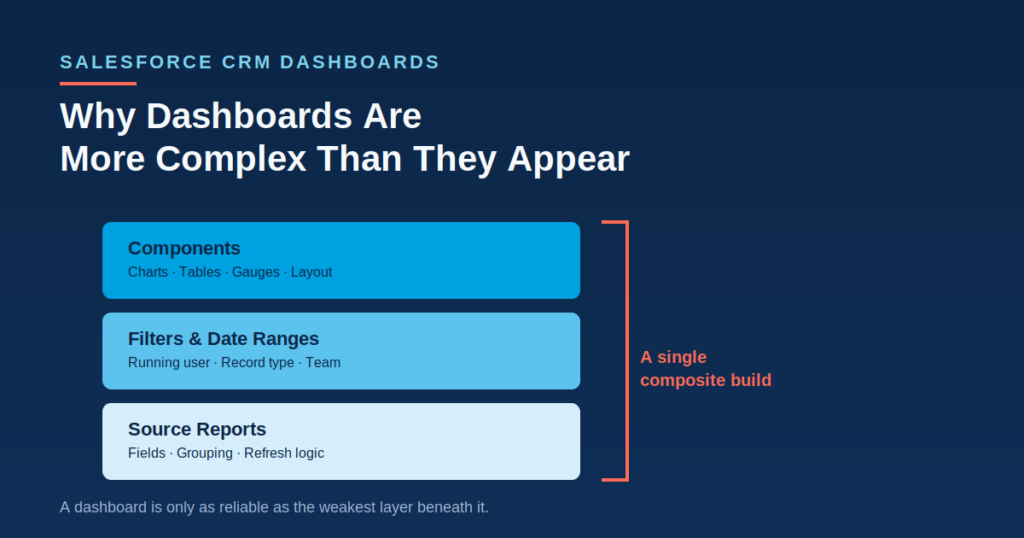
What makes a Salesforce dashboard is not a single report but rather the composite construction which includes the following:
- Base reports supporting all components of the dashboard
- Filters and dynamic date intervals
- Different types of components such as charts, tables, gauges etc.
There are several teams that create a dashboard once and do not change anything after that, which results in the increasing discrepancy between what is presented and how things work in reality.
When there is a company with different teams using the same instance, then access to dashboards should be configured differently for each audience since the dashboard helpful to one group of people might overwhelm another one.
Major Areas of Salesforce Dashboard Configuration
Underlying Report Structure
Rules Governing
- Fields and filters included in each source report
- Data Grouping and Summarization
- Real-time reporting or scheduled reporting of source reports
A badly designed source report is one of the most common and expensive problems, since it can lead to:
- Inaccurate and out-of-date numbers in dashboards
- Summary data that is misleading
- Time wasted trying to figure out what is wrong with bad data
Dynamic Filtering
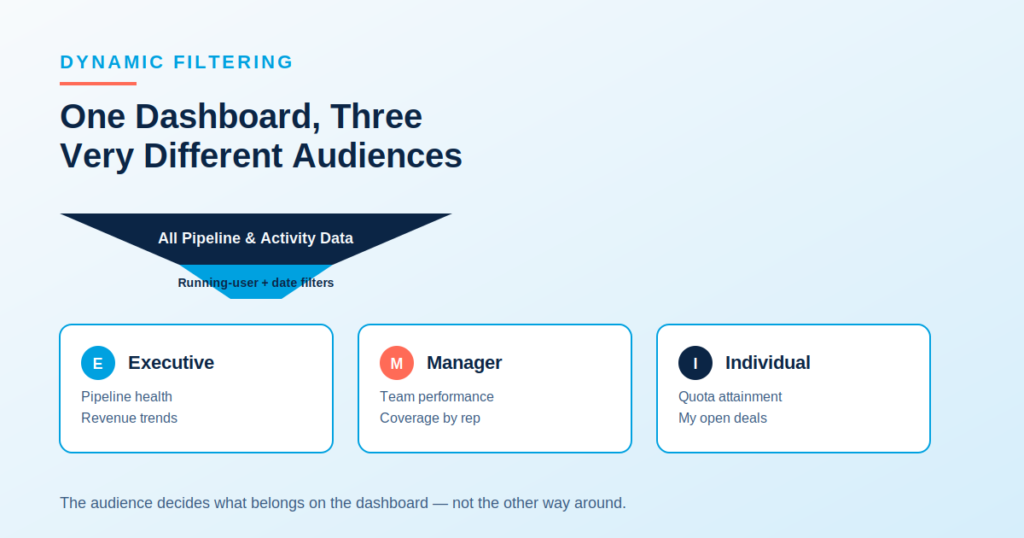
The dashboards available in Salesforce generally have filters which need users to comply with only viewing information relevant to their particular roles or periods.
Dynamic Filtering Often Includes
- “Running user” filters that depend on viewers
- Date range filters for period-to-period comparison
- Filters based on record type or team
Component Selection and Layout
Handling involves both picking the right charts and the growing need to design components such that the most important metrics can be easily seen.
Layout Decisions Usually Involve
- Putting the high-priority metrics on top
- Clustering relevant components together
- Not overcrowding the components such that key information is not buried
Audience-Specific Dashboards
Salesforce applications may need:
- Executive dashboards with emphasis on pipeline management
- Managerial dashboards with emphasis on team performance
- Individual dashboards with emphasis on individual performance and quota attainment
The level and purpose of each dashboard vary according to the person who will be taking action based on the information.
Refresh Rates and Data Accuracy
Some of the Salesforce dashboards need administrators to keep up with some of these parameters:
- Frequency at which the refresh should take place
- Cache settings when dealing with large amounts of data
- Stale or broken report alerts
These parameters must be kept in check since outdated dashboards are not trusted for long.
Why Dashboard Failures Happen Even in Well-Configured Salesforce Orgs
It does not happen because there is no Salesforce experience in the team at all.
In fact, the problem may be caused by the following:
- The business priorities change, but the metrics on the dashboard are not changed accordingly.
- The reports behind the dashboard stop working silently after renaming/deleting some fields.
- The dashboard is designed for one audience, but used for another.
How Organizations Build Effective Salesforce Dashboards
Starting With the Audience’s Key Questions
In large-scale organizations, the types of decisions that the dashboard should be able to support may be determined, particularly for situations where executives and operators need very distinct perspectives.
Salesforce Features Supporting Better Dashboards
- There are several features within Salesforce which allow team members to:
- Configure dynamic dashboards that will change depending on who is viewing them.
- Schedule dashboard refreshes.
- Have the dashboard sent to their inbox at regular intervals.
Regular Dashboard Audits
The following are some of the items that an organization will review periodically:
- Existing dashboards which are no longer aligned with current priorities
- Outdated source reports
Dashboards that are under-utilized and need either to be decommissioned or redesigned
Common Salesforce Dashboard Mistakes
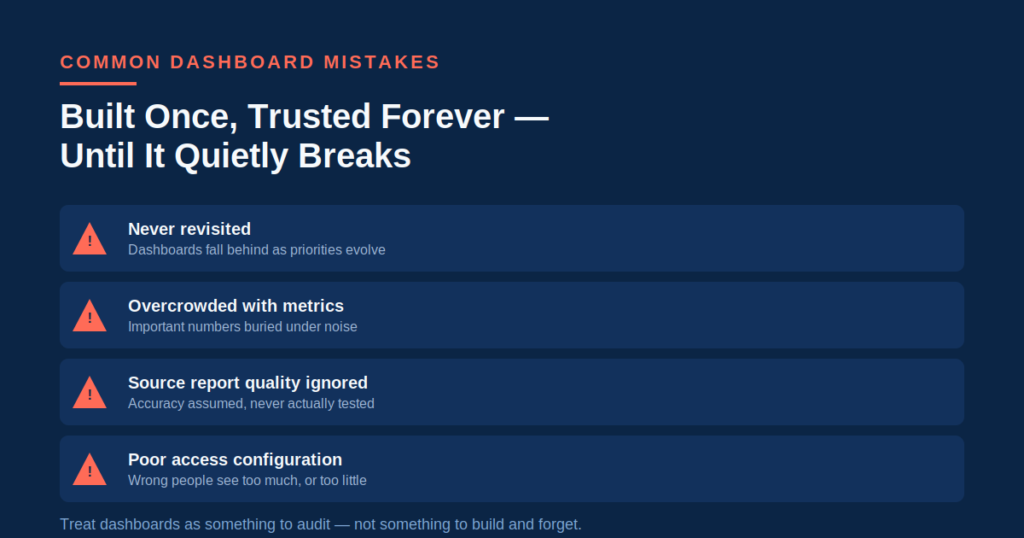
Building Dashboards Once and Never Revisiting Them
Letting dashboards fall behind as needs change and evolve in business.
Overcrowding With Too Many Metrics
Having so much information that the important numbers are hidden in a lot of other, unimportant numbers.
Ignoring Source Report Quality
Taking it for granted that the dashboard is accurate when it is not being tested for its accuracy.
Poor Access Configuration
Lack of proper control on:
- Access to viewing critical pipeline and/or revenue data
- Access to role-based information on dashboards
- Sharing permissions which provide excessive access to data
Improper access controls may cause limited access to those who require it, or inappropriate access to critical data.
Bottom Line
The Salesforce CRM dashboard customization comes in several forms that include such factors as the underlying report’s quality, filtering capability, design, intended audience, and accuracy of update.
In view of the rapid changes in businesses and data structure, it will be better for organizations to treat dashboards as things to be audited constantly rather than built and forgotten about.