Project Management With GitHub: How Dev Teams Use It Beyond Version Control

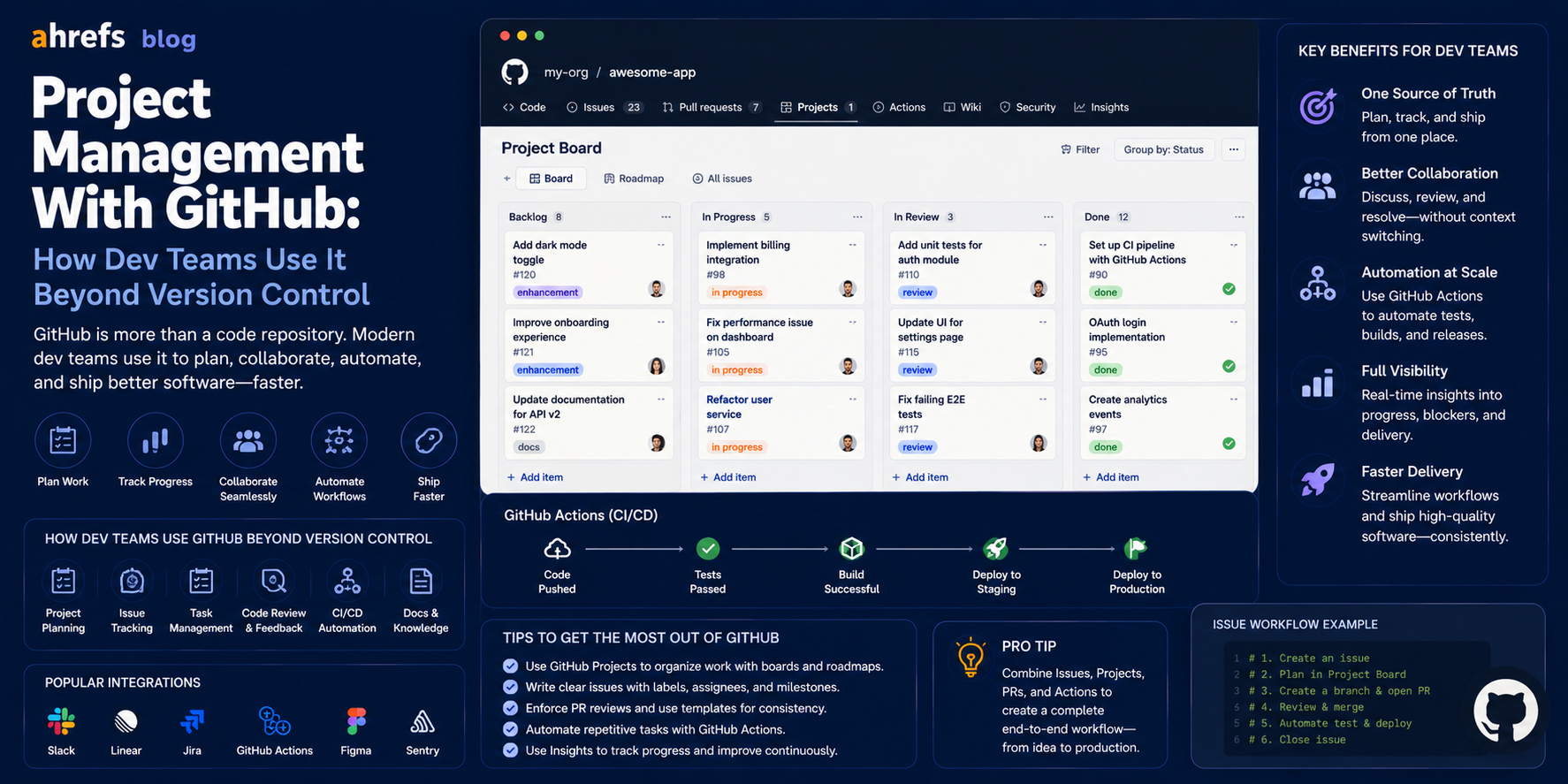
Developers are well aware of GitHub as the repository for their code but are unaware that there is an entire project management tool called Issues, Projects, Milestones, and GitHub Actions which allows development teams to manage their workflow entirely within the platform where their code already resides. Here’s how you can use GitHub for project management.
Table of Contents
- Why Use GitHub for Project Management?
- GitHub Issues: The Backbone of GitHub PM
- GitHub Projects: What You Should Know About Boards and Table Views
- GitHub Milestones: Track Progress Until the Release of Your Project
- GitHub Actions: Automate Your Workflows
- GitHub Discussions: Communicate With Your Team
- GitHub PM vs. Specialized Project Management Software (Jira, Linear, Asana)
- Conclusion
Why Use GitHub for Project Management?
The main strength for dev teams regarding GitHub as a project management platform lies in co-location. Your tasks will reside in the same place as your codebase, your pull requests, and deployment processes. If an issue is pointing at a PR, which is then connected with release milestones, you get a full development process chain from inception to code delivery in a single place.
That saves on “context switching cost” of managing yet another project management platform besides your codebase and also doesn’t force your junior devs to learn yet another platform. For open source projects, using GitHub issues and projects is a de facto standard.
GitHub Issues: The Foundation of GitHub PM
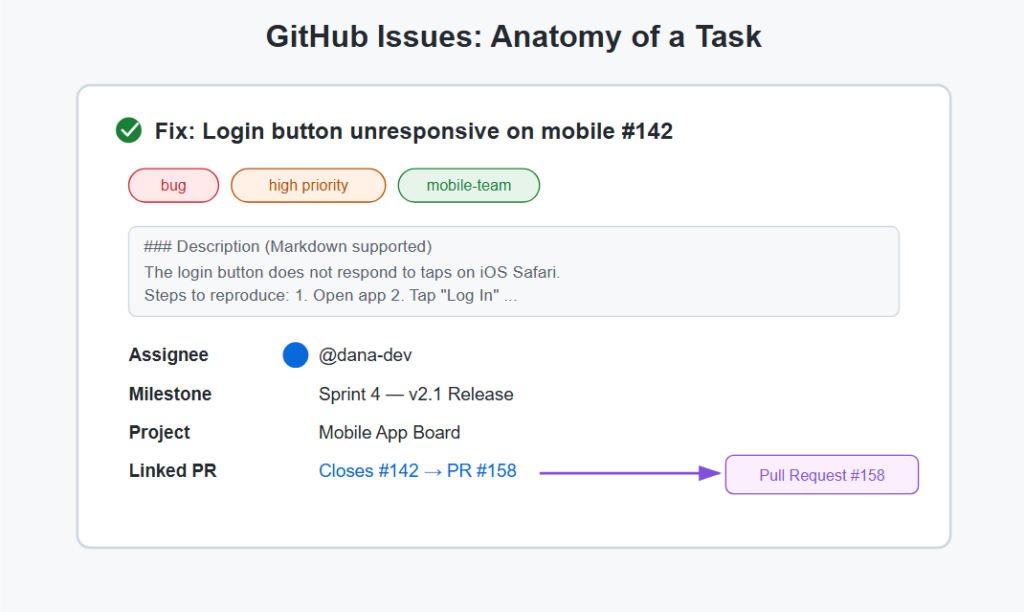
Issues are the basic unit of work on GitHub. An issue can be about a bug, a feature, a task, a question, or anything that you need to track and talk about.
Key Issue Features
- Title and description (supports Markdown, good for writing detailed specifications)
- Assignees (one or more people from your team)
- Labels (custom labels such as “bug”, “enhancement”, “high priority”, “blocked”)
- Milestones (connect the issue to a specific release or sprint)
- Projects (assign the issue to a GitHub project)
- Pull Requests (GitHub automatically links pull requests and issues with certain keywords such as “Closes #123”)
Issue Templates
Provide issue template structures for different issue types (bugs, features, spikes) that would ensure that contributors and team members create properly structured Issues, not free-form issues text.
GitHub Projects: Boards and Table Views Explained
GitHub Projects is the visual interface built on top of GitHub Issues and Pull Requests. It offers different views for the same underlying information.
Board View
Kanban Board with custom statuses (columns such as To Do, In Progress, Done, or any other status set defined by the team). Issues and PRs can be dragged between statuses.
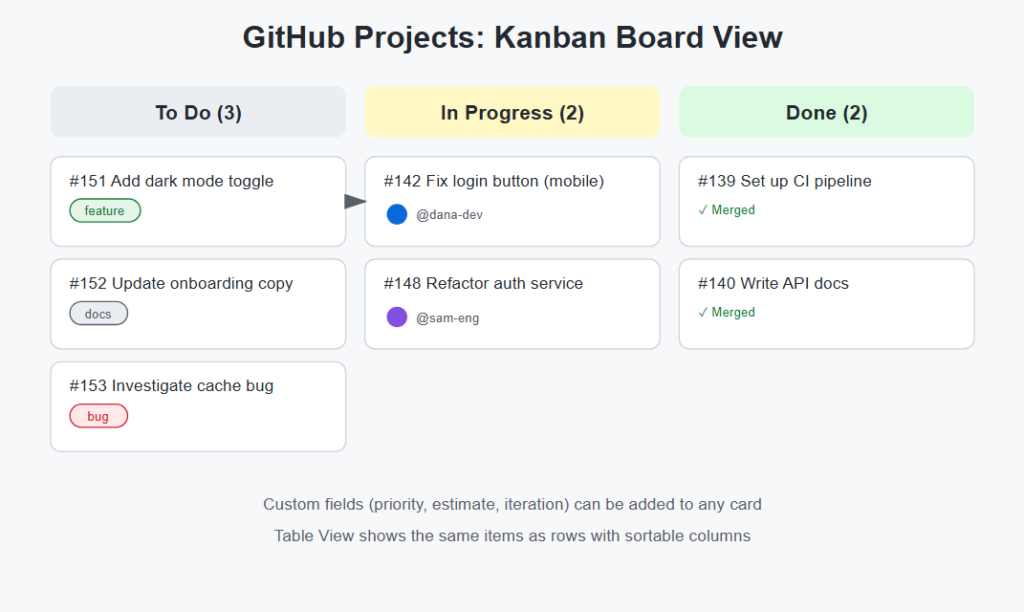
Table View
A spreadsheet-like representation of all project items, allowing for custom columns: status, priority, assignee, estimation, iteration, and associated milestone. More like a conventional project tracker than a Kanban board.
Roadmap View (Timeline View)
Gantt view where the items are laid out on a timeline. Needs date attributes (date started, date completed) to be defined on the items. Helpful for planning releases and sprints.
Custom Fields
Custom attributes can be added to an item using GitHub Projects: numeric (for story points), single select (for priorities), date attribute, text attribute. This makes the project board an effective PM tool.
GitHub Milestones: Tracking Progress to Releases
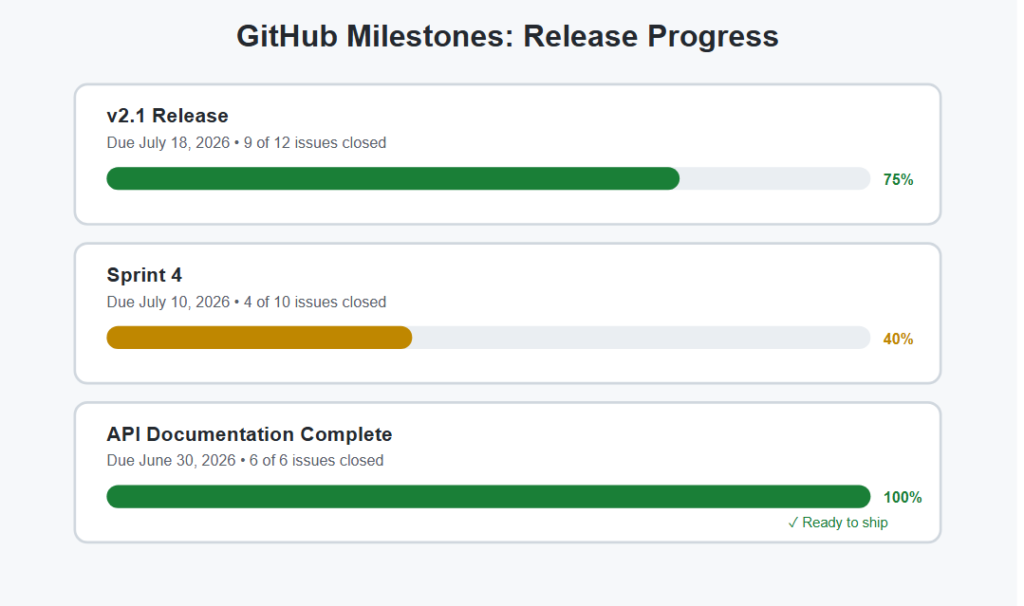
The Milestones feature categorizes Issues and Pull Requests under a particular milestone name with a deadline date.
Use Milestones For
- Sprints tracking: Milestone = Sprint 1, Sprint 2, and so on, with deadlines after 2 weeks
- Release planning: Milestone = v2.0, v2.1 release cycles with related feature issues grouped
- Deliverables tracking: Milestone = “API Documentation complete” with all the related tasks assigned
With the milestone progress bar, you can easily determine whether your project is ready for release just by looking at the milestones.
GitHub Actions for Workflow Automation
Not only can GitHub Actions be used for CI/CD but it can help you manage your project.
Common Automations
- Add an issue to a project automatically
- Mark an issue as “in progress” when there is an open PR
- Mark an issue as “closed” when the linked PR gets merged
- Notify a Slack channel when a milestone is closed
- Label issues based on file paths changed in a PR
Automated systems decrease the effort associated with maintaining updated boards, one of the leading causes of outdated PM boards.
GitHub Discussions for Team Communication
The GitHub Discussion system acts as a forum-based communication tool that is independent of Issues.
Use Discussions For
- Architecture discussion and technical decisions that should not be a part of an Issue
- Q&A visible to everyone on the team
- Announcements and team-related updates
- Pre-feature implementation RFC process
Discussions for strategy-related items and Issues for task management ensure that irrelevant conversation threads do not end up in Issues.
GitHub PM vs. Dedicated Tools (Jira, Linear, Asana)
GitHub PM Is a Strong Choice When
- Your team is comprised mainly of developers using GitHub
- You develop an open-source or community-based software product
- You don’t want to incur any extra costs
- You need task and release management, not resource management
Consider Dedicated Tools When
- You require sprint velocity analytics and reporting (Jira is the best option for this)
- Non-technical people require task updating capabilities without having access to GitHub (Asana or Monday are good choices for this)
- You have resource planning requirements that are very complex
- Your development process involves working with multiple repositories and you need portfolio-level visibility (this can be done in GitHub but not easily)
Linear is something to note as an intermediate option, a PM tool aimed at developers and tightly integrated with GitHub yet having a nicer interface than Jira.
Final Thoughts
The potential of project management within GitHub is seriously overlooked by teams used to sticking to some other tool due to the inertia of habits rather than needs. For development teams already working in GitHub, the proximity of code and tasks, the connection between Issues and Pull Requests, and even opportunities with Actions give enough grounds to consider GitHub as a fully-fledged PM platform, without any additional costs. The gap compared to dedicated solutions is quite tangible when it comes to advanced reports and resource management. But for software teams primarily interested in releasing features, GitHub is all they need.