Payroll Software for Small Business: What Actually Matters When Choosing One

Introduction
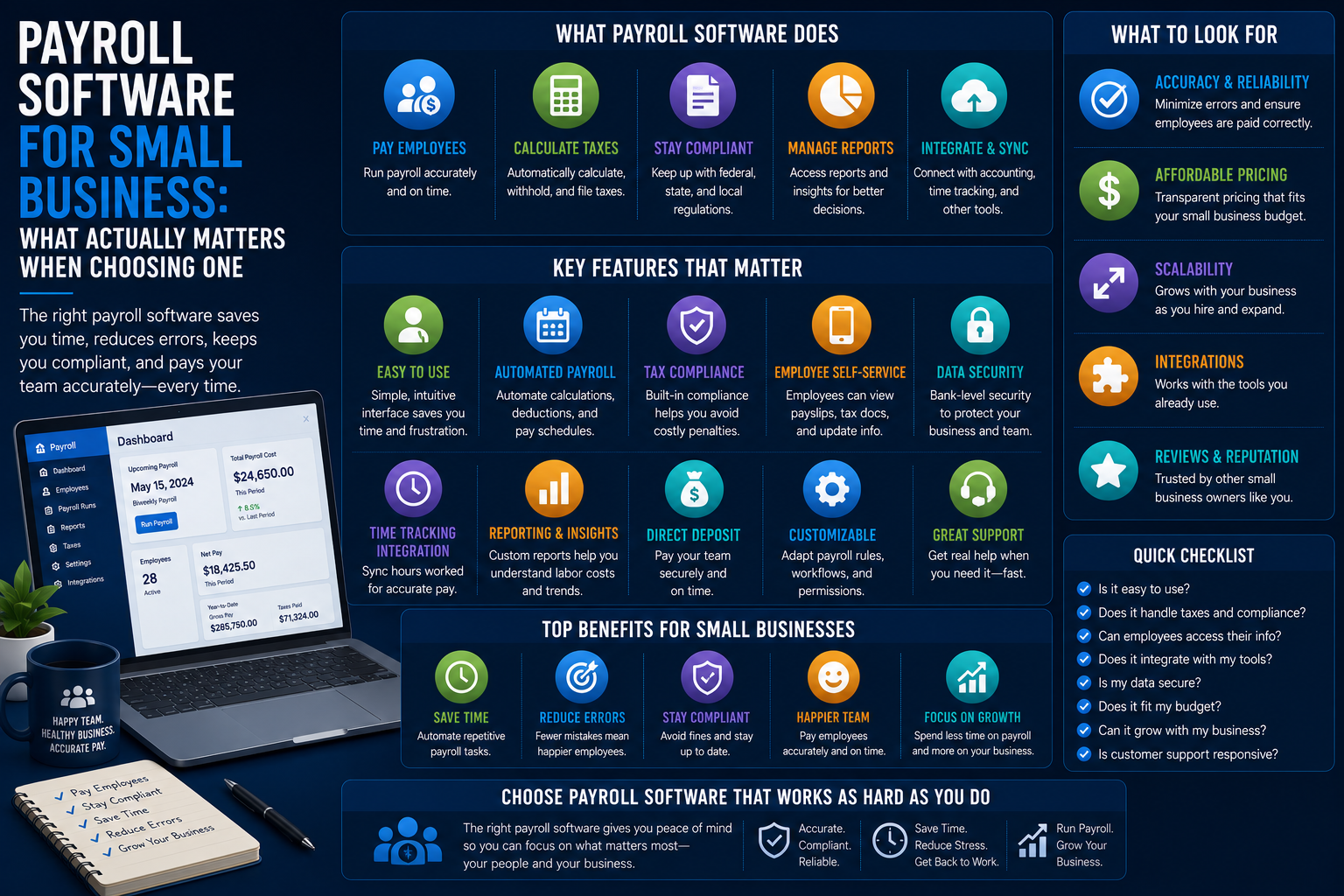
Payroll may be one of the few HR activities that small businesses have to do right from the very beginning since mistakes don’t just make employees frustrated but result in tax implications. This is what a payroll system needs to manage, along with some tips on choosing a payroll system without unnecessary costs.

What Payroll Software Needs to Do at a Minimum
The payroll system should have a number of key capabilities to help in ensuring that employees are paid on time and companies comply with tax and labor laws.
Accurate Pay Calculation
Accurate computation of gross salary, tax deduction, and any deduction for all employees regardless of whether they are salaried or hourly, along with accurate overtime computations for non-exempt employees.
Key Responsibilities
- Computation of gross salary
- Tax deduction
- Employee deductions
- Overtime computation
- Salaried and hourly employees
Tax Filing and Payments
Calculating, filing, and remitting taxes to the government for federal, state, and local authorities is one of the biggest reasons that small business owners use payroll software and not perform payroll manually because payroll errors have monetary consequences.
What It Handles
- Federal payroll taxes
- State payroll taxes
- Local payroll taxes
- Automatic tax payments
- Compliance reporting
Direct Deposit
Employees pay through direct deposit instead of manually written checks, which most payroll software can do automatically.
Benefits
- Timely payment to employees
- Minimal paperwork
- Security of transaction
- Scheduled payment
Year-End Tax Forms
Automatic generation of W-2 forms and 1099s at the end of each year, reducing a substantial amount of time that would be spent on doing them manually.
Common Forms
- W-2 forms
- 1099 forms
- Year-end reporting
- Employee tax documentation
Compliance with Wage and Hour Law
Proper implementation of federal or local minimum wage laws, overtime laws, and other wage regulations, varying from state to state and even city to city, is vital for any small firm that operates in several locations.
Compliance Areas
- Minimum wage laws
- Overtime requirements
- State-specific labor laws
- Multi-location compliance

Additional Features Common in Small Business Payroll Platforms
Along with basic payroll functionality, most systems offer some additional HR features as well.
Benefits Administration Integration
Some payroll systems for small businesses offer benefits administration, meaning that the deductions for health insurance and retirement plans will be calculated automatically, without the need for reconciling.
Time Tracking Integration
For small businesses that employ hourly workers, integration with time tracking software can allow time spent on work to get automatically transferred to the payroll calculation process.
New Hire Reporting
Automatic state new-hire reporting, which is an obligation for small business owners that are usually unaware of it.
Self-Service Employee Portal
By allowing employees to see their pay stubs, tax forms, and update personal data, reducing the number of common administrative tasks for whoever handles the payroll internally.
Popular Small Business Payroll Platforms
There are several software options that small business owners commonly use when it comes to payroll.
Gusto
Gusto enjoys widespread use in small business establishments for its user-friendly interface and provision of benefits administration along with basic HR functionality.
ADP and Paychex
ADP and Paychex provide established payroll systems that offer good support for more complicated scenarios (for example, multi-state workers or more complicated benefits programs) though possibly at a higher price or with more capabilities than are needed by an extremely small company.
QuickBooks Payroll
QuickBooks Payroll works well for small business establishments that already use QuickBooks in their accounting operations.

How to Choose Payroll Software for a Small Business
Choosing payroll software should take into consideration the needs of your business and what will be required of the system as your business grows.
1. Confirm Coverage for Your Specific State(s)
In case your business has workers in many states, you should ensure that the system is able to handle all the payroll taxes in every state since different states have varying requirements for these taxes.
2. Check Pricing Structure Carefully
Most small business payroll systems work using a base fee and per employee fees.
3. Evaluate Integration with Your Accounting Software
The payroll information should enter into your accounts properly; seamless integration with your accounting system eliminates the need to manually journalize and reconcile entries.
4. Consider How Much HR Functionality You Actually Need Bundled In
Some systems integrate other HR functions (onboarding, benefits management, and time management); determine whether you prefer a single platform or separate point solutions for other HR functions.
5. Look at Customer Support Quality, Especially Around Tax Filing
Because mistakes made while paying payroll taxes involve money, it is important to have knowledgeable customer service more for this category than others.
Common Mistakes Small Businesses Make with Payroll Software
There are many avoidable problems that arise when choosing and implementing payroll software.
- Picking by price only without checking whether it covers compliance for the specific state or states they do business in.
- Categorizing workers as independent contractors and exempt from overtime incorrectly, since payroll software will not prevent it without proper setup.
- Failing to review payrolls before finalizing them and making mistakes that must be corrected later.
- Underestimating the real cost once the number of employees increases.
Bottom Line
The most important thing about the payroll software for small businesses is that it does the pay calculation, tax filing, and compliance correctly; the other HR-related things are just extra stuff. Pick one that truly covers the rules for your particular state and fits into your accounting system, instead of one with lots of features.