Onsite SEO: A Practical Guide to On-Page Optimization

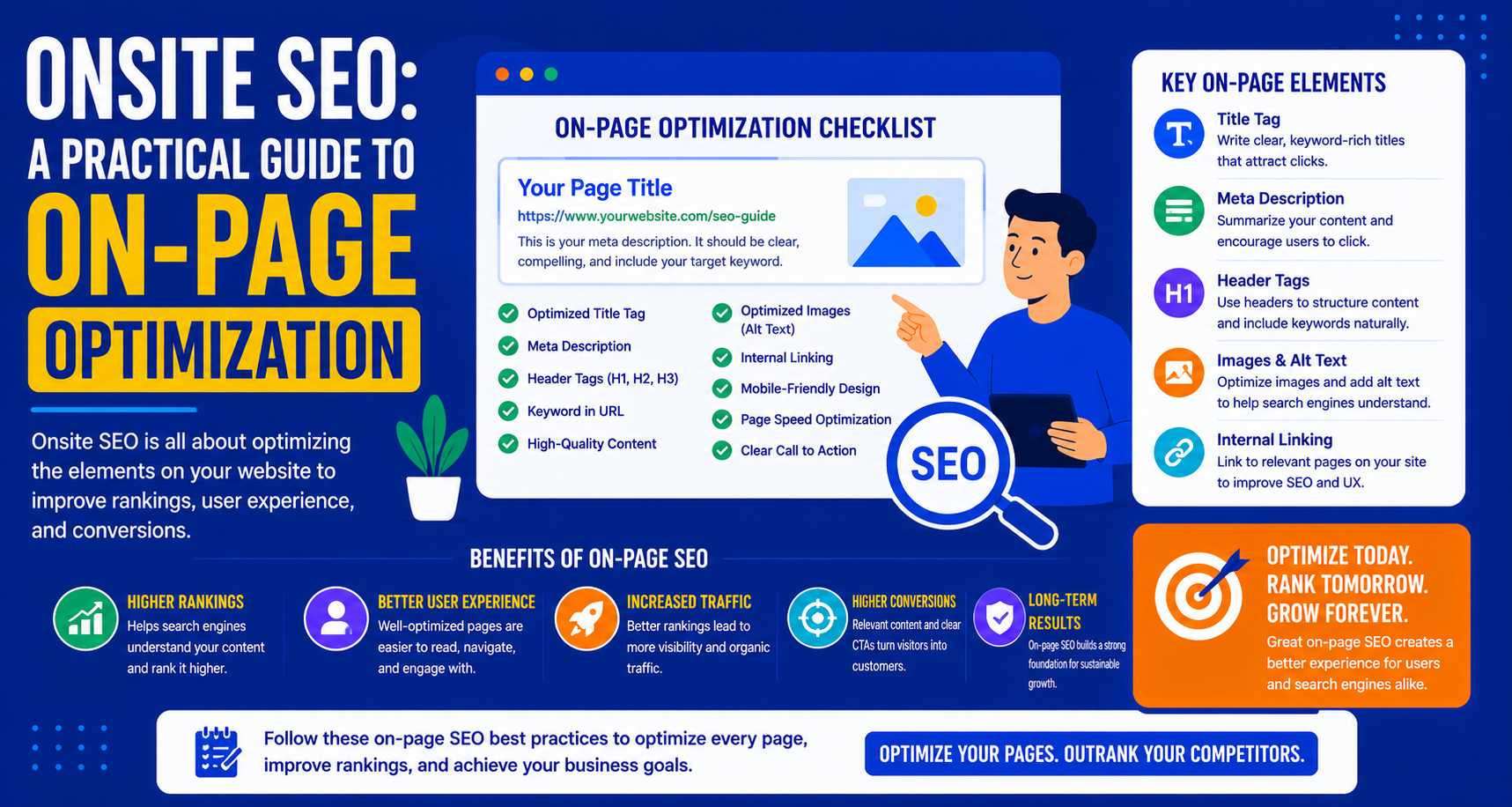
On-site SEO, also known as on-page SEO, encompasses all those efforts that can be made at the website level for better SEO rankings. The difference between on-site and off-site SEO is that the former is fully under your control.
This is why on-site SEO forms the basis of any SEO approach.
What Is Onsite SEO?
On-page SEO involves all the technical as well as content-based components on your site that affect how the search engines view, index, and rank your pages.
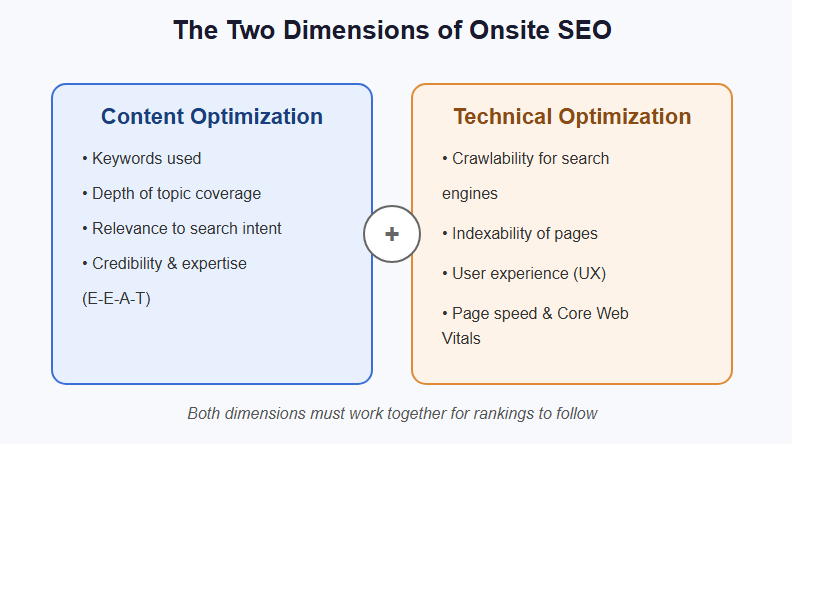
The Two Dimensions of Onsite SEO
Content Optimization
The keywords used, depth of topic coverage, relevance to search intent, and credibility and expertise demonstrated
Technical Optimization
Whether search engines can crawl your pages easily and index them, as well as the user experience.
Both factors must go hand-in-hand; otherwise, you will get no rankings for your pages. For example, you may optimize your pages beautifully for a search engine such as Google but if Google cannot crawl those pages, they get no rankings.
Why Onsite SEO Is the Foundation
Even if you have a backlink profile that no one in your industry can match, if you don’t have your on-page factors right, then these backlinks will not be able to deliver you what they are capable of delivering. On the contrary, websites with good onsite SEO outrank others with more backlinks because Google’s algorithm now gives higher preference to pages fulfilling their user intent, which is an onsite criterion.
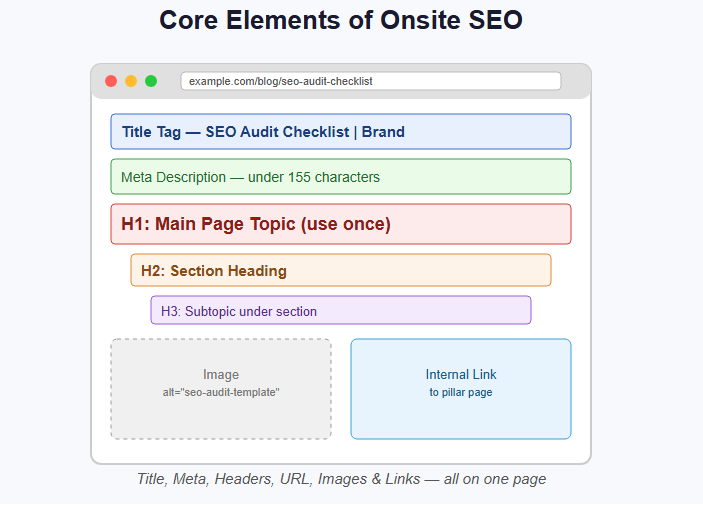
The Core Elements of Onsite SEO
Title Tags
The Title Tag is that HTML tag which is used to display the clickable headline that shows up in the SERPs and the browser tabs. This single on-page SEO element has the most weightage.
Best Practices
- Use your main keyword (preferrably at the beginning)
- Do not exceed 60 characters to prevent truncation
- Make sure that it’s interesting enough to get clicked on
- Create a distinct title for each web page
- Use the title that corresponds with the webpage’s content
Example for a Page About SEO Audits
Weak: “Services | Ahrefs”
Strong::”SEO Audit Checklist: 25 Points for Improving Your Website | Ahrefs Blog”
Meta Descriptions
Meta Descriptions show up beneath the title in search results and are not used directly for rankings, although they greatly impact the click-through rate.
Best Practices
- Limit it to 155 characters
- Mention your main keyword (as it is highlighted in Google’s results)
- Make it engaging so the user has a reason to click through
- A call to action should be used where appropriate
- Each page should have its own description
Header Tags (H1, H2, H3)
Headers give your content a hierarchical structure and indicate the structure of the page to search engines.
H1 (Use Once Per Page)
Main subject of your page. It must contain or relate to your main keyword. It should correspond to what the visitor expects after searching.
H2 (Multiple Per Page)
Section headings. Helps break down your page into smaller pieces. Can also include secondary keywords.
H3 (Within H2 Sections)
Subtopics under sections.
Avoid
- More than one H1 tag on a page.
- Jumping over headings (e.g., from H1 to H3).
- Headings that do not match what’s written in the body.
URL Structure
It is displayed in search engine results pages, and it has a very small effect on your site’s rankings. However, a cleaner URL will increase your users’ trust.
Best Practices
- Keep the URL short and meaningful.
- Use the main keyword.
- Use hyphens between the words (avoid underscores).
- Delete unnecessary words like “the,” “of,” etc.
- Write all words in lower case letters.
- Avoid use of query strings in the URL where possible.
Example
Good: /blog/seo-audit-checklist
Poor: /blog/post?id=1234&category=seo
Content Optimization
This is where SEO onsite comes in.
Your content should:
Match Search Intent
Your content’s style, focus, and level of detail should match what people really want when they search that query. Check out the top 5 results for your target keyword; those will give you an idea of what Google thinks its users want.
Cover the Topic Comprehensively
Google favors articles that comprehensively cover their subject matter. Use Ahrefs to find out what your competitors’ pages have that yours lacks.
Use Keywords Naturally
Use your target keyword in your introductory paragraph, throughout the body, and even in your headings if appropriate.
Demonstrate E-E-A-T
Experience, Expertise, Authoritativeness, Trustworthiness
Make sure you have citations and authors’ credentials, link out to other credible sources, and make all claims correct.
Internal Linking
Two essential purposes of internal linking include:
- Distributing PageRank throughout your site
- Helping search engines determine the relevance between different pages on your website
Best Practices
- Link your highest authority pages (homepage, pillar pages) to valuable content that you want to have ranking
- Use meaningful anchor text (and not just “click here”)
- Make sure that every important page is within three clicks away from the homepage
- Build out topic clusters by having a pillar page focused on a particular topic along with supporting content for the subtopic
How to Audit Internal Linking
Click “Pages” > “Best by Links” within Ahrefs Site Explorer to find out which internal pages have the highest number of links.
When compared to the pages you need to outrank, high value pages must also have many internal links.
Image Optimization
Images influence the page load time (ranking factor) and can also generate traffic through Google Images search.
Best Practices
Alt Text
Provide an accurate description of the image using 5-10 words. Use appropriate keywords when applicable.
File Names
Name images using:
seo-audit-template.jpg
not
IMG_001.jpg
File Size
Reduce image sizes to minimize file size while maintaining image quality.
Tools:
- TinyPNG
- Squoosh
Format
Use WebP (high-quality compression) when available, otherwise use JPEG/PNG.
Dimensions
Optimize image sizes according to their intended display size, don’t load a 4000 pixel image inside a 600 pixel container.
Lazy Loading
Image tags must have a lazy=”true” attribute when they appear below the fold.
Schema Markup
Schema markup is structured code that helps search engines to comprehend the actual meaning of your content.
Use of schema in your website may qualify you for rich results, which include star ratings, FAQs, pricing, and more.
Common Schema Types for Content Sites
- Article schema
- FAQ schema
- HowTo schema
- BreadcrumbList schema
Implementation
Implement schema with JSON-LD (Google’s recommended format) in the <head> section.
Validate with Google’s Rich Results Test.
Page Speed and Core Web Vitals
Page speed affects both rankings and user experience.
Google’s Core Web Vitals, LCP, INP, and CLS, are official ranking signals.
Key Optimizations
- Image Compression and Optimization
- Minimize Render-blocking Resources (Non-essential JS)
- Utilize a CDN for asset delivery from geographically proximate servers
- Browser Caching
- Reduce Server Response Time
Check Performance
- Google Pagespeed Insight
- Core Web Vitals Report on Search Console
- Ahrefs Website Audit
Mobile Optimization
Google is mobile-first indexed, which means your mobile ranking decides the ranking of your website in all other devices.
Non-Negotiables
- Responsive design (content adjusts based on screen size)
- Text that can be read without zooming
- Correct tap target sizes (minimum 44 pixels)
- No intrusive interstitials
- Consistent content on both mobile and desktop versions
The Onsite SEO Audit Process
Onsite SEO improvement systematically begins with understanding your current position
Complete this auditing process:
Step 1: Technical Crawl
Ahrefs site audit
Evaluate everything from the list of critical and high-priority problems:
- Crawling errors
- Internal links’ errors
- Missing title tags
- Duplicate content
- Core web vitals failure
Step 2: Page-by-Page Review of Top Pages
Take your top 20 organic traffic pages.
For each, review:
- Title tag
- Meta description
- H1
- Content depth vs. competitors
- Internal links received
- Schema implementation
Step 3: Keyword Alignment Check
For each crucial page::
- Which keyword does it target?
- Is the page ranking for that keyword?
- If no, why not?
Check ranking with Ahrefs and find gaps.
Step 4: Content Gap Analysis
With your most crucial keywords, figure out what the highest-ranking pages are doing that you aren’t. Do that.
Prioritizing Onsite SEO Work
But not everything on the checklist is of equal value.
Prioritization Framework
Impact × Effort
High Impact, Low Effort (Do First)
- Title tags missing in highly trafficked pages
- Crawl errors that need fixing right away
- Adding ALT text where there is none in important images
- Fixing broken internal links in important pages
High Impact, Medium Effort (Do Next)
- Expanding depth in content for pages 4-10
- Adding FAQs schema in highly trafficked informational pages
- Updating outdated statistics and facts on important pages
Medium Impact, Higher Effort (Schedule)
- Generate content for previously unknown high volume keywords
- Structure your topics in topic clusters with internal links
- Add product schema to e-commerce pages
Low Impact (Do When Time Allows)
- Some minor copy changes
- Low traffic page optimization
- Small image optimization
Conclusion
Onpage SEO is the base for all other SEO work. It is the most hands-on and controllable part of your SEO strategy.
Audit methodically, address high-priority problems first, improve the optimization on your most valuable pages, and form the practice of incorporating onsite SEO techniques on all new pages you create.
In the long run, the better-optimized site gets a stronger lead over the sites that have less-optimized foundations.