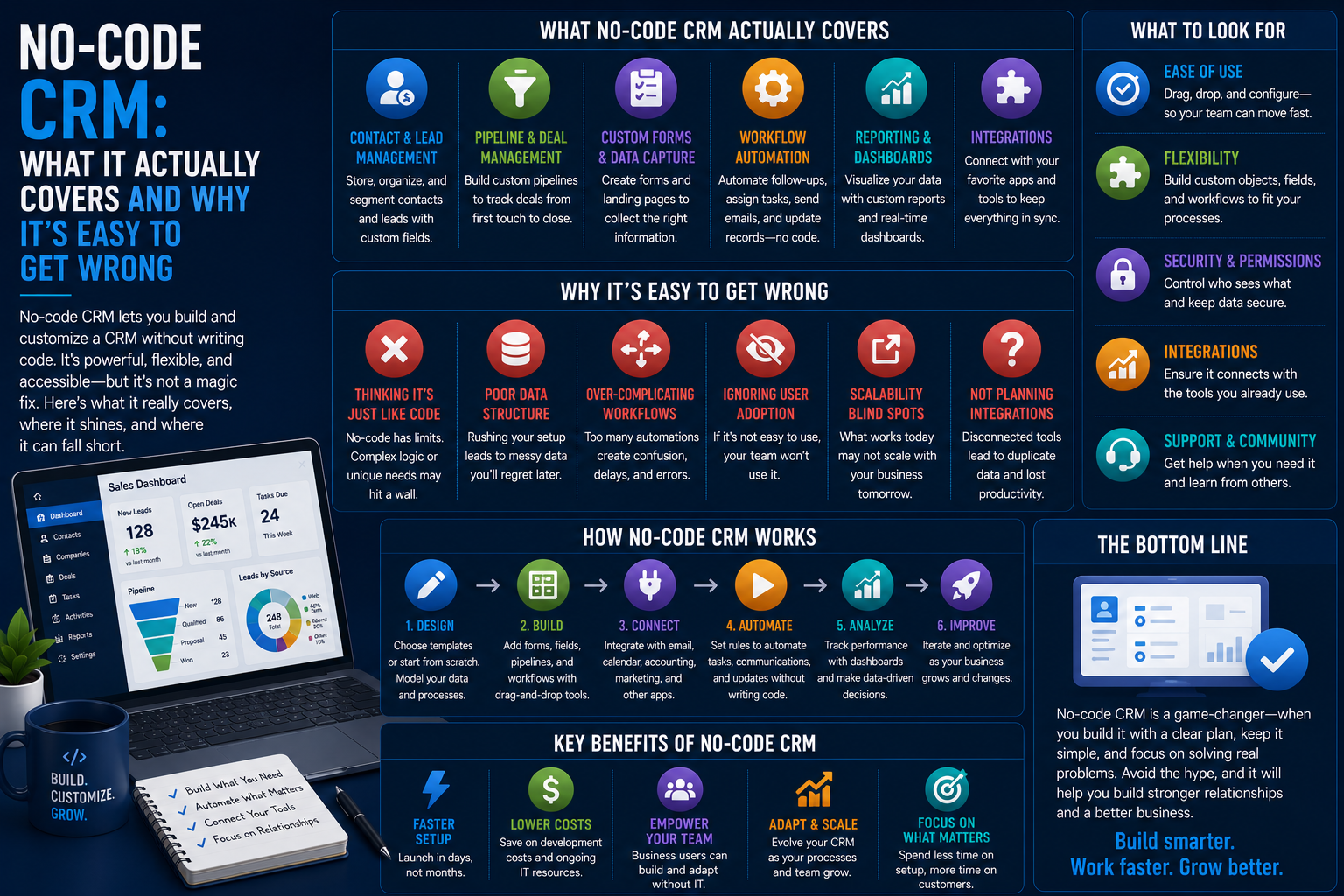
No-Code CRM: What It Actually Covers and Why It’s Easy to Get Wrong

Introduction
The definition of a no-code CRM is a CRM system that enables non-programming people to construct and customize workflows without coding. It may sound relatively simple; however, the number of features that overlap in the field of “no-code” makes it one of those aspects of business that often get misjudged.
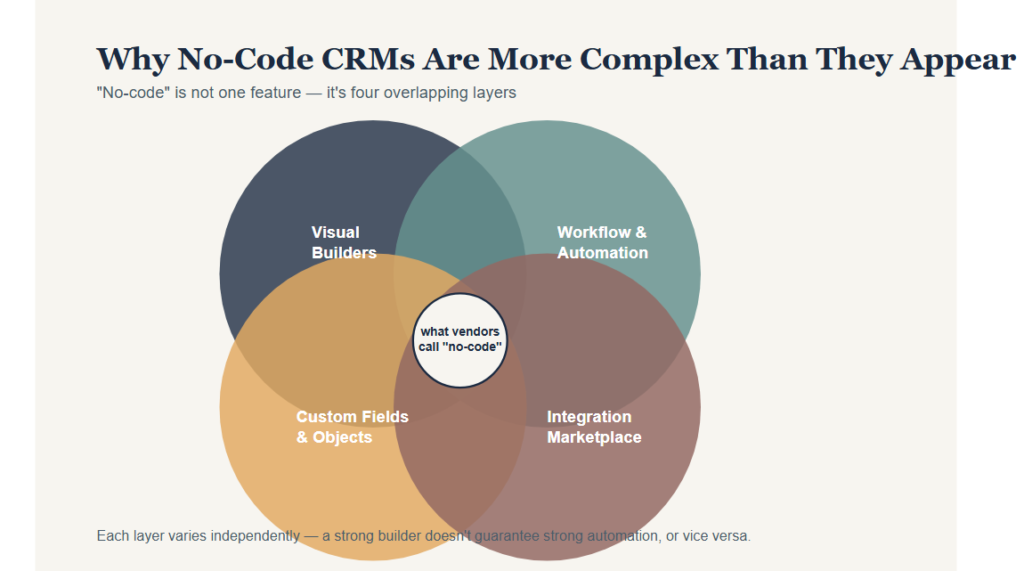
Why No-Code CRMs Are More Complex Than They Appear
However, no-code capability is not one monolithic feature but rather a combined structure consisting of the following:
- Visual builders for interface creation
- Workflow and automation editors
- Creation of custom fields and objects
- Pre-integration markets
Some providers refer to configuration options as “no-code,” which causes misunderstandings about the amount of actual customization possible in such systems without the help of developers.
When there are certain or peculiar processes that an organization follows, the ability of no-code to handle them should be checked separately from demo materials.
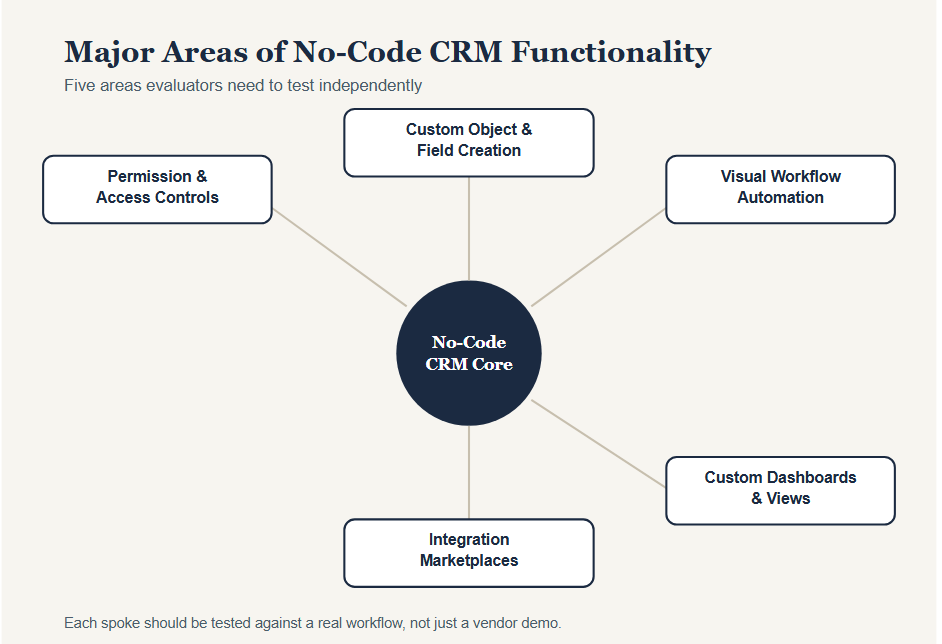
Major Areas of No-Code CRM Functionality
Custom Object and Field Creation
Rules Governing
- Adding fields without developers
- Creating totally new types of records
- Making relationships between records
The problem of predefined data structure is one of the most common restrictions because it can cause the following problems:
- Using workaround solutions like notes or spreadsheets
- Data which does not fit into business process
- Report that do not represent team’s process
Visual Workflow Automation
Most no-code CRM platforms include automation builders that merely need basic logical skills to follow multi-step procedures such as lead routing and follow-ups.
Automation Builders Often Include
- Conditional If/Then Logic
- Multi-step Branching Workflows
- Scheduled or Trigger-based Actions
Custom Dashboards and Views
Management is more than just pre-configured reports; it includes the growing use of drag-and-drop dashboarding tools that enable users to build their own custom views.
Those Builders Usually Vary in Many Respects Including
- Chart and visualization types available
- Dynamic filtering and segmentation capabilities
- View sharing and permission settings
Integration Marketplaces
Integration options in no-code CRMs include:
- Out-of-the-box connectors to common software
- Integration with email and calendar software natively
- API or Webhook integrations for more complex use cases
The extent of integrations varies based on the partner ecosystem of the platform.
Permission and Access Controls
A number of no-code CRMs need administrators to set up various configurations such as:
- Access to fields/records based on roles
- Limitations of team-level visibility
- Approval for sensitive changes
It is essential to set these configurations prudently since too much no-code access may result in data governance problems.
Why No-Code Claims Are Easy to Get Wrong
There is rarely any confusion between truly flexible no-code tools and those with restricted configuration possibilities since customers do not make a difference between them at all.
It might be caused by the following reasons:
- The demo presentations of the products show only simple scenarios.
- Customers believe that “no-code” equals unrestricted configuration possibilities.
- – Some products claim to be completely no-code but still demand coding for more complicated functionality.
How Organizations Evaluate No-Code CRMs
Testing Against Real Processes
Organizations that are bigger in size may even design an internal workflow during trials because there are instances when their sales/service process does not fit any existing template.
Reviewing the Limits of Customization
Some of the evaluation methods include questioning the vendors about the following:
- When does the no-code customization stop and coding begin?
- What occurs when the workflow gets past the capability of the builder?
- Are the custom objects capable of automating just like the default objects?
Involving End Users Early
Pilots done by organizations include:
- The real individuals who will be configuring workflows on a day-to-day basis
- Evaluation of how easy-to-use the builder really is
- A specific evaluation period prior to rolling out across the organization
Early involvement of end users allows organizations to ensure that the no-code tool can be used effectively by the individuals who will use it.
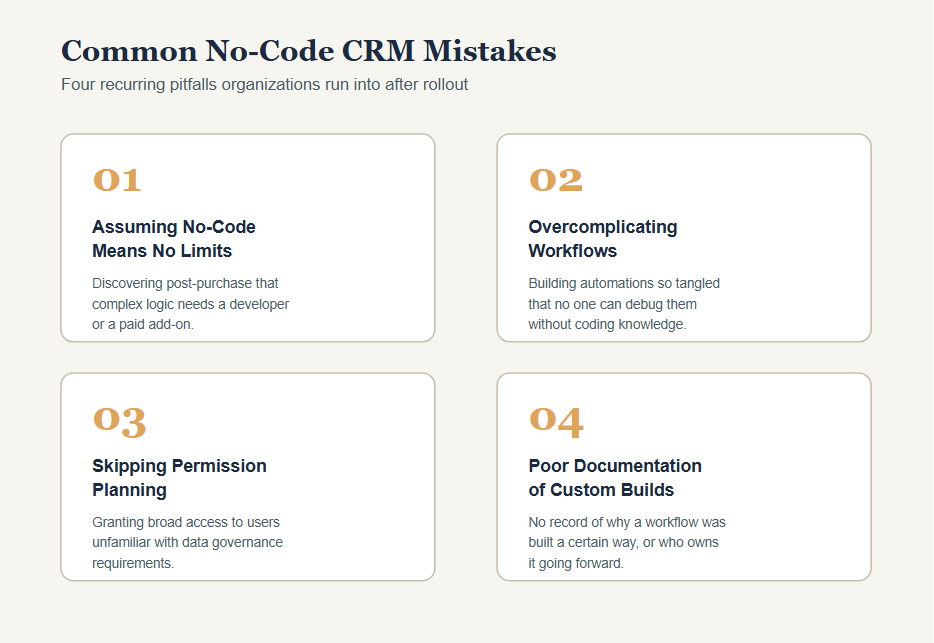
Common No-Code CRM Mistakes
Assuming No-Code Means No Limits
Realizing at the point of purchase that there is some sort of sophisticated logic that needs programming expertise or even a paid add-on.
Overcomplicating Workflows
Creating a very complex automation workflow that would be hard to debug without having any programming knowledge to rely on.
Skipping Permission Planning
Granting too much access to many users who are not well versed with data governance concerns associated with that.
Poor Documentation of Custom Builds
Insufficient documentation on:
- Reasons why a particular workflow has been created in a certain manner
- Who will take care of it going forward
- How it needs to be changed as changes occur in the process
This may cause misunderstanding when the person who created the workflow moves out of the organization.
Bottom Line
Evaluating no-code CRM solutions can be very varied, covering things like creating custom objects, visual automation, building dashboards, integration, and permission management.
Given how much terminology can be used in similar ways by truly flexible systems and limited-customization systems, it would be better for consumers to put their workflows to the test first.