Mailchimp CRM Integration: What It Actually Covers and Why It’s Easy to Get Wrong

Introduction
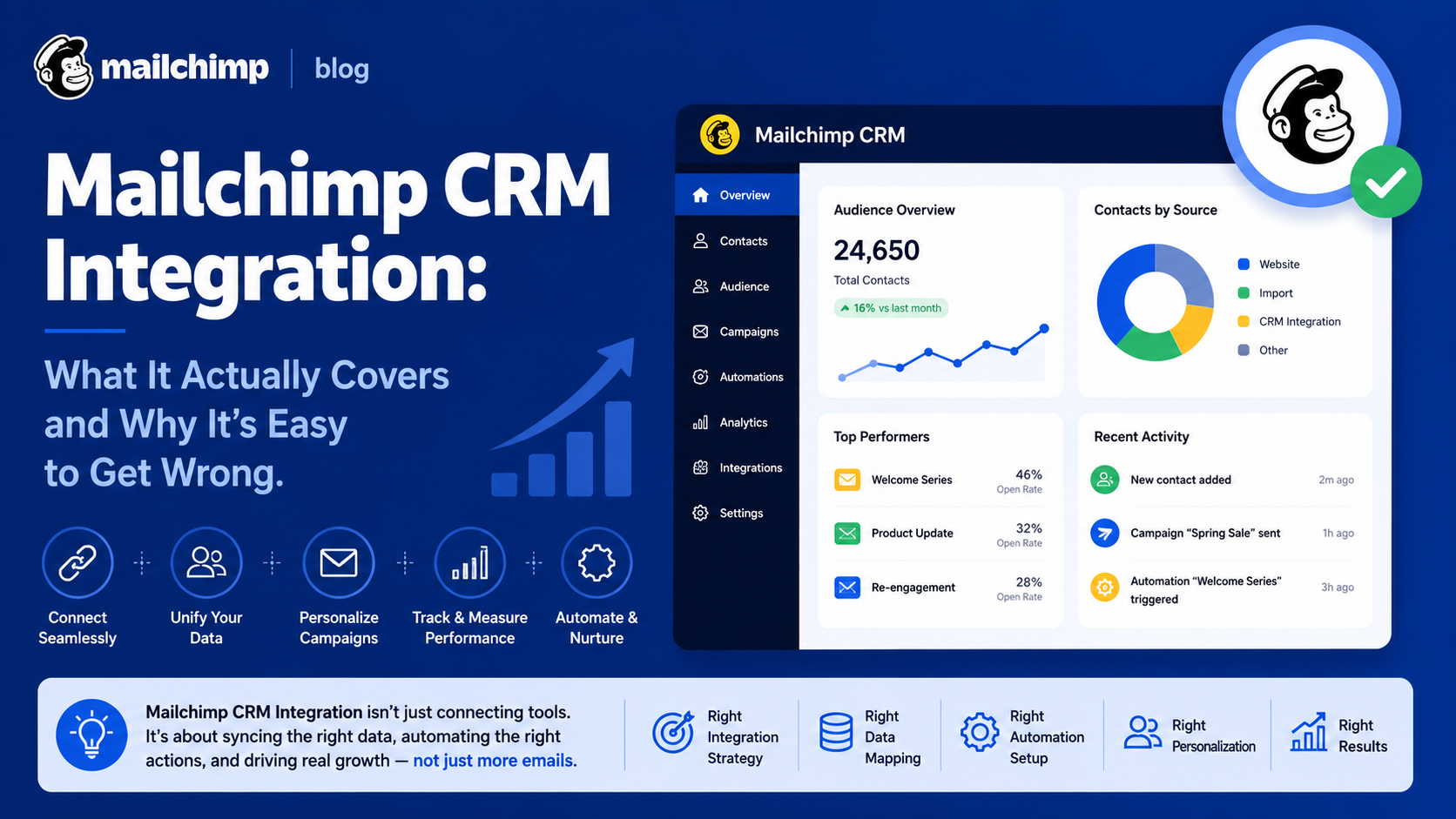
The process of Mailchimp CRM integration entails linking Mailchimp’s email marketing solution to a CRM system in order to ensure that customer information, engagement statistics, and sales data are synchronized, instead of keeping them in two different systems.
While it may seem straightforward, there are many data synchronization issues at play here that often result in costly business errors.
Why Mailchimp CRM Integration Is More Complex Than It Appears
The integration of Mailchimp with the CRM system is not a monolithic process, but rather it is an integrated process that includes the following items:
- Synchronization of contacts and lists
- Flow of campaign engagement information into the CRM system
- Flow of CRM system data (lifecycle stage and other information) into Mailchimp
In many companies, the idea that the integration will make all the information exchange automatic leads to lack of synchronizations. For a company working with segmented audiences, it is important to set up individual synchronization rules for each list or tag.
Major Areas of Mailchimp CRM Integration
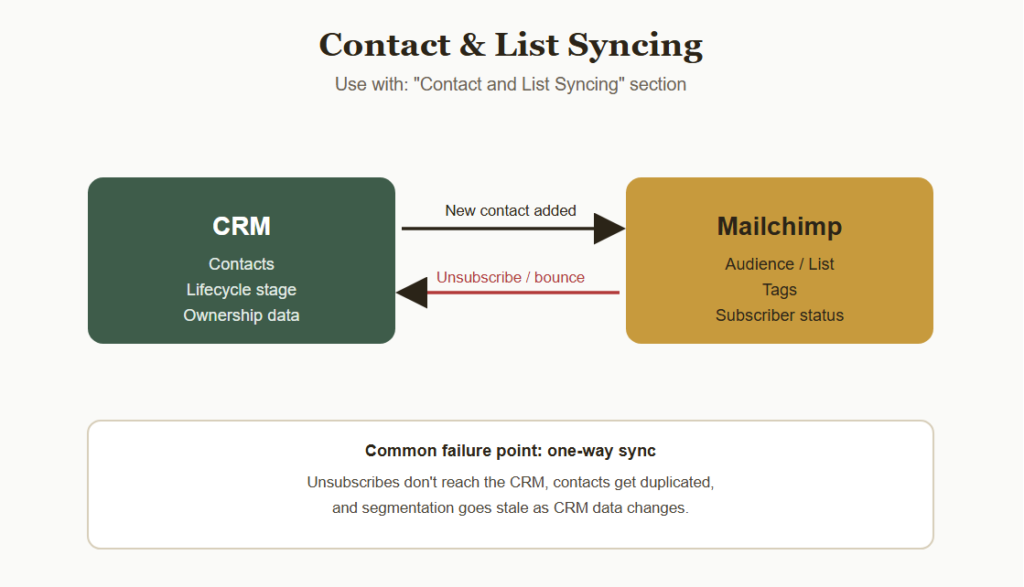
Contact and List Syncing
Rules Governing
- CRM contacts that sync to Mailchimp lists/audiences
- Process for adding new CRM contacts to Mailchimp
- Unsubscribes/bounces sync to CRM
One-way or manual sync is one of the most common and expensive problems, as it can lead to:
- Not knowing the sales team about the unsubscribe of a contact
- Duplicate contact information in different systems
- Outdated segmentation due to changes in CRM information
Campaign Engagement Data
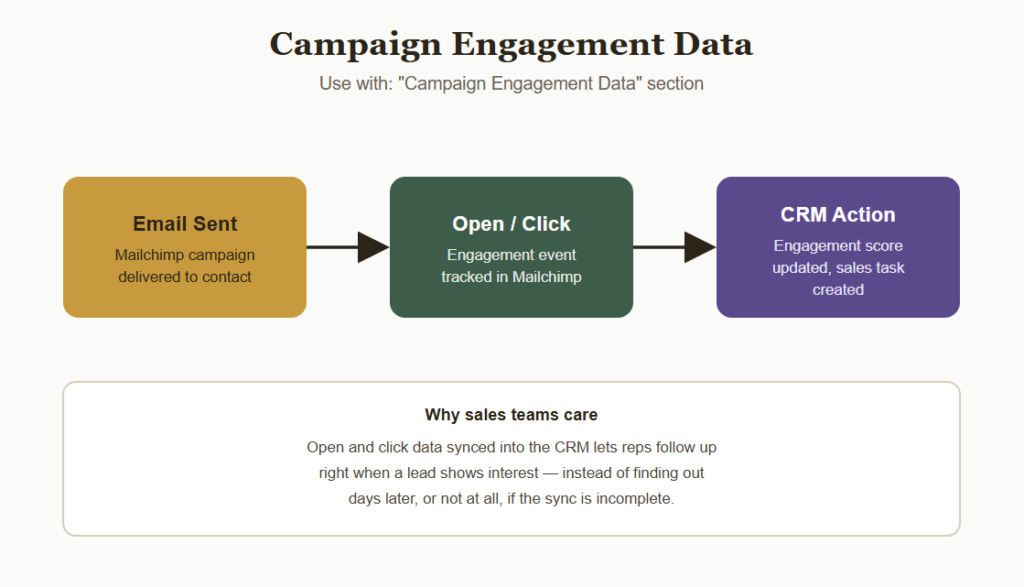
Engagement tracking is available through Mailchimp integration, which forces the sales team to follow up based on when leads open or click emails.
Engagement Data Often Includes
- Email open and click tracking synchronized with CRM action
- Engagement score for specific campaigns
- CRM actions triggered by engagement
Automation and Trigger-Based Syncing
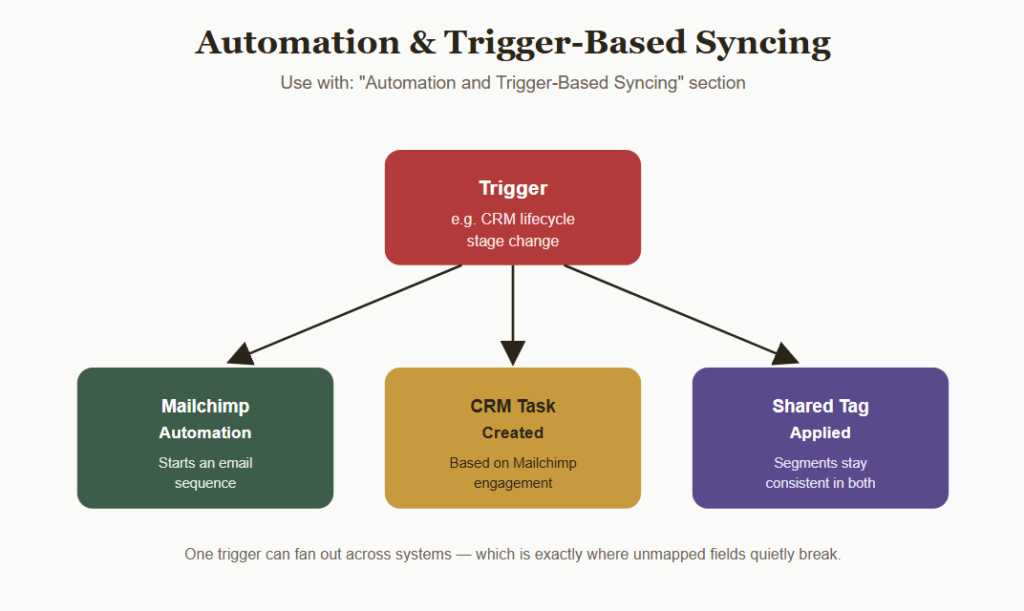
Management includes not only static list membership but increasingly also the automatic triggers used to transfer contacts from one system to another depending on their behavior.
Those Triggers Usually Vary in Many Respects Including
- Change of CRM lifecycle stages to trigger Mailchimp automation
- Mailchimp engagement to create CRM tasks
- Tag segmentation in common across both systems
Lead Scoring and Segmentation Alignment
Integrations for Mailchimp’s CRM include:
- Shared lead scoring frameworks in both applications
- Similar segmentation standards to ensure consistency of audience definitions
- Reporting of marketing to sales conversion
How reliable this compatibility is depends upon how consistent the data definitions are between the two apps.
Compliance and Unsubscribe Handling
Some of the integrations that necessitate organizations to adhere to some safeguards include the following:
- Immediate synchronization of unsubscribe
- Consistent treatment of suppressed or bounced contacts
- Audit trails of consent/opt in status
These safeguards need to be adhered to strictly because of the email marketing compliance regulations.
Why Integration Failures Happen Even With Native Connectors Available
A lack of synchronization between MailChimp and a customer relationship management tool is rarely the result of an organization ignoring the process of integration.
Instead, a problem could arise due to the following issues:
- The initial configuration of native integration is done only once and is not updated anymore.
- Any custom fields created after the initial configuration are not linked to be synchronized.
- Unsubscribe data is not synchronized until the need arises out of compliance requirements.
How Businesses Build Reliable Mailchimp CRM Integrations
Mapping Data Fields Before Connecting
Larger companies might define precisely which fields should be synchronized in either direction, particularly when there are custom fields on both ends.
Integration Options Supporting Two-Way Sync
There are several options that allow companies to:
- Use native Mailchimp-CRM connectors wherever possible
- Develop their own synchronizations using third-party software such as Zapier for unsupported fields
- Conduct periodic audits of the synchronized data
Regular Sync Audits
Companies perform routine audits for:
- Proper syncing of unsubscribed and bounced contacts
- Any duplicate or orphaned contacts
- Mapping of any custom fields added recently
Routine audits ensure that the integration process between the two systems remains smooth even as they continue evolving.
Common Mailchimp CRM Integration Mistakes
Assuming Native Integration Covers Everything
Only realizing that some fields or engagement data do not sync at all post-launch, without further configuration.
Ignoring Unsubscribe Sync Gaps
Not validating unsubscribes updating the CRM in real-time, potentially resulting in compliance issues.
Not Mapping Custom Fields
Introducing new fields in one system without updating the integration so that these fields are synchronized.
Poor Data Ownership Clarity
Lack of consensus regarding:
- Which system is the master record holder for contacts information
- Who will be the one handling the conflicts during synchronization
- How the duplicate entries will be merged.
Ineffective data ownership may cause conflicting information between marketing and sales departments.
Bottom Line
The CRM integrations in Mailchimp are very versatile and can incorporate many aspects, which include contacts synchronization, engagement metrics, automation triggers, matching segments, and also security measures.
Taking into account the possibility that it is easy to have a gap between two interlinked systems, it would be more beneficial for companies to align their data fields properly and check the integration often.