HR Software: What It Does and How to Choose the Right Type

Introduction
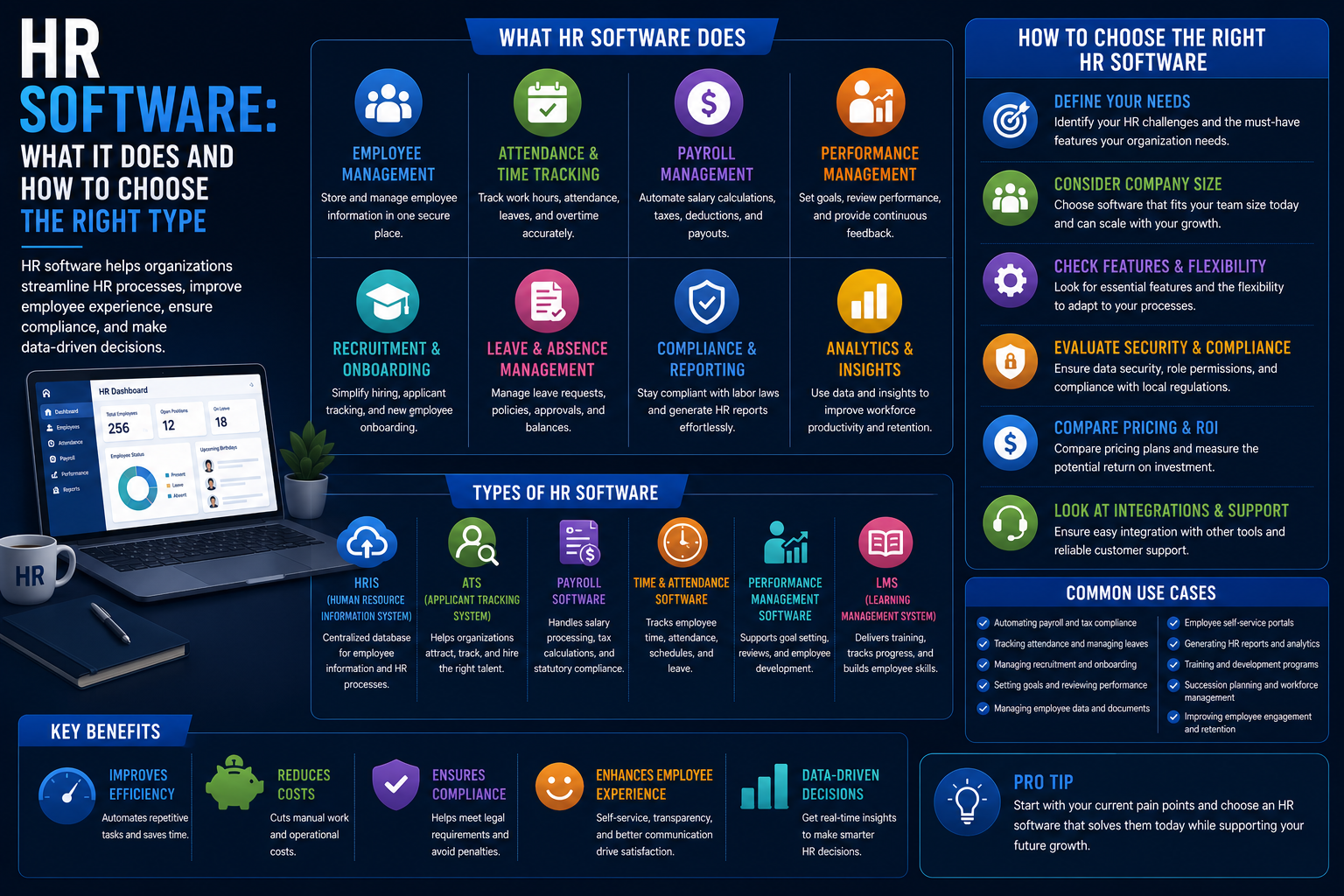
HR software has developed from basic digital filing systems into all-inclusive systems that do everything from hiring to payroll to performance reviews. Given how expansive the field is, it makes sense to first establish what HR software encompasses before making comparisons between particular products.
What HR Software Actually Replaces
With the advent of HR software, all HR activities were done in spreadsheets, on paper, and by email, with record keeping of employees, time-off processing, manual payroll, and hiring all being disconnected tasks.
HR software brings everything together in one package (or more accurately several packages that work together).
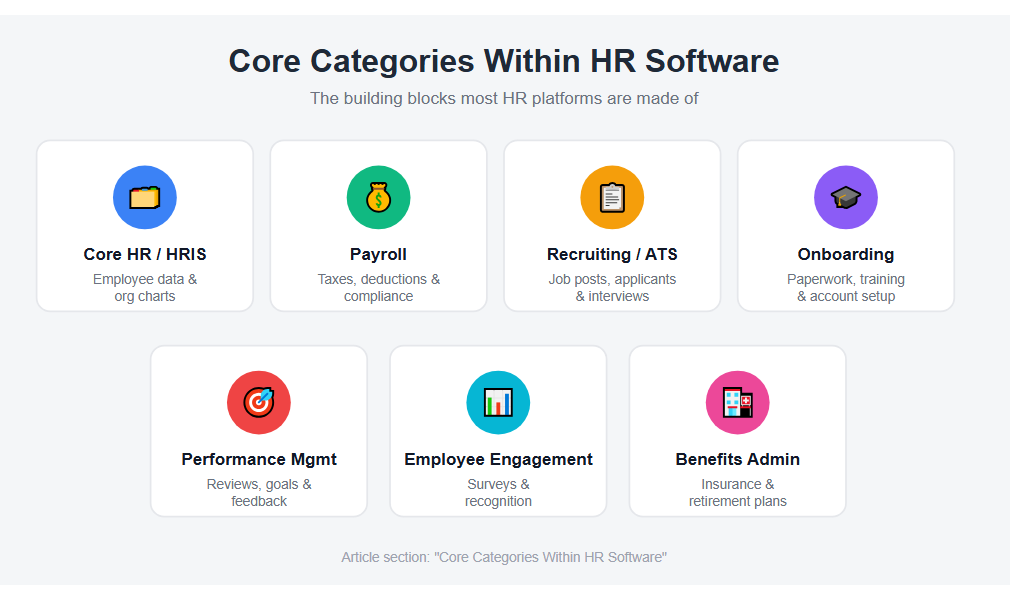
Core Categories Within HR Software
Core HR / HRIS Functionality
The base level includes: employee data, organizational charts, time off tracking, and basic reporting. Almost all other HR software applications revolve around using data at this foundational level or integrating with it.
Core HR / HRIS Features
- Employee data
- Organizational chart
- Time off tracking
- Basic reporting
Payroll
In computing salaries, deduction of taxes, handling benefit deductions, and wage and labor laws which is a requirement for all companies irrespective of their size owing to legal and financial consequences of doing this wrongly.
Payroll Functions
- Payroll computations
- Tax deductions
- Benefit deductions
- Wage and Labor Law Compliance
Recruiting and Applicant Tracking
Managing of job postings, candidate applications, interviews scheduling and hiring processes, which is referred to as an Applicant Tracking System (ATS) when these functions are considered separately.
Recruiting Features
- Job Posting Management
- Candidate Applications
- Interview Scheduling
- Hiring Processes
Onboarding
Automating the process of paperwork, training assignments, and account setup that is associated with getting a new hire up to speed, minimizing the coordination usually done manually between HR, IT, and the hiring manager.
Onboarding Activities
- Employee paperwork
- Training assignments
- Account setup
- Cross-department coordination
Performance Management
Designing performance review process, goal setting process, and feedback loops, transitioning from traditional manual-based and spreadsheet-based performance reviews.
Performance Management Features
- Performance reviews
- Goal setting
- Feedback loops
- Employee evaluations
Employee Engagement
Surveys, recognition programs, and feedback systems intended to measure and enhance employee engagement and satisfaction.
Employee Engagement Tools
- Employee surveys
- Recognition programs
- Pulse surveys
- Feedback systems
Benefits Administration
Administration of enrollment of employees in health insurance, retirement plans, and other benefits, with payroll integration for accurate deduction.
Benefits Administration Includes
- Health insurance enrollment
- Retirement plan management
- Benefits tracking
- Payroll integration
All-in-One Platforms vs. Specialized Point Solutions
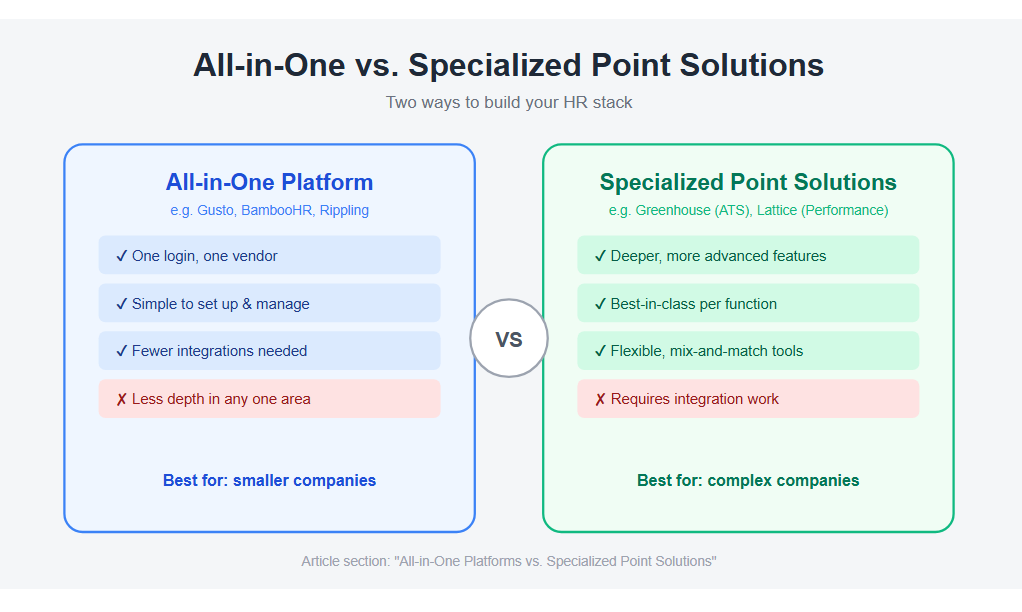
For instance, HR management software solutions such as Gusto, BambooHR, or Rippling combine most of those categories in one service in an attempt to lower the number of separate software solutions a company needs.
Alternatively, there are services specializing in just one function, such as an ATS only service like Greenhouse, or a performance management solution like Lattice, often providing more advanced capabilities in that particular category than all-in-one services.
- Choosing between them largely depends on company size and requirements.
- All-in-one solutions are favored by smaller companies due to their simplicity.
- Complex companies usually go for specialized solutions combined via integration.
How to Choose HR Software for Your Business
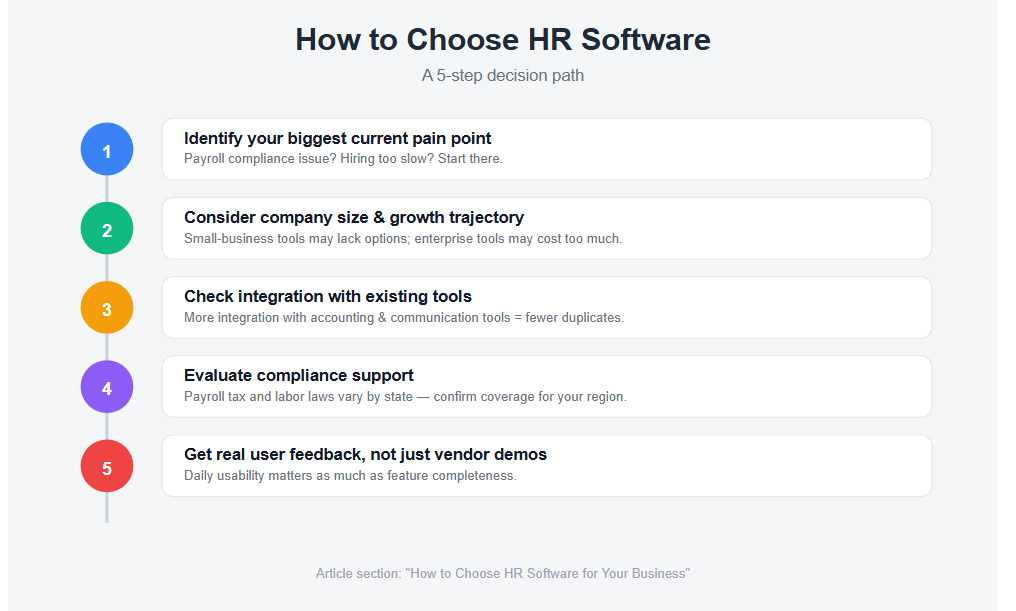
1. Identify Your Biggest Current Pain Point First
While a business having problems with payroll compliance would have different needs than a business that is having trouble hiring fast, the end goal for both would be to use some sort of HR software.
2. Consider Company Size and Growth Trajectory
Small business-oriented software may not have enough configurable options for large corporations, and large corporation software might have too many options (and costs) for small businesses.
3. Check Integration with Existing Tools
The more the HR software integrates with your accounting, communications, and other software, the fewer duplicates you will have to do.
4. Evaluate Compliance Support
Payroll taxes, labor laws, and reports differ from state to state; make sure your software can handle what you need for your specific geographic location.
5. Get Real User Feedback, Not Just Vendor Demos
Human resource software is used on a daily basis by HR personnel and other workers, thus usability is just as important as completeness of features.
Common Mistakes When Adopting HR Software
Choosing the Wrong All-in-One Platform
Selecting an all-in-one solution that is truly lacking in the one function which really counts to you.
Underestimating Implementation Time
Downplaying the time required to implement, especially in areas like payroll and benefits where there are serious consequences of error.
Ignoring the Employee-Facing Experience
Disregarding the user experience on the part of employees because poor uptake by employees themselves (when it comes to using the software for things such as requesting vacation time) makes the bulk of the software useless.
Failing to Plan for Growth
Neglecting planning for future growth, resulting in a costly upgrade of the platform once the company outgrows the initial, simple solution.
Bottom Line
HR software covers a vast array of needs, from basic employee data management all the way to recruitment, hiring, and performance management, and most companies will at some point require a combination rather than a one-size-fits-all software.
Find your immediate HR pain point and select software that addresses it without creating any issues for your other existing software.