HR Management System: What It Is and What to Look For

Introduction
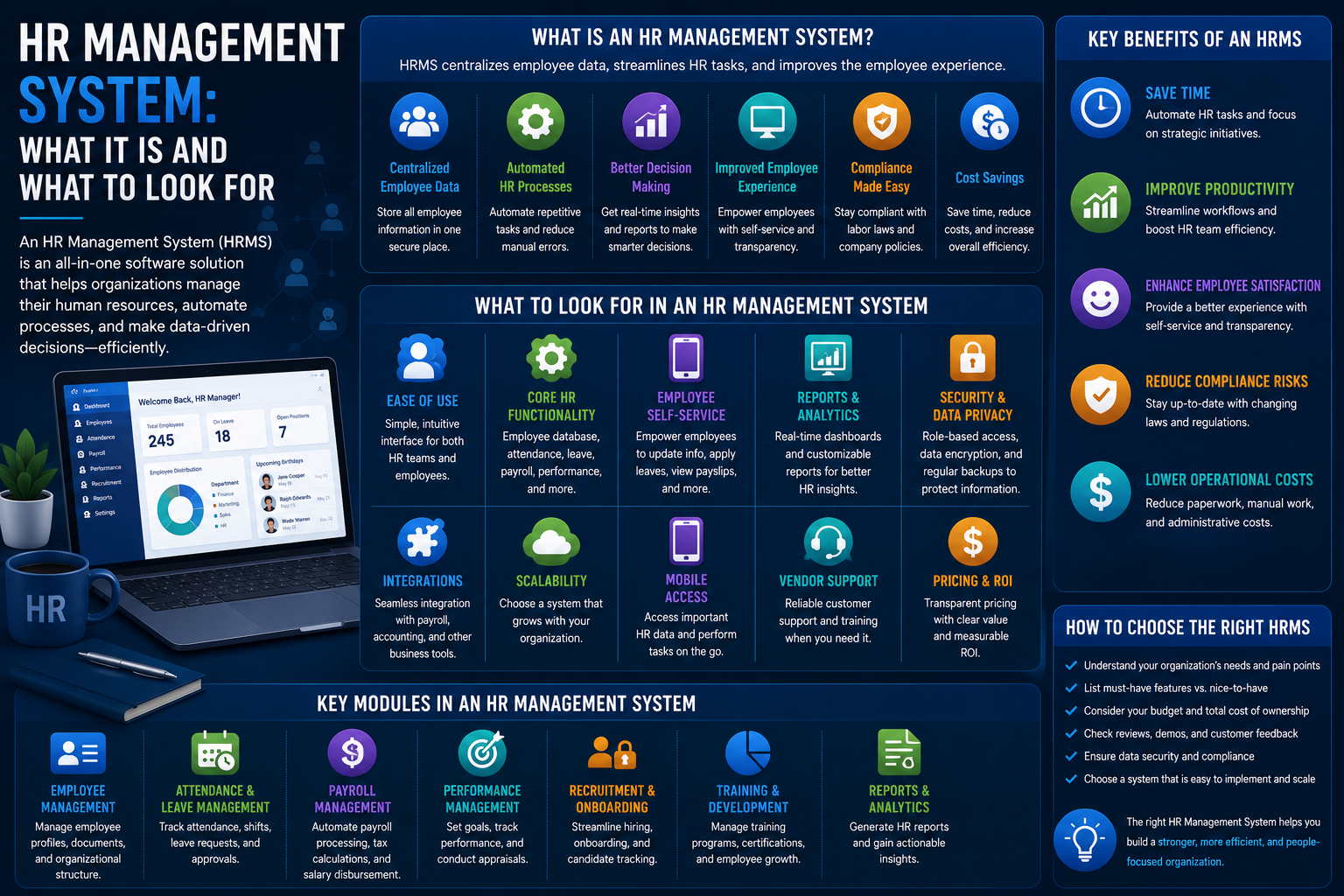
HR Management System (also known as HRMS) is software that helps to deal with all the administrative and strategic processes related to human resource management.
In this article, we will discuss what an HR management system consists of and how to assess it.
HRMS vs. HRIS vs. HCM: Quick Clarification
While these two terms have similarities and are frequently interchanged in sales literature, there are some distinctions in general.
HRIS (Human Resource Information System)
Usually applies to the primary system of record and includes:
- Employee information
- Organization structure
- Basic reporting capabilities
HRMS (Human Resource Management System)
Enhances the HRIS system by adding management capabilities, such as:
- Payroll
- Benefits administration
- HR management functionalities
HCM (Human Capital Management)
Mostly used for describing the most integrated layer and including strategic capabilities like:
- Performance management
- Learning and development
- Workforce planning
However, since many vendors often use them interchangeably, it is better to look at the feature set than just the name itself.
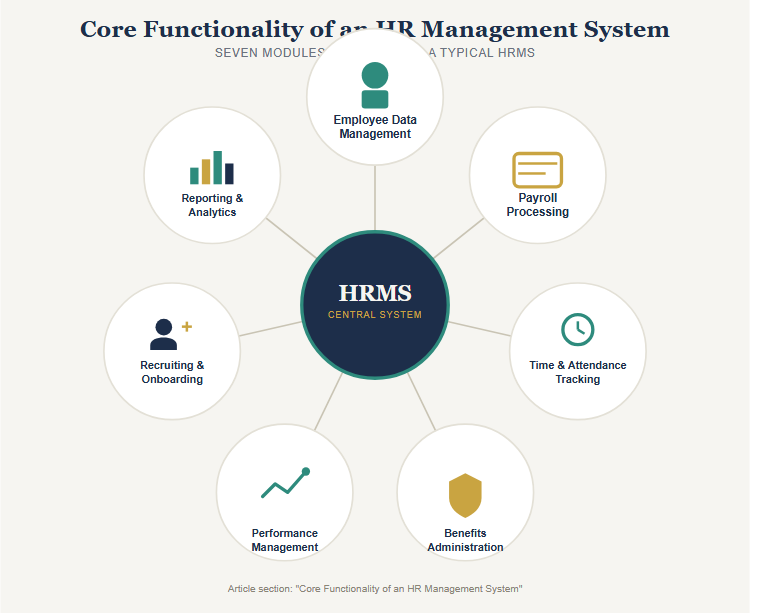
Core Functionality of an HR Management System
Employee Data Management
Centralized and secured system for capturing employee data, personal information, work history, remuneration, and documentation that would replace the scattered information in spreadsheets and paper.
Employee Data Includes
- Personal Information
- Work History
- Remuneration Information
- Employee Documents
Payroll Processing
Ensuring proper calculation of salaries, tax withholdings, and benefits deductions – one of the most legally critical processes carried out by HRMS.
Payroll Functions
- Calculating payroll
- Deduction of taxes
- Benefit deductions
- Scheduling payments
Time and Attendance Tracking
Handling time off requests, tracking the hours worked (especially for hourly workers), and meeting labor law requirements regarding overtime.
Time Tracking Features
- Time-off requests
- Attendance tracking
- Hour tracking
- Overtime compliance
Benefits Administration
Management of enrollments in various benefit programs such as health insurance coverage and retirement benefits along with payroll.
Benefits Administration Includes
- Enrollment in health insurance coverage
- Enrollment in retirement plans
- Benefits administration
- Integration with payroll
Performance Management
Management of performance reviews, goal setting, and feedback that do not have to be manual or informal anymore.
Performance Management Features
- Performance reviews
- Goal setting
- Feedback from employees
- Review cycles
Recruiting and Onboarding
Some HRMS systems have applicant tracking and onboarding modules, but some companies have an additional module or tool dedicated to recruitment only.
Recruiting and Onboarding Features
- Applicant tracking
- Hiring workflow
- Onboarding
- New hire management
Reporting and Analytics
Visibility into headcount, turnover, pay and other workforce statistics without needing to compile this information manually on spreadsheets.
Reporting Capabilities
- Headcount Reporting
- Employee Turnover Analysis
- Compensation Trends
- Workforce Analytics
Why Organizations Adopt an HRMS
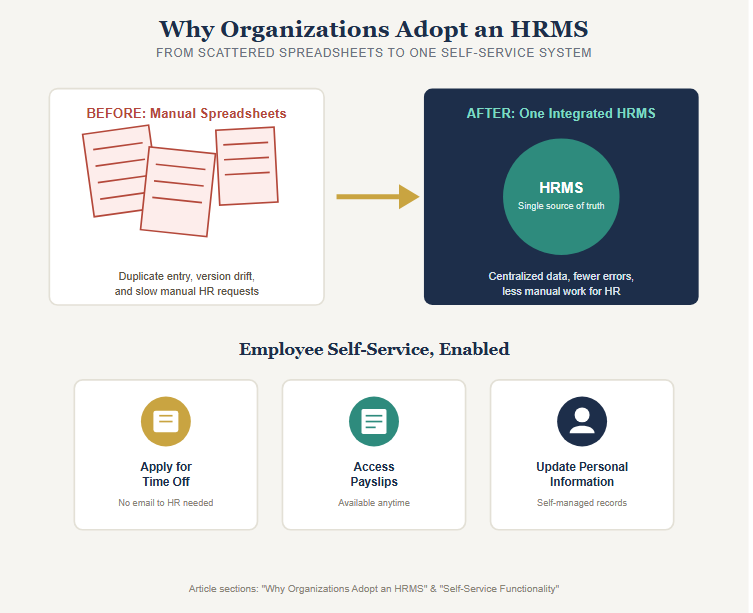
When an organization reaches a point where its size goes past that of a tiny organization, using a spreadsheet to maintain all records of the employees becomes a difficult task.
The HRMS integrates this information and also limits the amount of manual work required thus improving the accuracy of information available to the HR and management.
Self-Service Functionality
Most contemporary HRMS systems contain the employee self-service option, enabling employees to:
- Apply for time off
- Access their payslips
- Change personal information
Such options reduce the workload of the HR department for processing these requests.
Choosing an HRMS for Your Organization
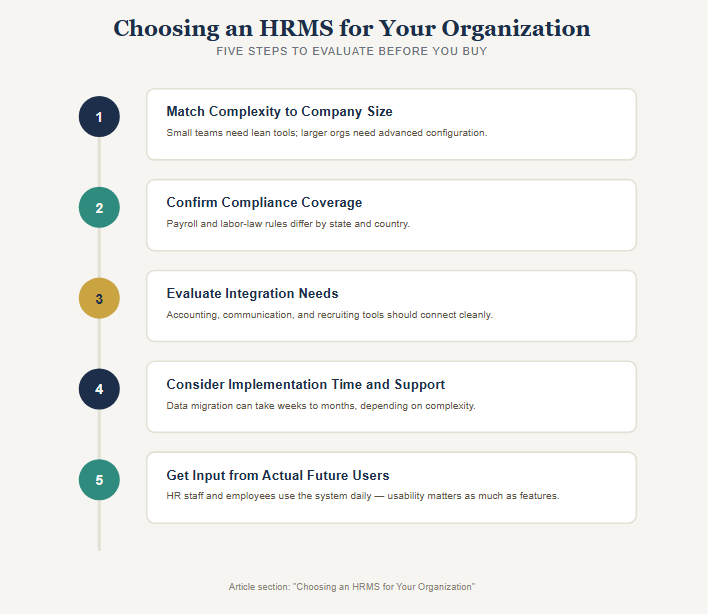
1. Match Complexity to Company Size
A tiny enterprise could require only minimal HR and payroll functions, whereas a large one would require a more advanced system for configuring performance, benefits, and compliance.
2. Confirm Compliance Coverage for Your Specific Locations
It is important to ensure that all the payroll taxation and labor laws requirements of each state or country are met, as they greatly differ from place to place.
3. Evaluate Integration Needs
If your HR management system integrates with your accounting software, communication tools, and all specific recruiting or performance tools, there will be no need to enter data again.
4. Consider Implementation Time and Support
Data migration to a new HR system may take weeks or even months, depending on the complexity of the task.
5. Get Input from Actual Future Users
The HR staff and employees would use the system every day, so usability is just as important as the features themselves.
Common Mistakes When Implementing an HRMS
Choosing Based Only on Features
Selection of a system on the basis of a checklist of features rather than usability test during routine tasks.
Underestimating Data Migration
Miscalculating the work and potential mistakes during data migration from spreadsheets or an older system.
Ignoring Compliance Requirements
Not verifying that there is compliance support available for each jurisdiction where there are employees of the company.
Poor Self-Service Rollout
Introducing self-service capabilities without employee training resulting in low use and continued manual requests to HR.
Bottom Line
HR Management Systems combine the fundamental HR administration processes, HR files, payroll, benefits, performance, and recruiting within a single integrated system.
What you need is a system that corresponds to your needs and requirements in terms of the complexity and compliance included in it depending on the size, growth, and jurisdiction of your business.