How to eSign a Word Document: What the Process Actually Covers and Why It’s Easy to Get Wrong

Introduction
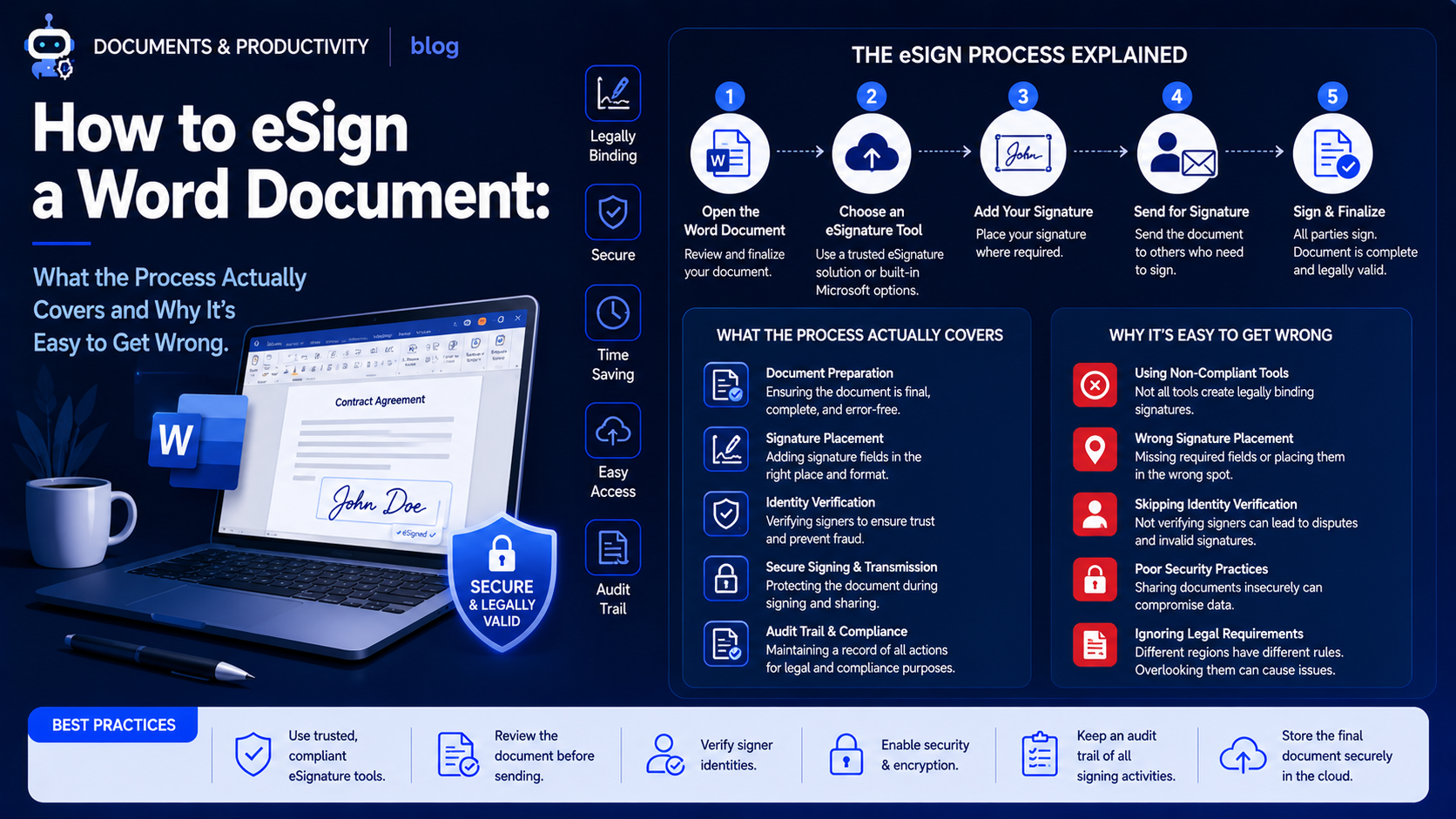
The process of how to e-sign a Word document differs depending on whether the signature will stay inside the Word document or it would be acceptable to convert the document to some other format, and not vice versa.
It may look fairly straightforward at first glance, but the number of limitations connected with the formats makes this matter quite puzzling for people compared to signing a PDF.
Why eSigning a Word Document Is More Complex Than It Appears
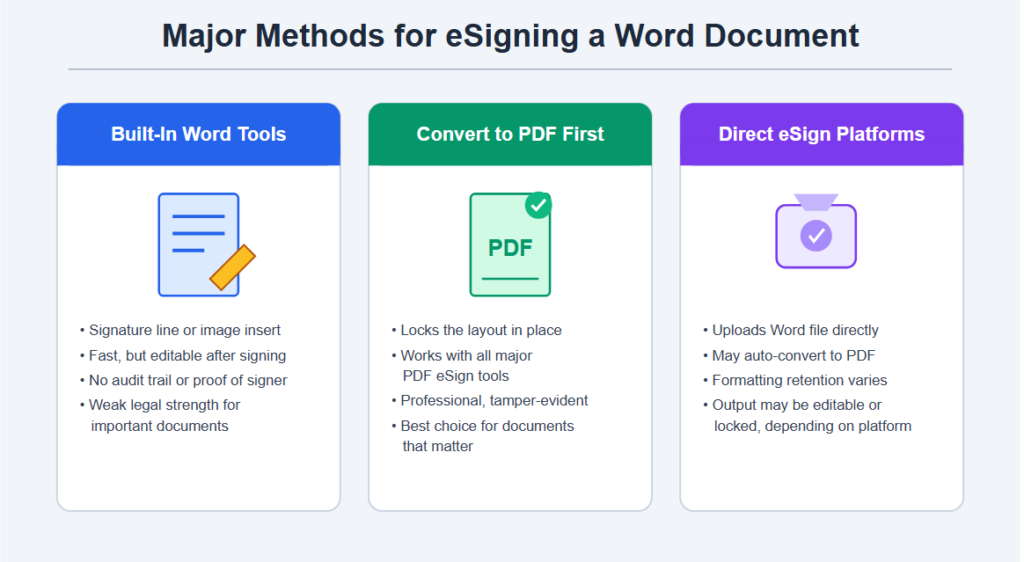
eSigning of Word documents cannot be described as one and the same procedure, as it consists of the following:
- Internal Word capabilities for adding a signature line/image
- Conversion to PDF, and then e-signing through PDF-related services
- Specialized eSign platforms supporting direct signing of Word documents
Many people believe that a Word document could be signed just as easily as a PDF file; however, this opinion does not take into account that a Word document is an editable file, which raises security issues.
Thus, when choosing an e-sign method for Word documents, one should consider if the integrity of the document after being signed is important.
Major Methods for eSigning a Word Document
Built-In Word Signature Features
Rules Governing
- The use of the built-in Word tool to insert the signature
- The addition of a scanned or digital signature
- The use of Word’s digital signature functionality for some documents
The use of an image-based signature which is probably the most common method, except that it can lead to the following:
- No protection against any editing of the document after signing it
- No proof of who signed the document and when
- Inadequate legal strength for documents that actually matter
Converting to PDF Before Signing
One way that is commonly employed as well as being more reliable usually entails changing the Word file to PDF form first, with this additional step necessary to ensure a more secure final product.
Converting to PDF Often Provides
- An unalterable layout which is immune to any accidental or malicious modifications.
- The ability to be compatible with all available e-signature applications for PDFs.
- A more professional look overall.
Using eSign Platforms That Accept Word Files Directly
Handling involves not only the manual conversion process but also the growing trend of electronic signature systems which can directly utilize Word files.
Those Platforms Usually Vary in Many Respects Including
- If the platform automatically creates a PDF from the file once uploaded
- The extent to which Word’s formatting is retained while signing the document
- Whether the resulting signed document will be editable or non-editable
Word’s Native Digital Signature Feature
Word documents can include:
- Digital signature capability within the software, utilizing digital certificates.
- Capability to lock the document against any further editing after signing.
- Visual cues indicating the digitally signed status of the document.
The effectiveness of the native feature greatly depends upon whether the signer is using a valid digital certificate.
Document Integrity After Signing
Various methods of e-signing a Word document need consideration of some aspects like:
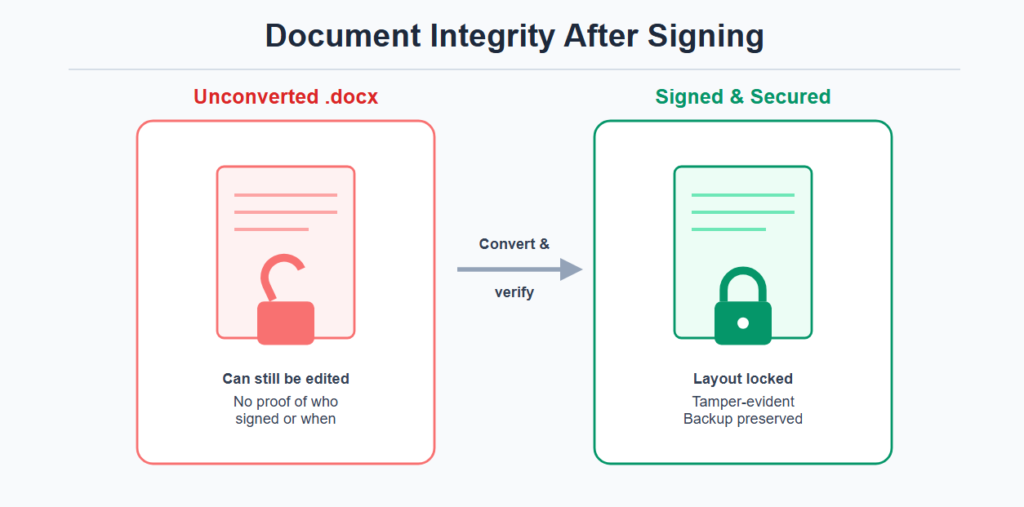
- The possibility of editing the file even after signing it
- Checking whether there is any modification made on the file after signing
- Preservation of the signed original
All this has to be done as the ability to edit the Word document is the aspect that makes the process of ensuring the integrity of the document after signing difficult.
Why eSigning Word Documents Creates More Confusion Than PDFs
The inability to sign a Word document effectively does not occur often due to the lack of adequate tools.
This is because:
- One would think that including an image of a signature would be as effective as an eSignature.
- However, the additional step of converting the document to PDF is not done, making it susceptible to changes.
- The signing function included in Microsoft Word is not easy to use without a digital certificate.
How to Reliably eSign a Word Document
Deciding Whether Format Conversion Is Needed
People can decide whether the significance of the document demands first converting the file to PDF format.
Practices Supporting Reliable Word Document Signing
This can be done via several methods that lead to more successful outcomes, such as:
- Conversion to PDF before employing an eSignature system for significant documents
- Employing Word’s own digital signature option if there is a digital certificate present
- Leaving simple signature images insertion for less important documents
Verifying the Final Signed Document
Those who are signing critical Word-based documents perform a verification process involving:
- Verification of the final formatting ensures that it cannot be easily edited without detection
- Ensuring the signature appears correctly to all parties receiving the document
- Keeping a secure backup of the final signed document
Verifying the final document allows individuals to ensure the signature is valid in case there is ever any dispute.
Common Mistakes When eSigning a Word Document
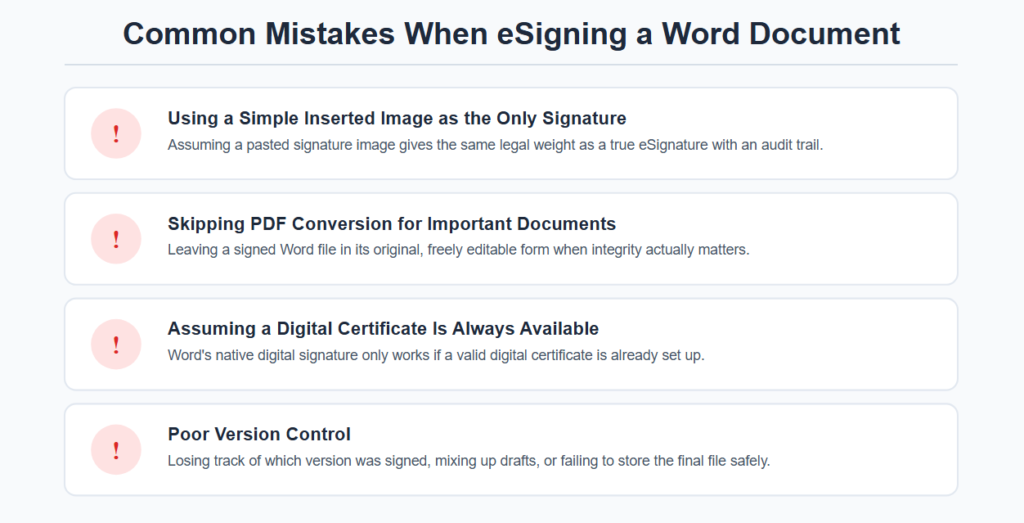
Using a Simple Inserted Image as the Only Signature
The assumption that a pasted signature image offers the same legal protection as an e-sign with an audit trail.
Skipping PDF Conversion for Important Documents
Keeping a signed Word document in its original editable form where integrity is concerned.
Assuming Word’s Native Digital Signature Is Always Available
Not taking into account the issue that this function needs a digital certificate, which many people do not have set up.
Poor Version Control
Lack of consideration of:
- Tracking which version of the document was signed
- Not confusing draft and final signed documents
- Safe storage of the finalized version of the signed document
A lack of proper versioning might cause some disagreements over the version of the document that has been signed.
Bottom Line
The process of eSigning a Word document is very flexible as it covers different areas that include functionality of Word software, conversion into PDF, use of eSigning solution, digital signature, and document integrity.
Since it is much easier to change a Word document compared to a PDF document, people should either convert their Word document into PDF format or use a specialized eSigning application.