eSign Download: What It Actually Covers and Why It’s Easy to Get Wrong

Introduction
What eSign download means is the acquisition of software for eSignature, be it in the form of desktop software, mobile app, or even download after eSigning, instead of one simple process which means exactly the same thing everywhere.
While this may sound simple enough, the fact that there are many possibilities when it comes to what “eSign download” could mean causes many to misunderstand their search for what they really need.
Why eSign Download Requests Are More Complex Than They Appear
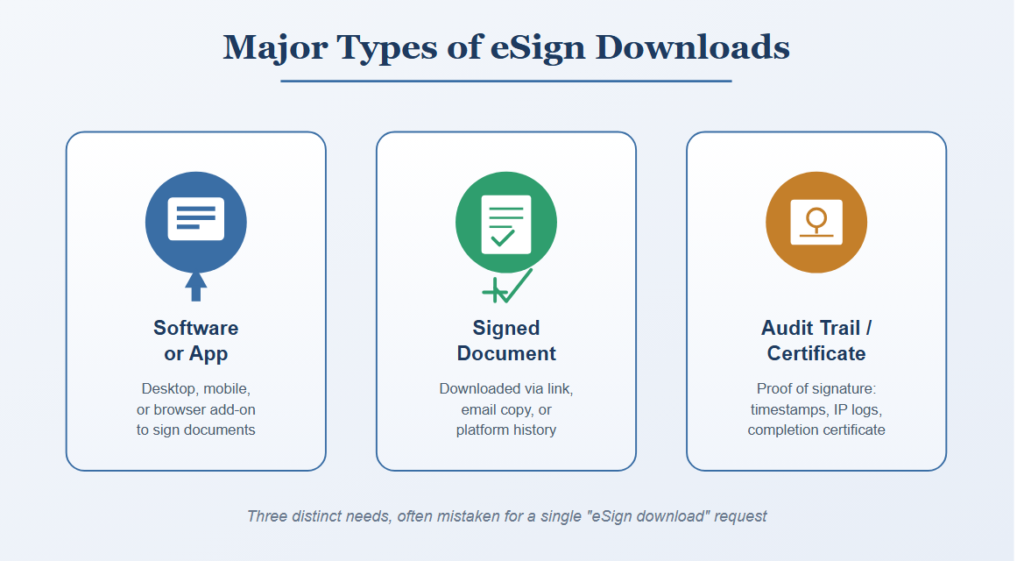
An eSign download does not represent a monolithic requirement, but rather is composed of the following needs:
- Downloading eSign application or program to sign a document
- Downloading signed document after completion of the signing process
- Downloading audit trail/certificate file as proof of signature
A number of individuals attempt to find “eSign download” without really knowing what type of requirement it is, and such confusion often results in the installation of unneeded software or lack of obtaining a necessary file.
For any person requiring any download related to eSign, the particular requirement should be specified separately, since downloading of the signing program is quite another thing from downloading the already signed document.
Major Types of eSign Downloads
Downloading eSign Software or Apps
Rules Governing
- Desktop programs for signing documents either offline or with additional capabilities
- Mobile applications for signing using smartphones or tablets
- Web browser add-ons that can integrate document signing into web processes
Using unnecessary standalone software programs is one of the most frequent mistakes people make since doing so could lead to:
- Downloading an application where an online version or native application was sufficient
- Uncertainty of which downloaded application to use for a particular document
- Wasted storage space due to unused applications
Downloading a Completed Signed Document
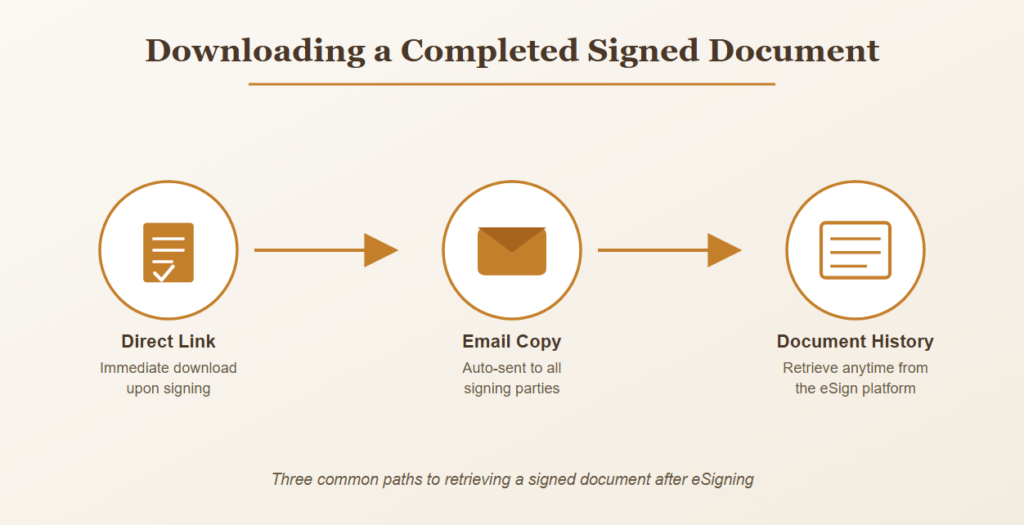
Once the eSign process is finished, most software will usually provide a download feature, whereby the signer would have to take the initiative to obtain their own copy in order to follow proper recordkeeping procedures.
Downloading Signed Documents Often Involves
- Link for immediate download upon signing
- Automatically sent email copy to all concerned parties
- Through the document history feature on the eSign platform
Downloading Audit Trail and Certificate Files
Handling includes not just the signed document but also the growing necessity to download evidence of the authenticity of the signature.
Those Supporting Files Usually Vary in Many Respects Including
- Certificate of completion showing the entire process of signing
- Audit trail records including timestamps, IP address information, and actions of signers
- If these documents come packaged with the signed document or separate
Free Versus Paid Download Options
eSign download considerations include the following:
- Free software with only basic signatures but with fewer capabilities
- Premium software with advanced downloads that provide an entire audit trail
- Trial software where the download/export function can be limited
It depends on whether it is a one-off download or business usage that will determine which is the best option to choose.
Storage and Security After Downloading
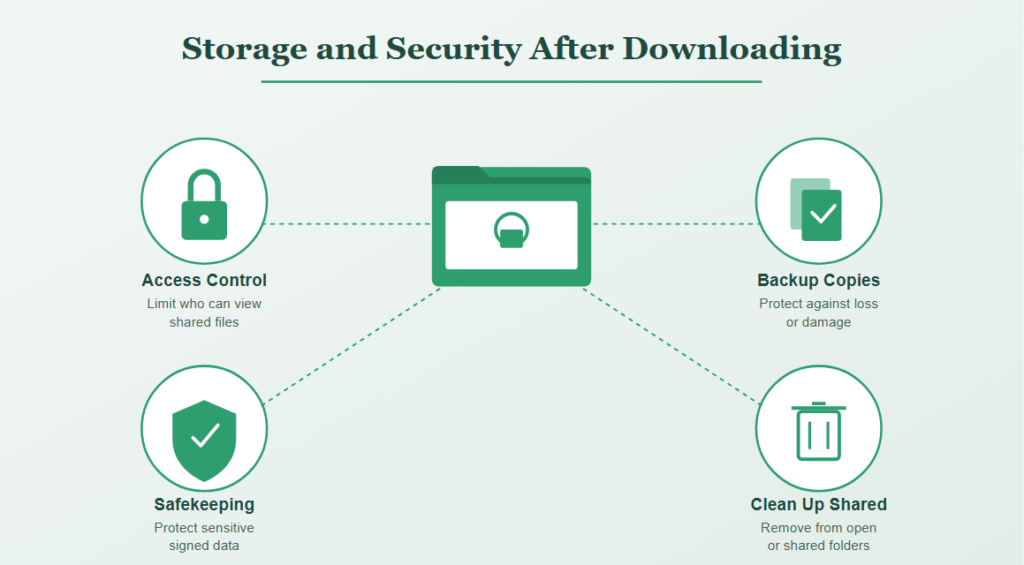
There are some considerations that should be taken into account in a number of eSign download situations, namely:
- Safekeeping of signed files downloaded with sensitive data
- Creating backup copies in case the downloaded file gets lost or damaged
- Access control in case the downloaded file is shared among a group of people
These considerations should be kept in mind since signed documents may include personal or confidential data.
Why eSign Download Confusion Happens Even With Clear Intentions
Finding the appropriate eSign download rarely fails due to the nonexistence of the required resource.
This can be attributed to the fact that:
- Search parameters will be ambiguous on whether a software or a document is required.
- The download function of a signed document will not be readily available in the menu.
- There is ignorance regarding the availability of a certificate of completion as an independent download.
How to Find the Right eSign Download
Clarifying the Actual Need First
People can take time to consider if they require the use of software to sign anything or if they just need to access a document that has already been signed, particularly if they have received an email requesting a signature.
Practices Supporting Successful Downloads
A number of things which can make your journey smoother include:
- Reviewing email confirmations to find the direct download link once you have signed
- Using the dashboard of the platform or the document’s history to find previously signed documents
- Downloading the audit trail certificate along with the signed document
Verifying the Downloaded File
When dealing with significant signed files, a verification process is carried out involving:
- Validation of the downloaded file against the signed file.
- Confirmation that the downloaded file can open properly, displaying all the signatures.
- Storage of the file safely, preferably with another copy.
By checking the downloaded file, people can be assured of having a valid signature.
Common eSign Download Mistakes
Installing Unnecessary Software
Installation of the entire desktop software program where a web-based version or mobile application would have sufficed.
Failing to Download the Certificate of Completion
Acquisition of the signed document alone, without obtaining the necessary audit trail proving the validity of the document.
Losing Track of Where Documents Were Downloaded
Inadequate organization of downloaded signed documents, thereby making them hard to retrieve.
Poor Security for Downloaded Files
Overlooking the following issues:
- Storing confidential signed documents in safe and restricted places
- Not removing downloaded documents from accessible shared folders
- Keeping backups of important signed documents
Weak security for downloaded documents may cause exposure of confidential signed documents to any unauthorized person.
Bottom Line
eSignature download requirements vary widely and can include things like downloading software, fetching signed documents, audit trail logs, cost-free vs. paid downloads, and secure storage options.
In light of the confusion that may result from having a search phrase that is open to interpretation, it would be better for individuals to specify what it is they want before embarking on their search.