Employee Onboarding Software: Making a New Hire’s First Weeks Actually Work

Introduction
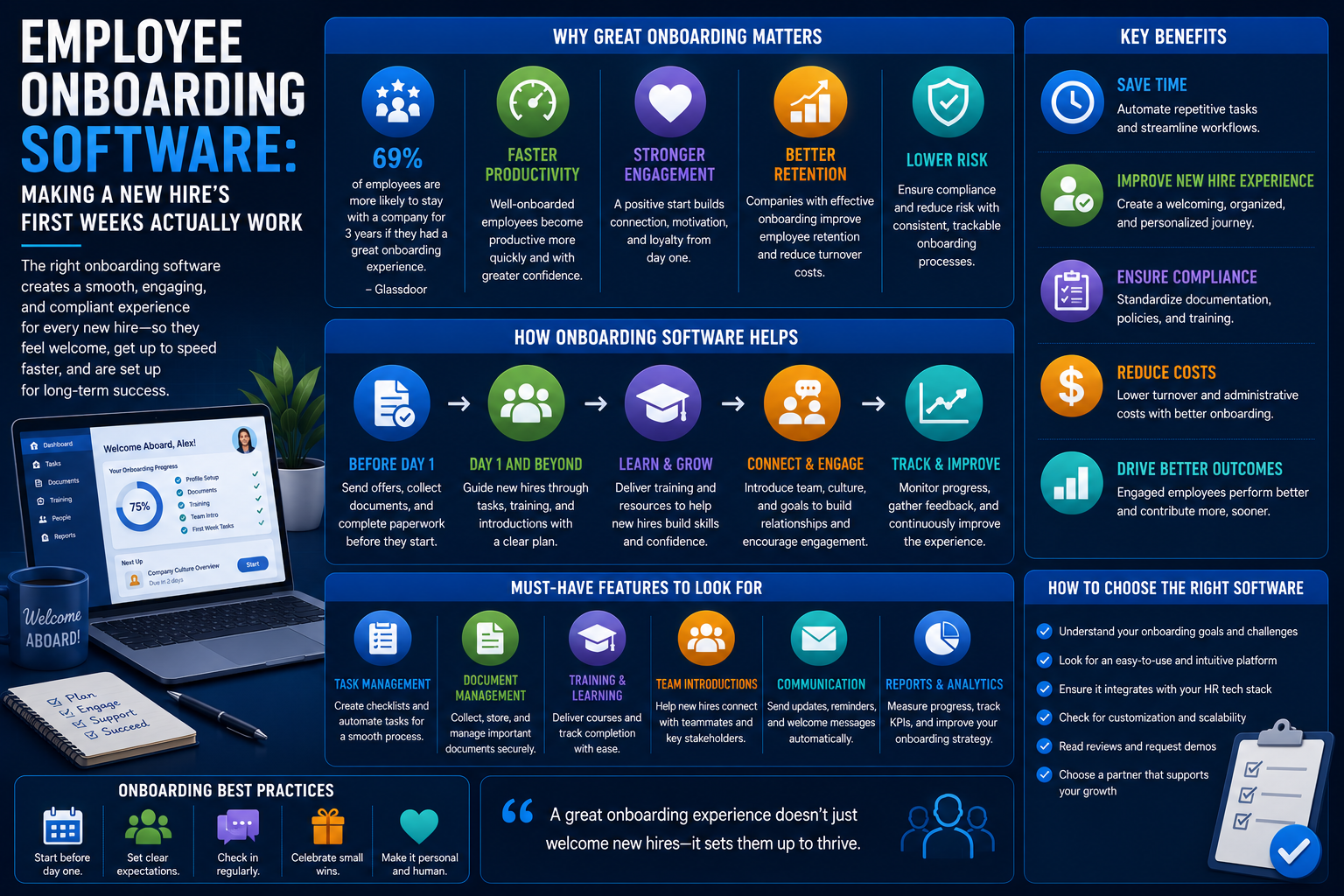
During the initial days of joining an organization, one learns how long they would stay there and how fast they could get to be productive. Onboarding software for employees is designed to ensure that the whole process becomes standardized without being left in one person’s mind.
Why Onboarding Matters More Than It Gets Credit For
A lack of proper orientation, lack of equipment on the first day, lack of clarity about expectations, and lack of any kind of formal introduction to the team and equipment are all well-known factors behind early departures from work.
Employees who find themselves disorganized or lacking support during their first few weeks at work will be far more inclined to disengage from or quit work within the first few months.
What Employee Onboarding Software Actually Does
Pre-Boarding Automation
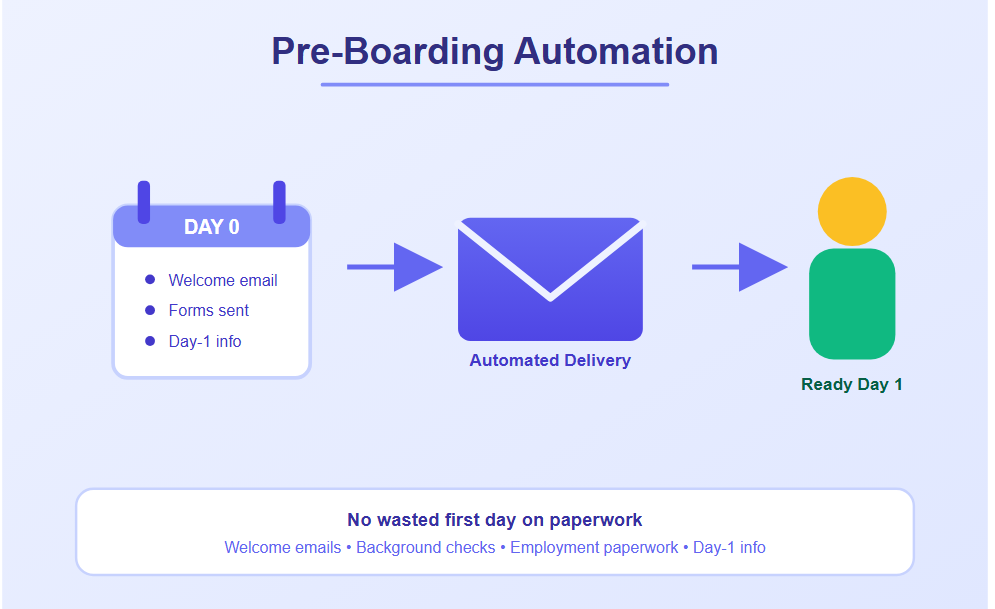
Providing paperwork, background check forms, and welcoming information to the new employee prior to his or her first day, thus not wasting the first day with paperwork.
Pre-Boarding Tasks
- Welcome emails
- Background check forms
- Employment paperwork
- First-day information
Task and Checklist Management
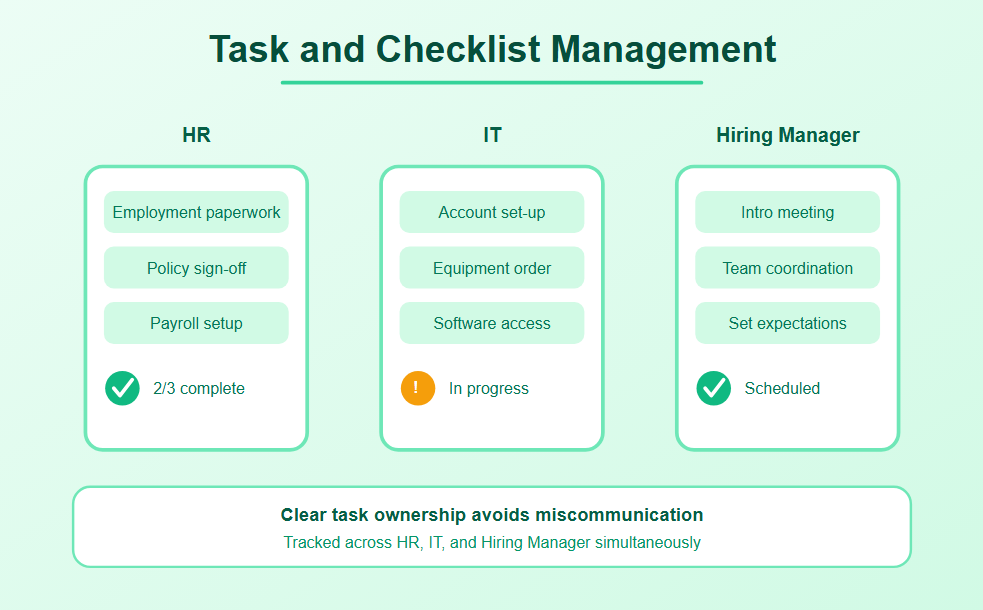
Assignment of these exact tasks and their tracking for HR, IT, and the Hiring Manager, account set-ups, equipment orders, introductions meetings to avoid any miscommunication about responsibilities.
Common Checklist Items
- Account set-up
- Equipment order
- Introduction meeting
- Department coordination
Document Collection and E-Signatures
Digital collection of tax forms, employment forms, and policies acknowledgement documents, eliminating traditional paper-based documentation.
Digital Documentation Includes
- Tax Forms
- Employment forms
- Policy Acknowledgement Documents
- Electronic Signatures
Training and Learning Assignments
Automatic assignment of mandatory training programs depending on the position of a newly hired employee.
Training Assignments May Include
- Compliance training
- Job-related learning
- Organization’s policies
- Skill building
Progress Tracking and Reporting
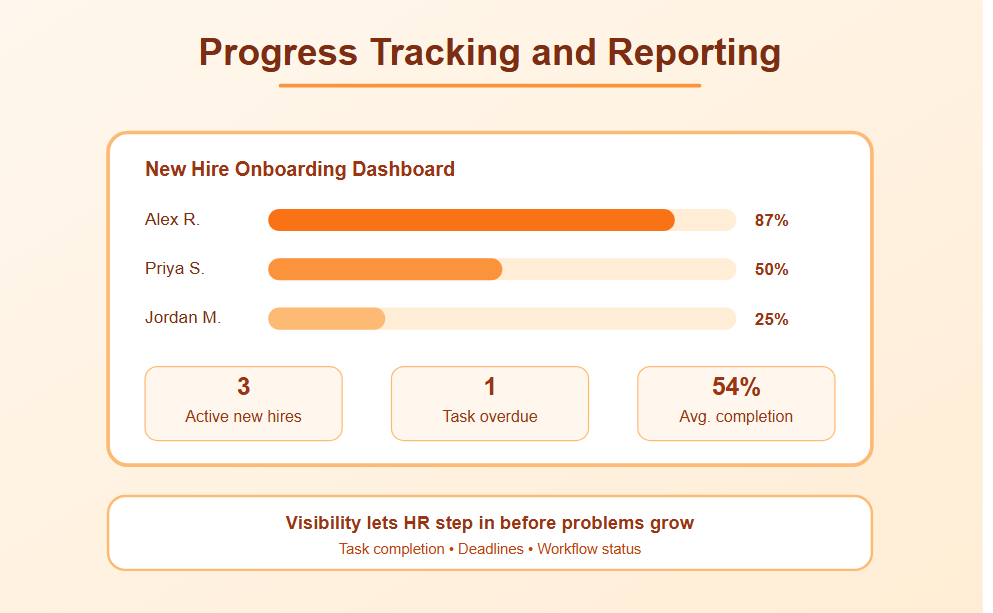
Providing visibility to the HR and managers about the status of new hires in terms of their progress through the onboarding process.
Progress Tracking Features
- Task completion tracking
- Task status reporting
- Deadlines tracking
- Workflow visibility
Social and Cultural Integration
Certain systems feature special functionalities aimed at helping new employees get acquainted with their team, with automated introductions, assigning of buddies, or culture-specific information, taking care of the social aspect of the process which is often overlooked while performing all other administrative duties.
Social Integration Features
- Team introductions
- Buddy assignments
- Company culture information
- Employee connections
Standalone Tools vs. Built Into a Broader HRMS
A number of companies will use a dedicated onboarding tool, such as Sapling or Click Boarding, if the degree of customizations required for the onboarding process is very high.
These other companies would be able to use the onboarding tool that is already incorporated into their HR management systems (examples are Bamboo HR, Rippling, and Gusto) since they offer less specialized customization options.
Which approach a company adopts depends on its scale and the degree of customizations required for the onboarding process.
- For smaller companies, the inbuilt feature should be sufficient.
- However, for larger companies, a dedicated onboarding software will be preferred due to greater configurability.
How to Evaluate Onboarding Software
1. Check Workflow Customization
Check if the workflows are customisable based on roles/ departments. An uncustomised checklist that treats everyone the same cannot be used in a company where there will be different onboarding requirements per role (for example, a warehouse worker compared to a remote software developer).
2. Confirm Integration with Existing Systems
Integrate with your current systems. Onboarding software that is capable of automatically setting up user accounts, ordering necessary equipment, and initiating payroll processes is an effective way of saving time.
3. Evaluate the New Hire Experience
Pay attention to how the new hires feel using the software. Inefficient or overly bureaucratic new hire portal may actually ruin the initial good impression that onboarding software is supposed to give.
4. Review Reporting Features
Make sure you have data on onboarding progress. This way, you can find out about any obstacles and help your new hires right away if needed.
Common Onboarding Mistakes Software Alone Won’t Fix
No matter how sophisticated your onboarding technology is, if the hiring manager fails to schedule time to meet the new recruit, or there are no clearly defined role expectations, you cannot overcome these shortcomings with software.
Good software is supposed to facilitate the actual onboarding experience, with clear expectations for the first 30/60/90 days, check-ins, and relationship building, not substitute for these key ingredients.
Measuring Onboarding Effectiveness
Apart from just ticking items off a checklist, some meaningful measures are:
- Time to productivity (time taken by a new hire to start functioning effectively in their position)
- Turnover in the first three months
- Surveys of new hires at regular time periods post joining
Bottom Line
Onboarding software decreases the risk of bureaucracy and inconsistencies that can ruin the initial period of a new hire; however, it should be used as a framework for enabling real management involvement and clear expectations, not as a substitute.
Select a solution based on the true needs of your company and its HR infrastructure, not the one with the most bells and whistles.