Data Protection Software: What It Actually Covers and Why It’s Easy to Get Wrong

Introduction
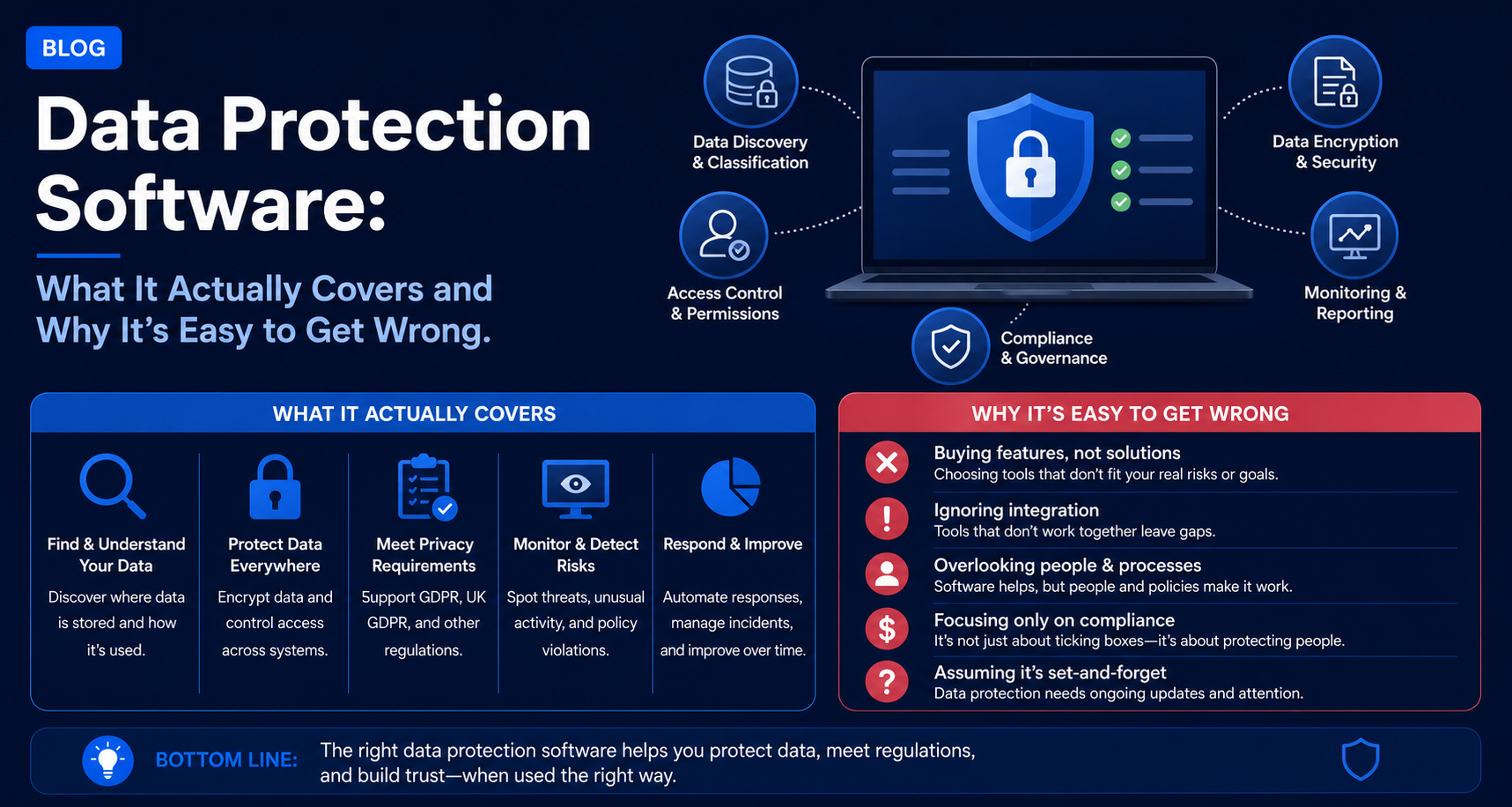
Data Protection Software can be described as those applications that are capable of stopping, detecting and recovering from either data loss or data breach, and not just one program that does everything regarding data protection.
It may appear quite easy to understand; but in reality, due to the many different software categories used, it is often underestimated by organizations while purchasing it.
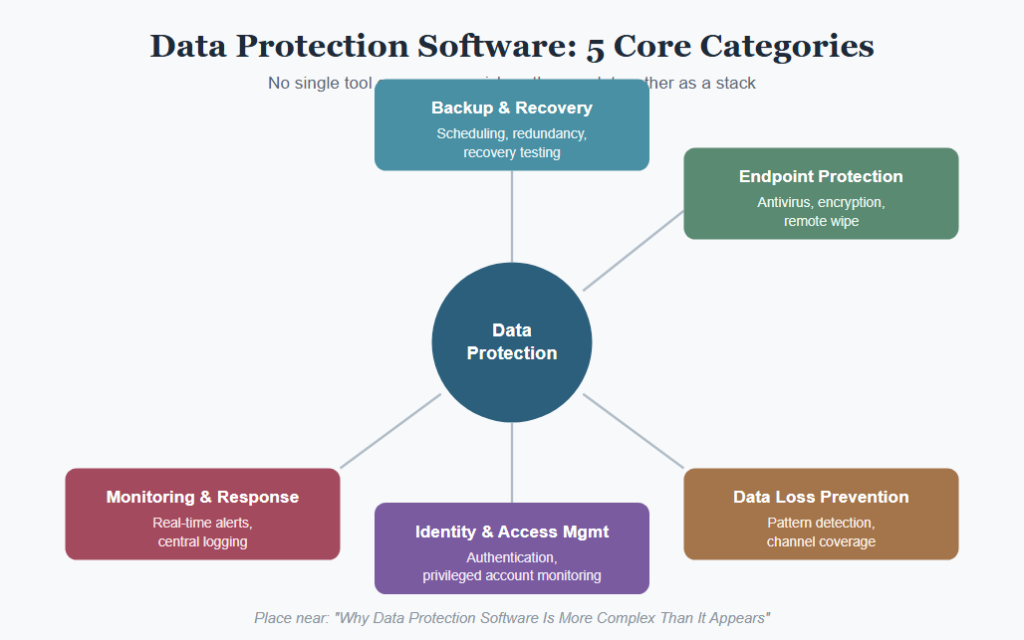
Why Data Protection Software Is More Complex Than It Appears
Data protection software is not one and the same thing; it represents a complex system that consists of:
- Backup and recovery software;
- Endpoint protection and antivirus;
- Data loss prevention and monitoring software.
Quite often, companies buy just one type of software and believe they are protected completely, however, such a limited strategy leaves many vulnerabilities that could not have been covered by any of the above categories.
When constructing data protection architecture, software should be chosen separately for each type of risk, as backup software covers completely different risks from endpoint protection and monitoring software.
Major Areas of Data Protection Software
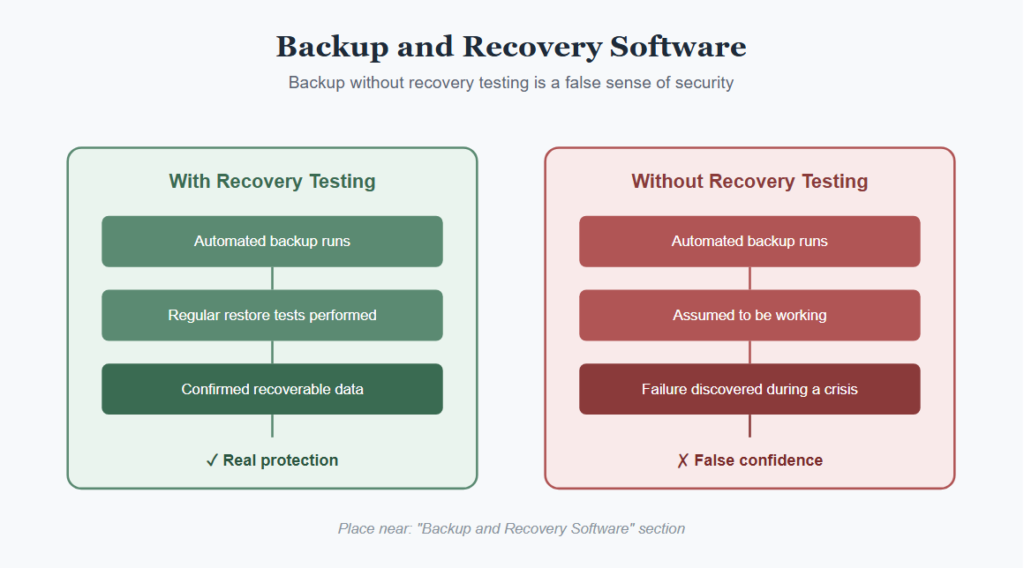
Backup and Recovery Software
Rules Governing
- Backup automation scheduling
- Storage site and redundancy settings
- Recovery testing and validation ability
Selection of backup software without recovery testing capability is one of the most common and expensive deficiencies as it could lead to:
- Misleading confidence in protection of the data
- Extra time to discover any recovery problems when something happens
- Successful backups that can’t actually be recovered
Endpoint Protection Software
Most data protection programs in this genre provide device-based security solutions, meaning that the organizations must conform to standard protection policies for each endpoint where the company data can be accessed.
Endpoint Protection Often Includes
- Antivirus and anti-malware detection
- Device encryption enforcement
- Remote wipe in case the device gets lost or stolen
Data Loss Prevention Software
Processing requires not only perimeter security measures but also increasingly sophisticated mechanisms for controlling data transfers inside and out of the company.
Those DLP Tools Usually Vary in Many Respects Including
- How well they recognize patterns of sensitive data
- Whether policy violations are allowed or reported only
- Coverage of different channels such as emails, cloud services, removable media
Identity and Access Management Software
Some of the features in data protection software include:
- System-wide authentication
- Automatic provisioning and de-provisioning
- Monitoring of privileged accounts
The sophistication of these technologies varies based on the complexity of the user and system environment within the organization.
Monitoring and Incident Response Software
Some types of data protection software that must be implemented include:
- Real time alerting for any suspicious activity
- Central logging in multiple platforms
- Incorporation with incident response processes
These capabilities must be maintained since the speed at which detection occurs influences the amount of damage sustained from the incident.
Why Data Protection Software Purchases Go Wrong Even With Careful Research
Not building sufficient protection using only software is rare since the firm does not undertake any form of evaluation.
However, such weaknesses arise because:
- One product group is deemed enough to provide complete protection.
- The software is installed without adequate configuration within the organization’s environment.
- Proper maintenance is neglected after installation.
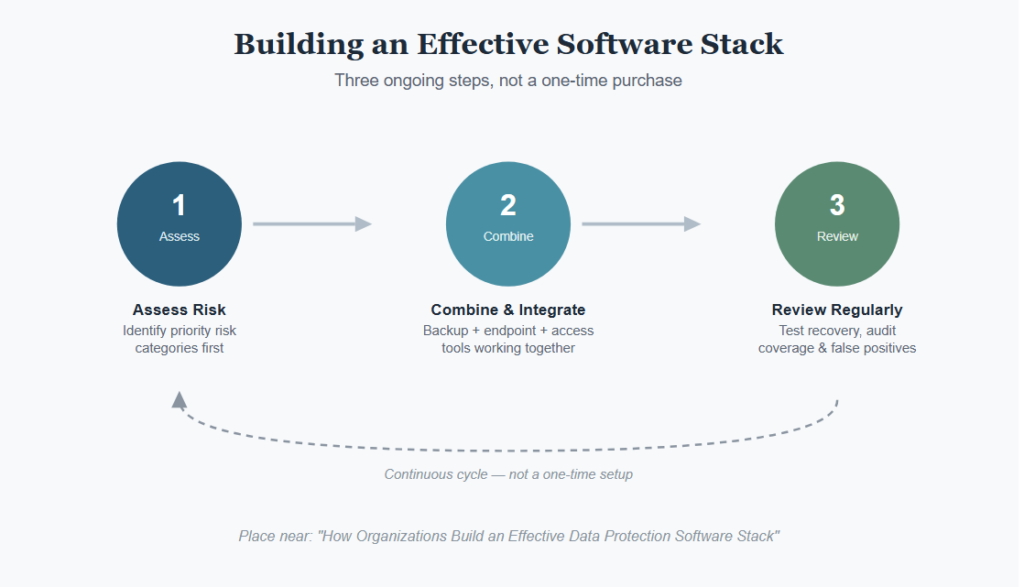
How Organizations Build an Effective Data Protection Software Stack
Assessing Risk Categories Before Purchasing
Big organizations might first determine their particular risks of concern, particularly when budget considerations necessitate a phased approach to software acquisition.
Software Selection Approaches Supporting Comprehensive Coverage
Effective stack formations occur through several approaches, including:
- Conscious combination of backup, endpoint and access management software, instead of depending on a single category
- Assessment of recovery and detection ability before the process of deployment is regarded as complete
- Integration of different tools instead of working in silos
Ongoing Software Effectiveness Reviews
An organization must carry out regular checks on:
- Backup recovery test results
- Coverage of endpoint protection on all devices
- The efficiency of data loss prevention policies, and the number of false positives
Regular checks will ensure that the software stack is still providing protection.
Common Data Protection Software Mistakes
Relying on a Single Software Category
The assumption is that using just one tool, for instance backup software, will provide full coverage of all possible cases of data loss.
Skipping Configuration for the Specific Environment
Using default settings in software that do not reflect the real risk situation of the enterprise.
Underestimating Ongoing Maintenance
Not taking into account the need for staff time to monitor alerts, analyze logs, and maintain configurations.
Poor Integration Between Tools
Inadequate thought regarding:
- How various software solutions exchange data with each other or work independently
- Uniform enforcement of policy throughout the entire stack
- Having visibility into your organization’s overall data security status
Integration problems can cause inconsistencies among solutions that otherwise seem to work just fine.
Bottom Line
Software used in data protection comes in many forms, taking into account factors like backup and recovery, endpoint security, data loss prevention, identity management, and monitoring.
Seeing how easy it is to have one type of software create an illusion of having everything covered, it would be much better if businesses created a stack that covers several risk factors.