Customer Service CRM: What It Actually Covers and Why It’s Easy to Get Wrong

Introduction
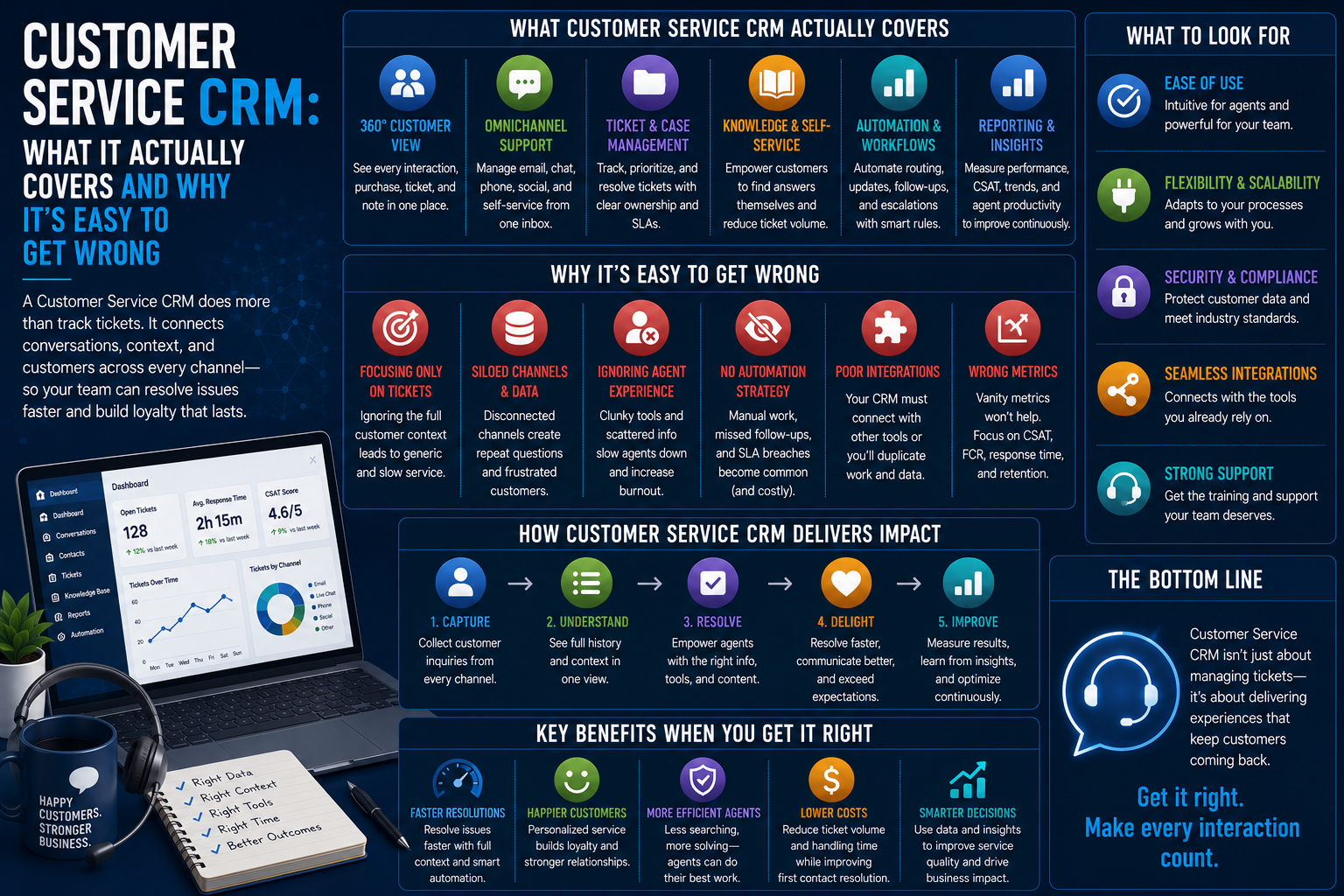
Customer Service CRM is essentially a system which integrates helpdesk tickets, customer history, and communication channels into one system, instead of customer service being treated separately from sales.
At first glance, it may appear quite straightforward; but in reality, because of the multitude of channels and information points involved in each customer interaction, it is one of the areas where companies tend to make costly mistakes.
Why Customer Service CRMs Are More Complex Than They Appear
Customer service is not one consistent process but instead an aggregate consisting of:
- Helpdesk ticketing and case management
- Multi-channel communication (email, chats, phone, social media)
- Knowledge base and self-service
There are companies that provide their customers with support using a separate helpdesk solution, which does not have any connections to the sales and accounting departments, and this results in the lack of information about the customer for the support representative.
If there is a company that provides services to its clients both from the sales and support departments, then the information should be visible to both parties, otherwise, the client will feel that he is repeating his request to different departments.
Major Areas of Customer Service CRM Functionality
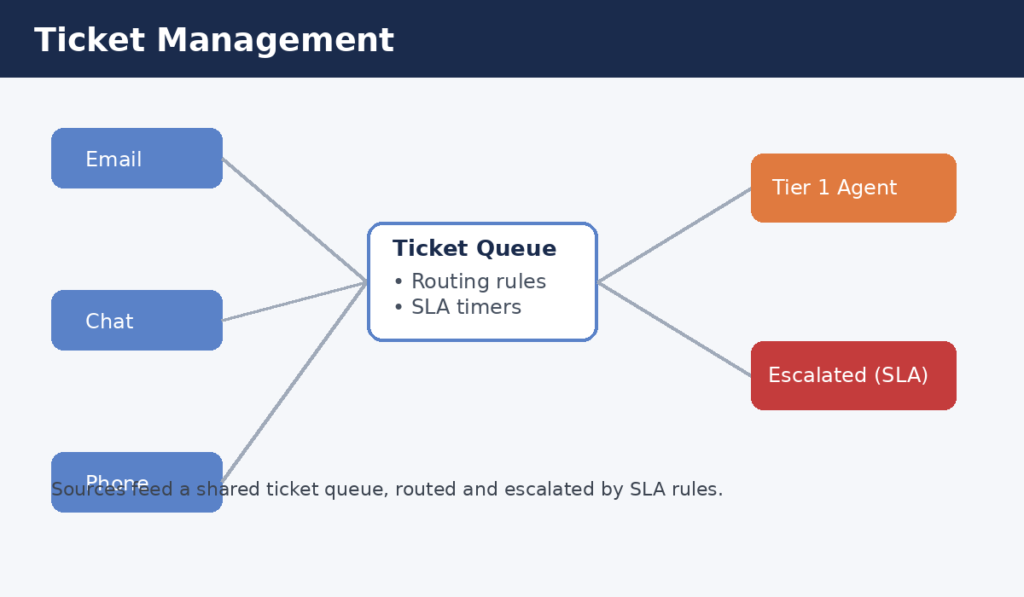
Ticket Management
Rules Governing
- Ticket generation from several sources
- Routing and escalation policies
- Monitoring of ticket status and SLAs
Fragmented ticket management is one of the most common and expensive holes since it may lead to:
- Missed SLA deadlines
- Multiple replies from several representatives
- Customer dissatisfaction due to inconsistency of information
Omnichannel Communication
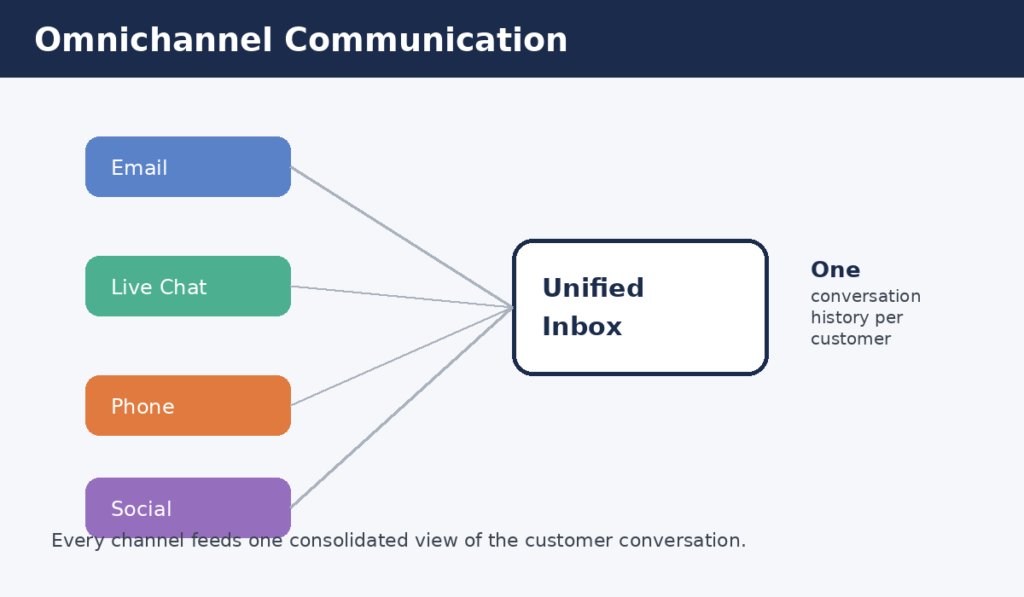
Customer service CRMs usually provide a consolidated inbox that requires the agent to follow a unified view of the conversation history of a particular customer through all channels.
Omnichannel Support Often Includes
- Email and Live Chat Integration
- Social Media Message Monitoring
- Phone Call Logging & Recording
Automation and Self-Service
This includes both agent-managed tickets and the growing trend of using automation for routing, chatbots, and knowledge base deflection for answering simple issues.
Automation Features Usually Vary in Many Respects Including
- The ability of the chatbot to handle common queries
- Keeping the knowledge base up-to-date
- Seamlessness of transition from a bot to an agent
Customer History and Context
Typical customer service CRMs usually include:
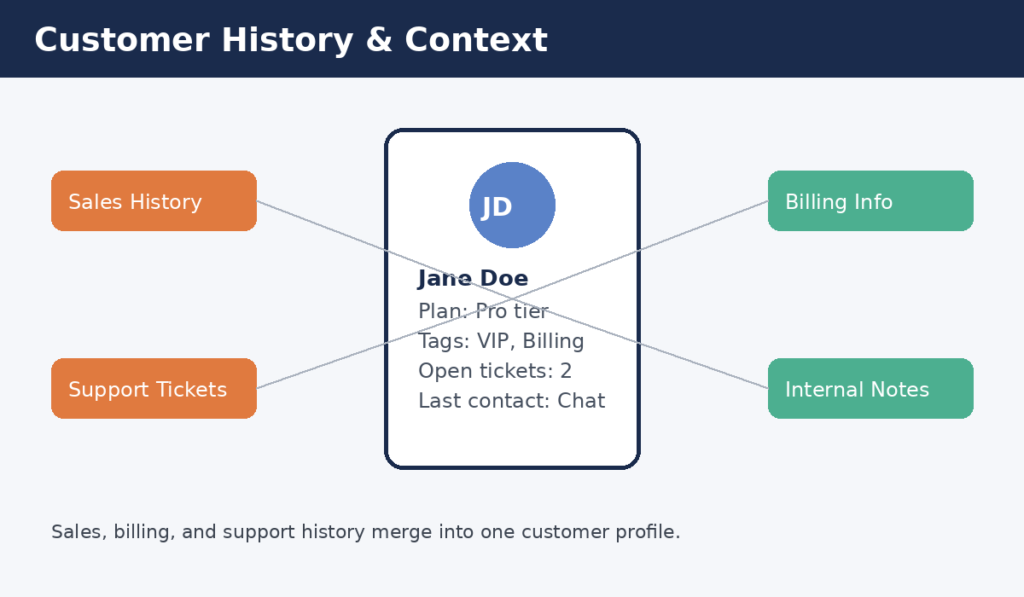
- A complete history of interaction associated with one client profile
- Sales information that is accessible while interacting with clients
- Internal remarks and tags for other departments to access
This level of context varies greatly based on the integration capabilities of the CRM with sales and billing applications.
Reporting and Performance Metrics
Some customer service CRMs need managers to stay aware of several metrics, which include the following:
- Response time
- Resolution time
- Customer satisfaction scores
These metrics need to be checked regularly to detect any problems with service quality.
Why Customer Service Failures Happen Even With a CRM in Place
Inconsistency in delivering service does not arise due to the absence of the proper tool at all within a team.
Instead, it could be due to the fact that:
- The support and sales information are kept in separate systems although both relate to the CRM.
- The agents do not have enough time to add comments consistently in the tickets.
- The automation process is in place without keeping the knowledge base up to date.
How Organizations Build Effective Customer Service CRM Workflows
Unified Customer Data
In larger firms, there is often an inclination to tie all aspects of services, sales, and billing into one customer record if complexity is a significant aspect of accounts.
CRM Features Supporting Fast Resolution
There are some customer service CRM solutions that come with capabilities of:
- Routing of tickets automatically according to type of problem/urgency
- Providing suggestions for related knowledgebase articles to the agents on the go
- Upgrading the ticket to higher-level support team automatically if SLAs are not met
Regular Quality and Metric Reviews
Organizations perform periodic audits on:
- Trends in response and resolution times
- Feedback regarding customer satisfaction
- Volume of tickets in each category to detect recurring problems
Performing periodic audits allows organizations to ensure that service quality is maintained as ticket volume increases.
Common Customer Service CRM Mistakes
Disconnected Service and Sales Data
Implementing support through a system that is not integrated with sales and does not give agents the whole picture.
Over-Automating Without Oversight
Using chatbots and automated routing without tracking their effectiveness.
Ignoring SLA Trends
Letting response time and resolution time slip without periodically evaluating performance against service level agreements.
Poor Knowledge Base Maintenance
Lack of updating in:
- Out-of-date trouble shooting techniques
- Articles missing for new functionalities of products
- Inconsistent formatting of the resources
Can result in dissatisfaction for both the customers and the agents using out-of-date information.
Bottom Line
Adoption of customer service CRM is very different and takes into account multiple factors like tickets, omnichannel interaction, automation, past of the customer, and performance reports.
Taking into consideration that disconnected information and old automation systems can harm customer confidence very fast, it will be much better to combine all this information and check performance reports regularly.