AI Workflow Automation: How It Differs From Traditional Automation

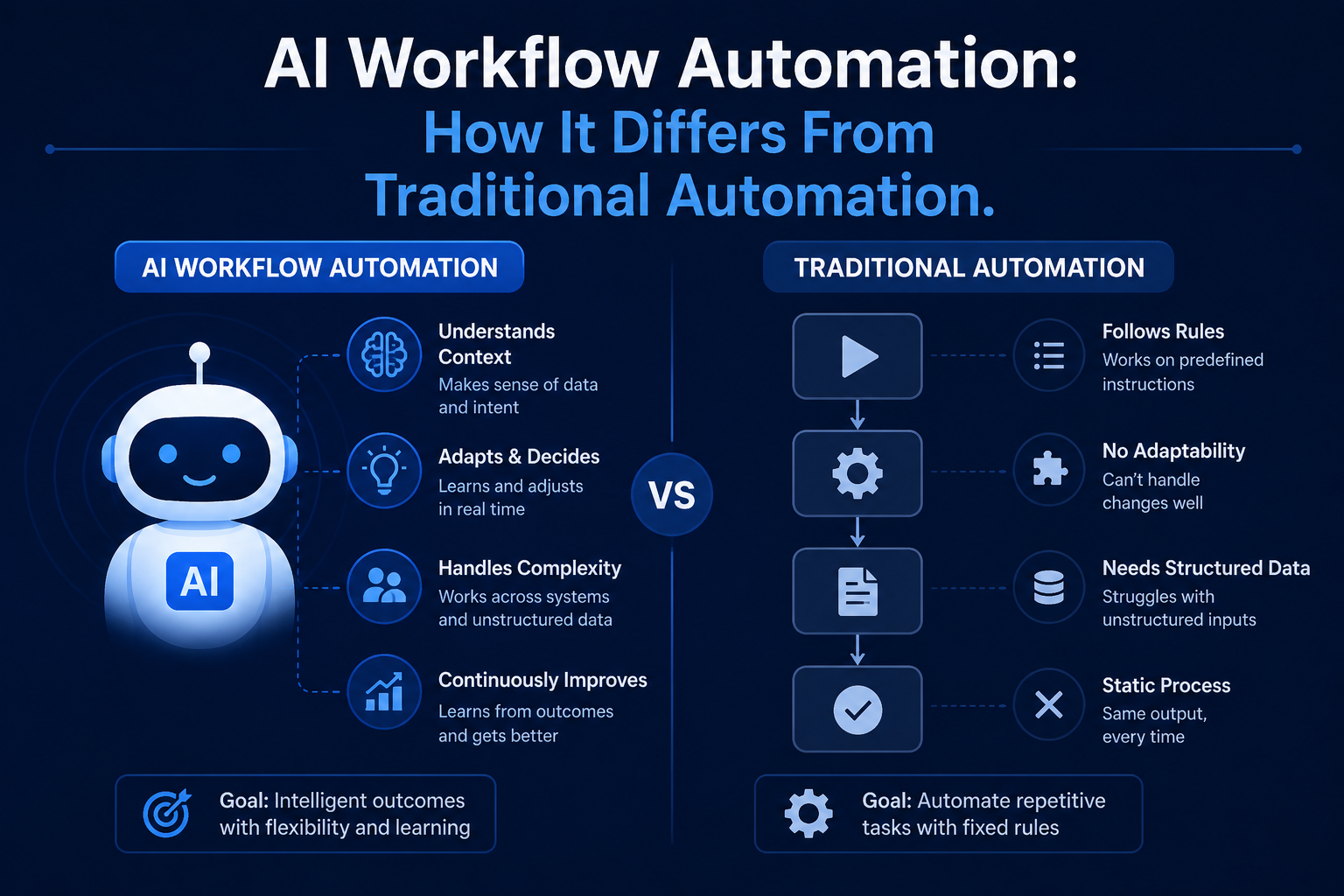
AI Workflow Automation is an integration of the rule-based automation that businesses have used for many years with AI’s capacity to deal with uncertainty and variability, thereby enabling more of the process to be automated than just fully predictable ones. This is how it happens.
What Traditional Automation Couldn’t Handle
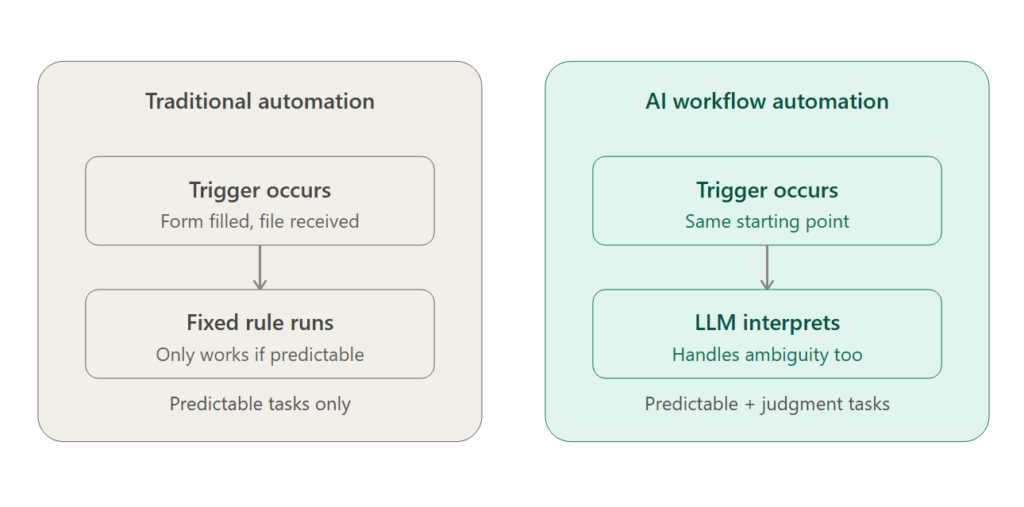
The standard approach to workflow automation (such as trigger-and-action applications like Zapier or the older robotic process automation, or RPA) does extremely well with repetitive and predictable processes: when a form is filled out, an email should be sent; when a file is received, it should be moved into a folder. However, it performs quite poorly at anything involving any level of interpretation, such as making sense of an ambiguous customer query or classifying an unpredictable document.
How AI Changes What’s Automatable
With the inclusion of a large language model in the process, the process of AI workflow automation can deal with tasks that need more interpretation and decision-making abilities and not just pattern matching. It can read an incoming email and determine its purpose, can summarize a document, can choose the correct follow-up action from among several available options depending upon the specific details of a particular case.
Core Components of an AI Workflow Automation System
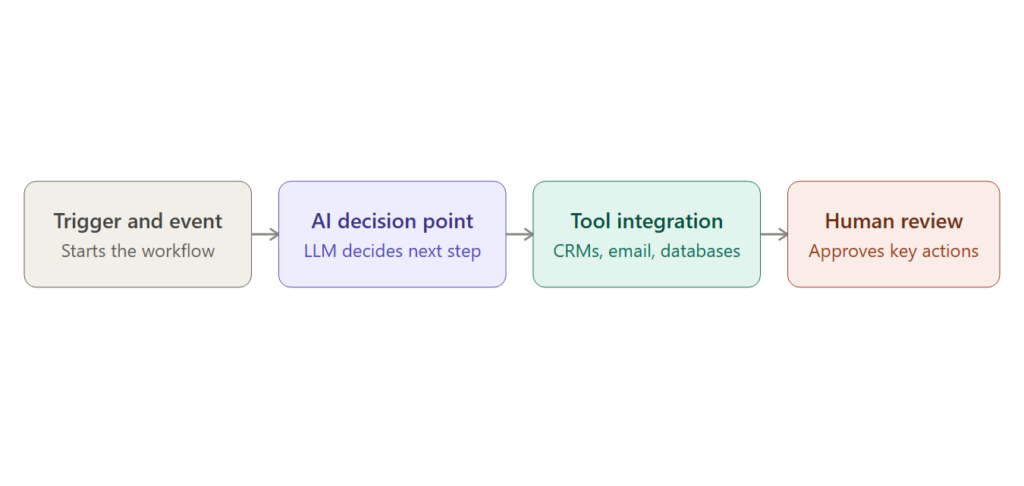
Trigger and Event Handling
The beginning of the workflow process, such as the arrival of an email, the completion of a form, a particular time, or changes to a status that is part of some other connected process.
AI-Powered Decision Points
A step in which the LLM analyzes inputs and decides what needs to be done next, rather than performing actions according to a predetermined set of rules.
Tool and System Integration
Integration with the existing systems that the company uses like CRMs, databases, emails, messaging, etc., so that this workflow can actually perform its actions as well as collect data.
Human Review Checkpoints
The points in the workflow where a human will approve a decision made by the AI system, especially critical in situations when the action that needs to be performed by the workflow is rather important or at an early stage of introducing the new workflow.
Common AI Workflow Automation Use Cases
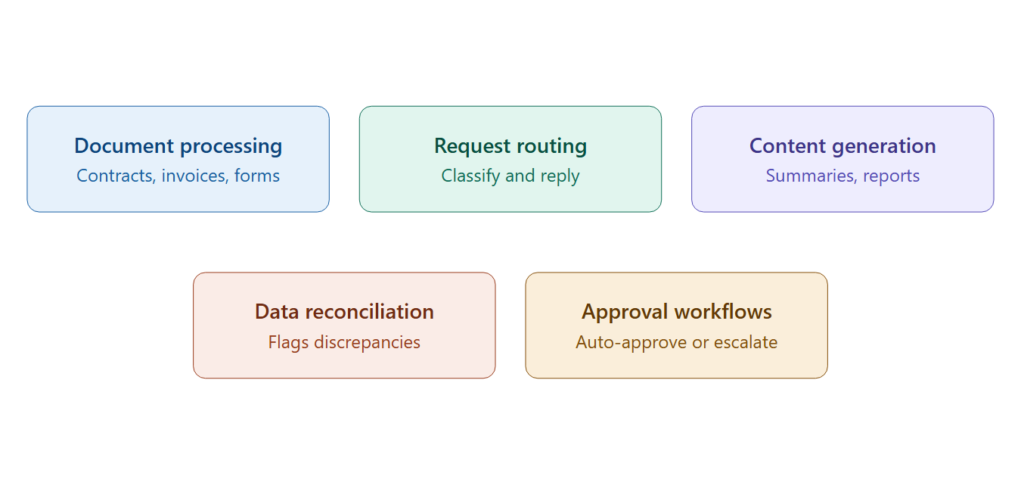
Document Processing
The extraction and organization of information from unstructured data (contracts, invoices, forms) which would traditionally require automation to be done using highly structured and predefined templates.
Customer Request Routing and Response
Interpretation of incoming customer communications, proper categorization of those messages and creation of an appropriate reply or passing of that communication to the appropriate department by the robot.
Content Generation Within a Workflow
Automated creation of follow up communications such as summaries and reports as part of the bigger process which saves time on repetitive writing..
Data Reconciliation and Quality Checks
Comparison of data among different systems, highlighting discrepancies and in certain situations automatically rectifying simple mismatches and elevating difficult ones to humans.
Approval and Compliance Workflows
Using the policies or compliance requirements to determine the exceptions requiring human input as well as those which can be automatically approved for compliance.
Building AI Into Existing Automation Tools
Many established automation platforms (Zapier, Make, Microsoft Power Automate) have added Most of the already existing automation software such as Zapier, Make, or Microsoft Power Automate have introduced AI-based decision making components to their workflow tools which allow the integration of human decisions into the process without having to develop a new system.
Key Considerations for Implementing AI Workflow Automation
- First, focus on processes where the judgment of AI is really useful, rather than putting AI in situations where the decision was already effectively being made through clear rules.
- Include human review for higher-value decisions, at least initially, until the accuracy of AI on that task is proven.
- Be alert to changes over time because AI processes tend to evolve due to changing models under the hood, while conventional rule-based automation works the same way until it is explicitly modified.
- Measure the performance, including errors, of the process rather than only the speed gain, because a process that operates quickly but makes mistakes creates more problems than it solves.
Common Mistakes with AI Workflow Automation
- Automation of a heavily judged task without proper testing or human oversight, resulting in mistakes that compound throughout the process
- Considering AI-based automation as “set it and forget it,” without taking into account performance deterioration over time
- Automation of tasks which need human intervention despite being capable of automation
Bottom Line
AI process automation goes beyond traditional rule-based automation by automating processes that call for judgment and dealing with variation, thus enabling the automation of a much larger number of processes compared to what was possible before. The companies that are making the most out of it are those that first automate processes with well-defined scopes and high volumes of work that involve minimal judgment, followed by performance monitoring.