Project Management with Time Tracking: Why It Matters and How to Set It Up

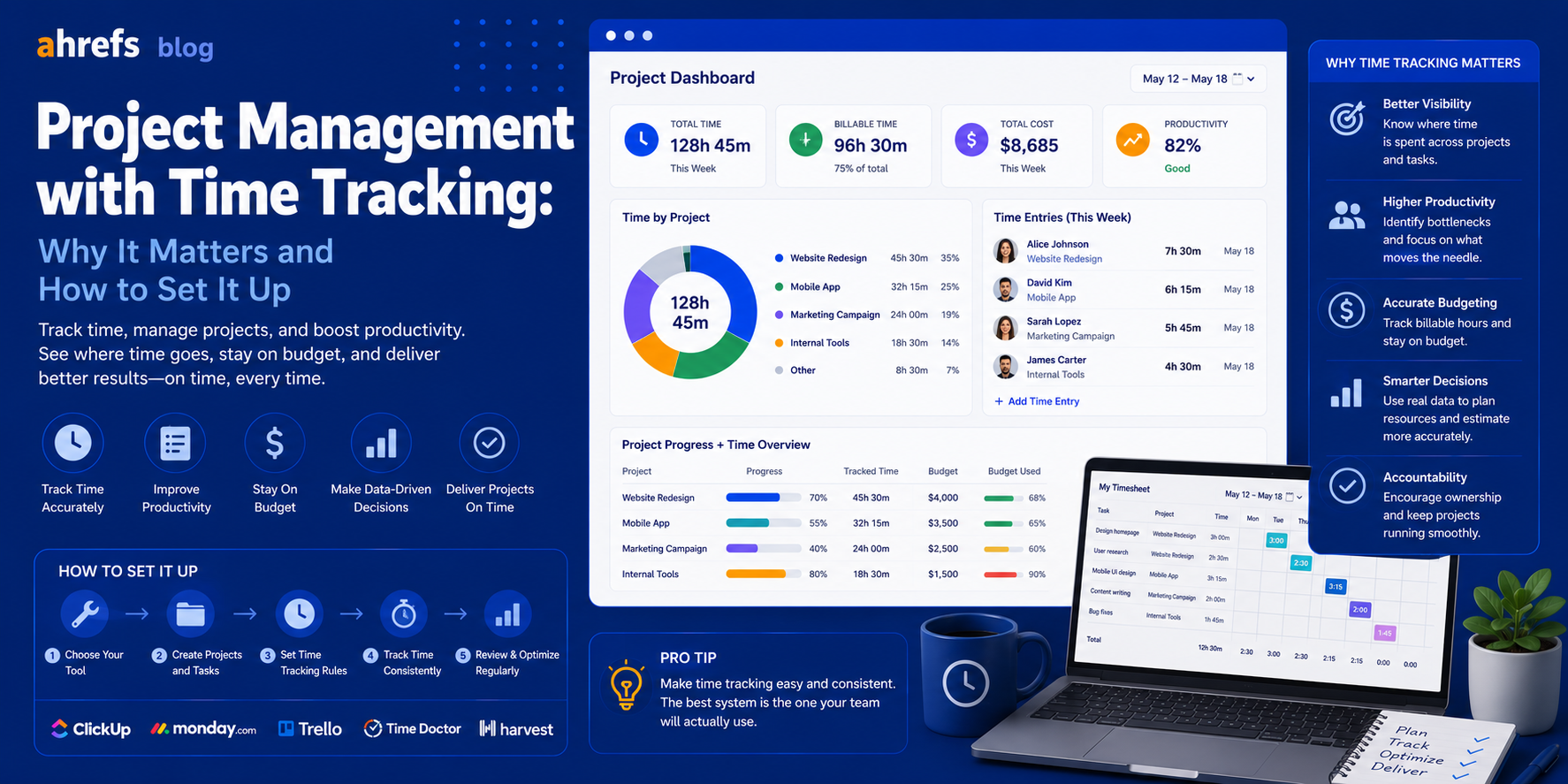
While most project managers have task trackers, not all of them have time trackers. Most of those that don’t know what they’re missing, and it isn’t until their project ends up costing them way more than it should that they understand just how important time tracking is. Here’s how time tracking should be an integral part of your project management process, and how you can incorporate it without causing trouble within your team.
Table of Contents
- Why Time Tracking and Project Management Go Hand-In-Hand
- What You Should Track (And What You Shouldn’t)
- Time Tracking Built into Project Management Software
- Specialized Time Tracking Tools That Work with Project Management Software
- How to Make Your Team Actually Track Their Time
- How to Use Time Tracking Data to Better Your Projects Going Forward
- Conclusion
Why Time Tracking and Project Management Belong Together
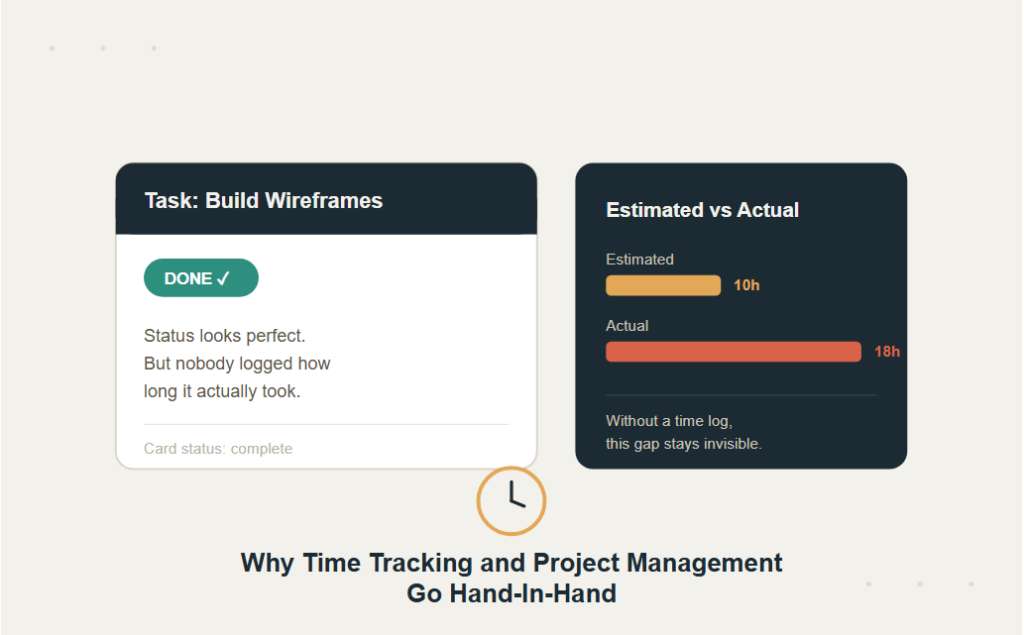
Task done vs. time used. You can have “Done” status on the task for a task that has taken three times longer than it was planned, but when you don’t track time, you will never understand why your project exceeded budget or why others do too.
Tracking time in project management provides you with:
Accurate Project Cost Tracking
For agency and service companies, time is the key cost. If you don’t track it, you just estimate profitability.
Better Future Estimates
The historical data about similar projects is the best information that can be used to make estimates for new projects.
“We expected 10 hours for wireframes before but we took 18 hours this time.”
Such practical information is much better than just relying on intuition.
Team Capacity Visibility
Whose schedule is overbooked? Whose schedule allows for more? Time logged will provide the objective answer to this question as opposed to anecdotes from status meetings.
Client Billing Accuracy
In the case of hourly work or retainers, time log represents the billing document. Inaccurate logging of time results in inaccurate bills.
What to Track (and What Not To)
Track
- Time spent working on deliverables for clients
- Meetings and feedback loops (internal ones represent the biggest hidden cost of any project)
- Revision rounds (if you track those, you will find ways to cut them)
- Overhead for each individual project
Don’t Obsess Over
- Sub-five-minute increments cause tension, and this discourages adoption of the product.
- Emailing the amount of time spent individually unless the time is billed for it.
We seek valuable data, not monitoring. People will stop being honest about their times once they know they’re being monitored.
Time Tracking Built Into PM Tools
A number of project management software solutions offer native time tracking capabilities.
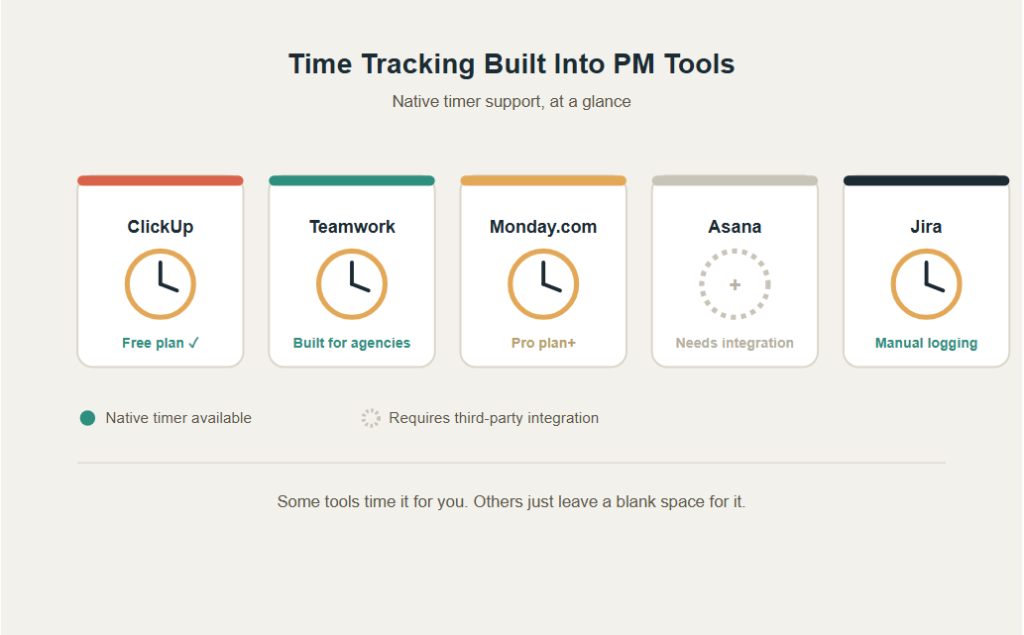
ClickUp
Possibly one of the best native time trackers available in any PM solution.
- Time can be logged on tasks using an in-built timer or manually.
- Provides time report generation on users/projects/tasks.
- Offers Time Tracking at the Free plan level.
Teamwork
Created especially for agencies.
- Time tracking features are very well integrated.
- Log time spent on tasks.
- Integrate time logs for client billing purposes.
- Produce time reports for invoices.
One of the best in-app time tracking systems available.
Monday.com
- Time tracking is offered on the Pro plan and higher.
- Useful for capacity planning internally.
- Better suited for client billing than Teamwork and Harvest.
Asana
- Not natively offered.
- Has to be integrated.
- Comes with native integration with Harvest, Toggl, and Clockify.
Jira
- In-built time tracking (manually logged, not a timer).
- More useful for velocity tracking than client billing.
- Has integration with Tempo for more advanced time management.
Dedicated Time Tracking Tools That Integrate with PM Software
If you find that your project management application’s built-in time tracker isn’t for you, try one of these.
Harvest
The most effective way of keeping track of time and billing for an organization.
- Natively integrates with Asana, Basecamp, Trello, Jira, and more.
- Invoicing and budget reports come built-in.
Toggl Track
Easy-to-use and is widely adopted by teams due to its simplicity.
- Compatible with all popular project management software.
- More appropriate for internal purposes than client invoicing.
Clockify
- Freely available for an unlimited number of users and good functionality.
- Can be considered for small teams and companies on budget.
- Compatible with Asana, Trello, Monday.com, and other apps through browser extension.
Timely
AI-based automated time tracking to record the usage of time by applications.
- It eliminates the manual entry burden substantially.
- Costlier option but very useful for teams that have had trouble with time tracking adoption.
How to Get Your Team to Actually Track Time
Failure is not in the tool itself, but rather in the fact that people just do not use it. If people perceive time tracking as a painful activity, they will give up on it or track incorrectly.
Make It as Low-Friction as Possible
- Provide a timer in the very application that people are working with now; not another one.
- Set up a minimum granularity for entering the time spent (for example, 15 minutes).
- Do not use time logs as a means of assessing employee performance.
Build It Into Existing Habits
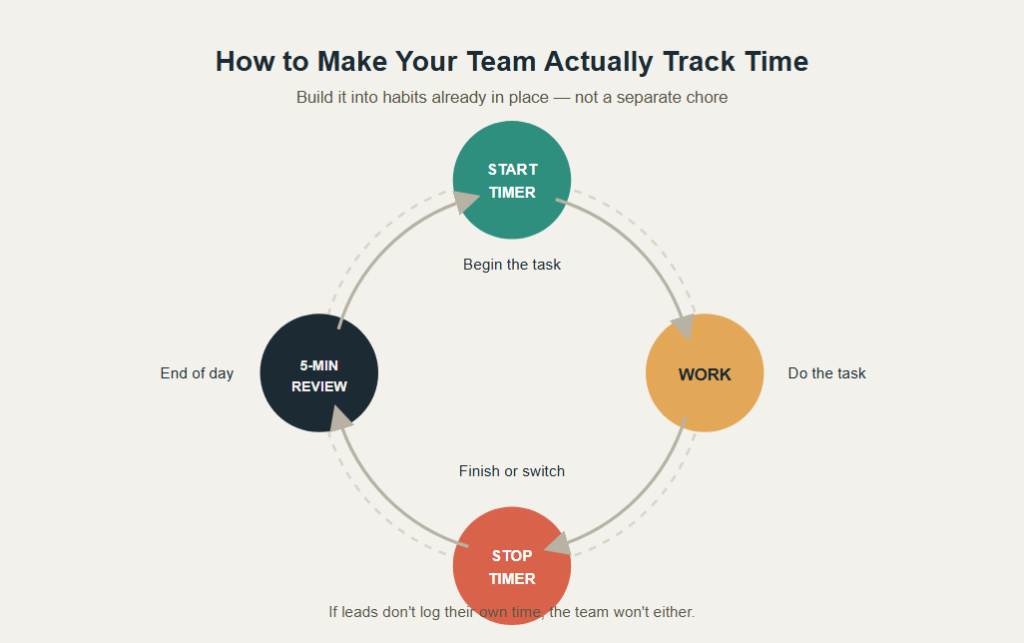
- Set your timer at the start of an activity.
- Turn off the timer upon completion or switch.
- Time log review at the end of day (five minutes for catching any loose ends) is better than attempting to recall one’s time during the week.
Lead From the Top
- If PMs or Leads don’t log their own time, the rest of the team isn’t going to do it.
- Provide the time logs to the team to demonstrate how this information will help plan a project rather than simply billing.
Using Time Data to Improve Future Projects
The least utilized feature of time tracking is retrospection learning. For each project completed:
- Evaluate how many hours you have underestimated or overestimated for particular tasks.
- Determine which phases in your project consume a disproportionately large number of hours (typically quality assurance, client feedback loops, and project management phases are the surprises).
- Use real data to develop better templates for upcoming projects.
- Learn from the experience as a team, time data becomes a shared lesson learned rather than just billing information.
Final Thoughts
Project management without time tracking is simply project management based on assumption. The groups of people who can calculate properly, charge appropriately, and streamline their process with each new project are invariably the groups who track time and leverage it. Begin with the most basic implementation that will create the least amount of friction, and then build on that success with the use of data to make your estimates better each time.