Email Marketing Automation Tools: The Complete Guide to Choosing the Right Platform

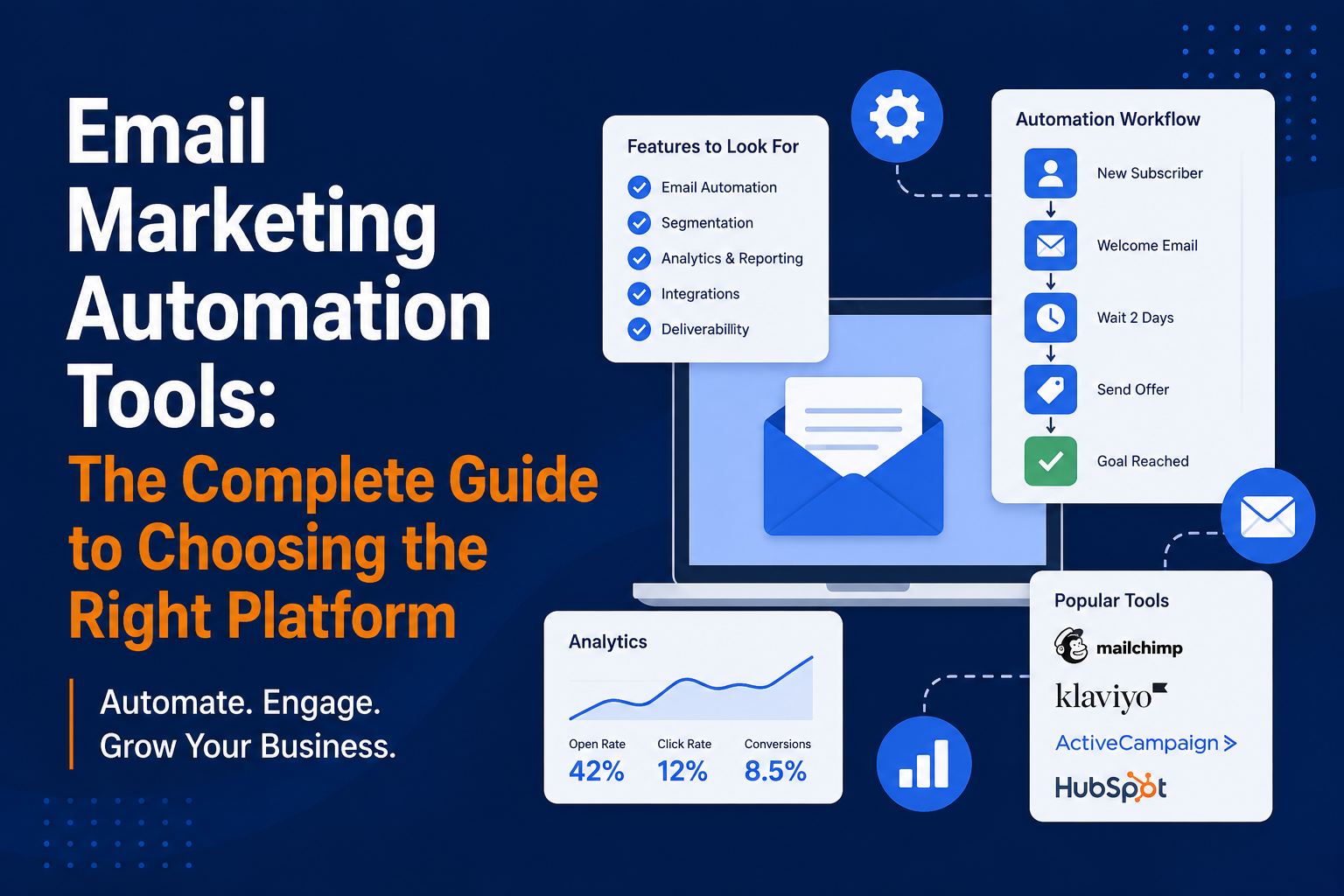
The email marketing automation tool is the heart and soul of every effective email marketing campaign. It is the magic that turns an ordinary newsletter into a money-making machine by sending a specific email to a specific recipient at exactly the right time through automated means.
Nonetheless, there are plenty of competing email marketing automation tools out there, promising more or less the same things. The following email marketing automation software guide will help you understand everything about some of the best email marketing software tools available in the market.
What Is Email Marketing Automation?
Email marketing automation refers to the automatic sending of emails via software tools, using different triggers, conditions, and user behavior.
Examples of Automated Emails
- Email sent automatically when somebody registers with you
- Email sent automatically an hour after somebody leaves your website without making any purchases
- Email sent automatically after 90 days of no email activity by a user
- Email sent automatically on the birthday of a user
- Email sent automatically seven days after a person buys something for the first time
This difference between automated and broadcast emails is significant as automated emails tend to be relevant and timely, which leads to better results than broadcast emails in terms of open, click-through, and conversion rates.
What to Look for in an Email Marketing Automation Tool
Before reviewing individual platforms, know what functionality is important for you.
Core Automation Features
- Workflow building via visual interface (drag-and-drop sequence builder)
- Triggered automation (actions that are performed depending on user’s behavior: opened an email, visited a page, purchased something)
- Conditioning (conditional branches in the automation sequences)
- Scheduling in the flow
- A/B testing in the flow
Segmentation Capabilities
- Behavioral segmentation (based on email engagement, website activity, buying behavior)
- Dynamic segmentation that automatically changes based on subscribers’ characteristics
- Tags and custom fields
Integrations
- Integration with your ecommerce system (Shopify, WooCommerce, BigCommerce)
- CRM integration (Salesforce, HubSpot, Pipedrive)
- Website integrations and analytics platforms (Google Analytics, WordPress)
- Landing page builders
Reporting and Analytics
- Campaign reporting and automation reporting
- Revenue attribution (how much money did this automation bring?)
- Delivery tracking
The Top Email Marketing Automation Tools
1. Klaviyo
Best for: Ecommerce Businesses (Shopify, WooCommerce)
Klaviyo is the benchmark when it comes to automated emails for e-commerce stores. The built-in integration with Shopify is unrivaled in terms of automatically syncing purchase data, browsing behavior, and customer information instantly.
Key Strengths
- Unparalleled ecommerce data integration
- Segmentation based on LTV, frequency of purchase, products viewed, etc.
- Pre-built flow templates that are visually stunning (e.g., abandoned cart, welcome series, post-purchase flows)
- In-built SMS marketing capability
- Revenue tracking down to each individual email
Pricing
Unlock up to 250 contacts; scales with number of contacts. Costlier than competing solutions when list size grows.
Best Avoided If
Not selling anything online, or you are on a tight budget but have a large list?
2. ActiveCampaign
Best for: SMBs and B2B Businesses With Complex Automation Needs
ActiveCampaign’s automation builder is the most advanced in its class. Its visual workflow builder is unrivaled in terms of complexity and integration of conditionals, tracking, scoring, and CRM integration.
Key Strengths
- Visual Automation Builder Best-of-Breed
- CRM baked in with email and sales pipeline
- Lead scoring and contact tagging
- Website and event tracking
- Good deliverability
Pricing
The starter plan starts at about $15 per month with 500 subscribers. Available in Plus plan ($49/month+)
Best Avoided If
You need deeper ecommerce integration (Klaviyo is better) or you desire simplicity.
3. HubSpot
Best for: B2B Companies Already in the HubSpot Ecosystem
HubSpot Email is a great product to be utilized in conjunction with the entire HubSpot suite. Alone, it’s a good product but not best-of-breed. With an inbound marketing strategy in mind, it’s superb.
Key Strengths
- Deep CRM Integration (Contacts, Deals, & Emails combined)
- High Quality Lead Nurturing Automation
- One Platform For Landing Pages, Forms, & Emails
- Highly Advanced Reports & Attribution
- Enterprise-level Software Solutions On Scale
Pricing
Marketing Hub Starter costs $20/month, but full automation capabilities are available in Professional Plan ($890/month +)
Best Avoided If
You’re not utilizing HubSpot CRM and your business is primarily ecommerce.
4. Mailchimp
Best for: Beginners and Small Businesses Who Need Simplicity
Mailchimp is the most popular email platform worldwide for the fact that it is user-friendly and offers a great free version. Mailchimp is perfect for those simple automation tasks (welcome email, cart abandonment, basic sequences).
Key Strengths
- Very user-friendly
- Free version up to 500 contacts
- Good templates
- Integration with e-commerce websites
- Popular brand with a huge knowledge base
Pricing
Get up to 500 contacts free. Pricing for paid plans starts from about $13 per month.
Best Avoided If
You require advanced segmentation, advanced logic, or detailed eCommerce revenue tracking. This tool does not meet your needs here.
5. Braze
Best for: Enterprise Businesses With Complex Multichannel Needs
Braze is an enterprise-grade engagement solution that supports emails, push notifications, in-app messages, SMS, and much more. It powers campaigns by Domino’s, Burger King, and Canva.
Key Strengths
- Actual orchestration of email, push, SMS, in-app and content card messages.
- Trigger events in real-time.
- Send-time optimization by AI.
- Scalable up to millions of customers.
Pricing
Enterprise level pricing, starting from $100,000/year. Not suitable for small business.
6. Drip
Best for: Mid-Size Ecommerce Brands
Drip is an excellent alternative to Klaviyo, especially for e-commerce, with a more polished UI and good automation features.
Key Strengths
- User-friendly interface
- Great Shopify and WooCommerce integration
- Efficient visual workflow creation
- Excellent customer data management
Pricing
Starting at $39/month with 2,500 contacts included.
7. Salesforce Marketing Cloud
Best for: Enterprise Businesses in the Salesforce Ecosystem
The Salesforce Marketing Cloud is arguably the most comprehensive and most difficult email marketing automation software available. Journey Builder provides highly complex customer journeys but is best handled by dedicated technical teams.
Key Strengths
- Sophistication without equal for corporate journeys
- Integrated deeply into Salesforce CRM
- Einstein AI functionality
- Deliverability infrastructure built for enterprise use
Pricing
Enterprise pricing, around $25,000+/yr. Not for small businesses
How to Choose the Right Email Marketing Automation Tool
Use This Decision Framework
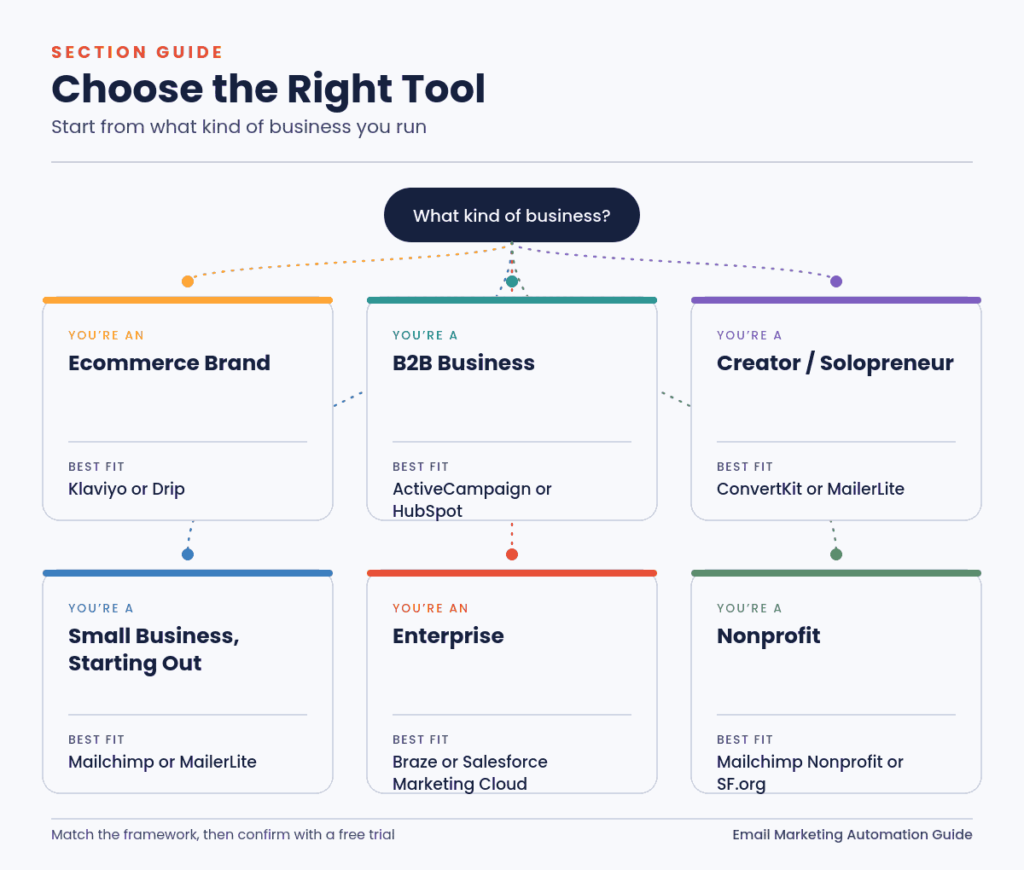
You’re an Ecommerce Brand
Begin with Klaviyo (Shopify) or Drip
You’re a B2B Business
ActiveCampaign or HubSpot based on budget requirements.
You’re a Creator or Solopreneur
ConvertKit or MailerLite.
You’re a Small Business Just Starting Out
MailChimp or MailerLite.
You’re an Enterprise
Braze or Salesforce Marketing Cloud.
You’re a Nonprofit
MailChimp with nonprofit discount or Salesforce for Nonprofit Organizations.
Switching Email Marketing Automation Tools
A platform migration is disruptive but can be managed successfully.
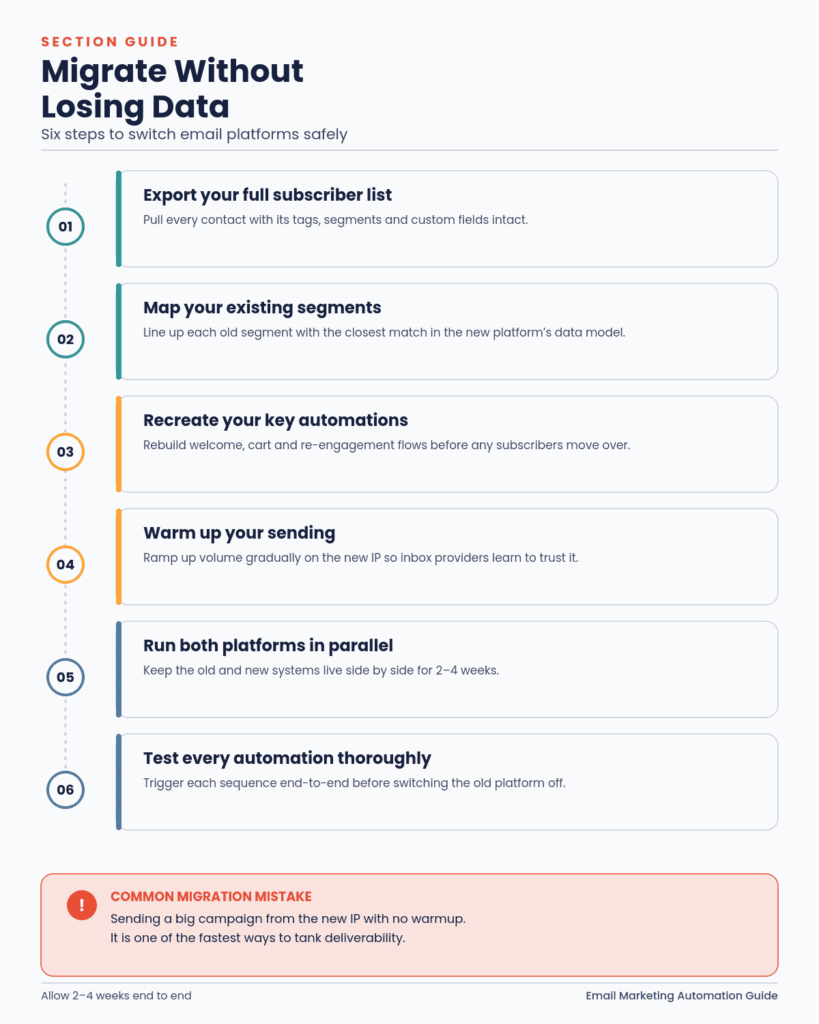
How to Migrate Without Losing Data or Damaging Deliverability
1. Export Your Full Subscriber List
Export your entire list of subscribers along with their tags, segments, and custom fields.
2. Map Your Existing Segments
Align the segments you have in your current system with the new one’s data model.
3. Recreate Your Key Automations
Create the main automation sequences in the new email service before transferring your subscribers.
4. Warm Up Your Sending
Slowly build up your sending rate on the new platform (IP warming).
5. Run Both Platforms in Parallel
Use both services side by side for 2–4 weeks.
6. Test All Automations Thoroughly
Do proper testing on all your automation sequences prior to switching off the previous platform.
Common Migration Mistake
Sending a large campaign from a new IP address without the necessary warmup process. This is highly dangerous to your deliverability rates.
Final Thoughts
The ultimate email marketing automation software is the one that fits your business model and provides the functionalities you need.
Do not chase after the most advanced software solution unless you really need it and are prepared for it. Begin with what you have now, learn how to do your automations properly, then move to the next level later on. An efficient configuration of your MailChimp or ActiveCampaign account will easily beat an expensive Salesforce Marketing Cloud implementation.