SEO Audit Checklist: 25 Steps to Diagnose and Fix Your Website

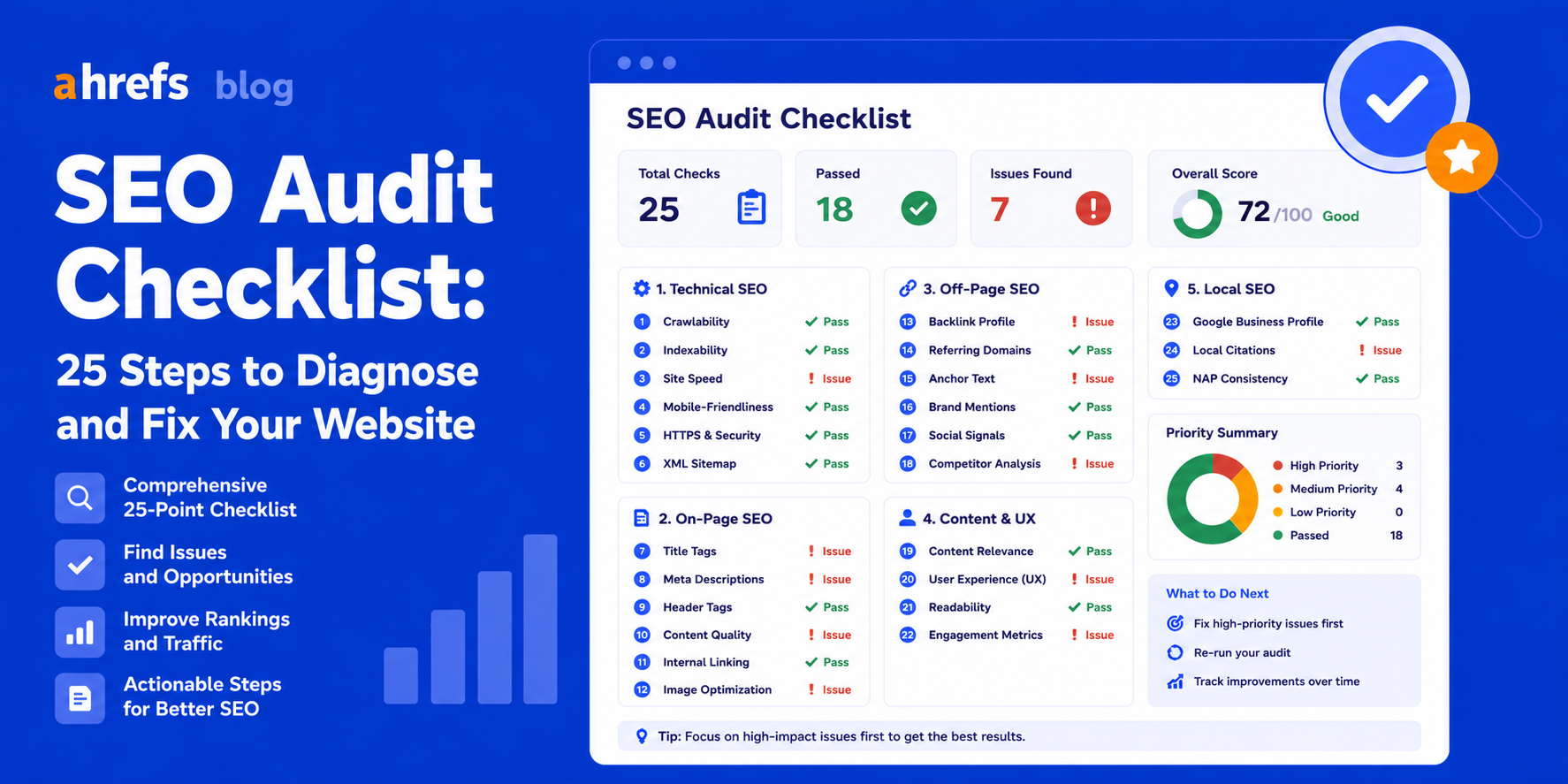
SEO auditing without using an SEO checklist is similar to conducting surgery without a strategy. While some improvements might be achieved, chances are that you will definitely overlook the problems which really need your attention.
This SEO auditing checklist includes all aspects of SEO from technical SEO to off-page SEO, and hence, it is going to help you identify what needs to be done.
What Is an SEO Audit?
An SEO audit consists of a thorough review of your website to discover elements that hinder its ability to achieve a better ranking position. You can imagine an SEO audit as your site’s doctor visit, during which technical issues, content deficiencies, and missed opportunities come to light.
A Thorough SEO Audit Covers:
- Technical SEO (crawling, indexing, performance)
- On-page SEO (content, keywords)
- Off-page SEO (backlinks)
- User experience indicators
Why Run an SEO Audit?
Without frequent auditing, minor issues will turn into major ones. Even one noindex page may cause losses for many months. Usually, it is advised by SEO specialists to perform site audits each 3 to 6 months, especially after any major changes.
Technical SEO Audit Checklist
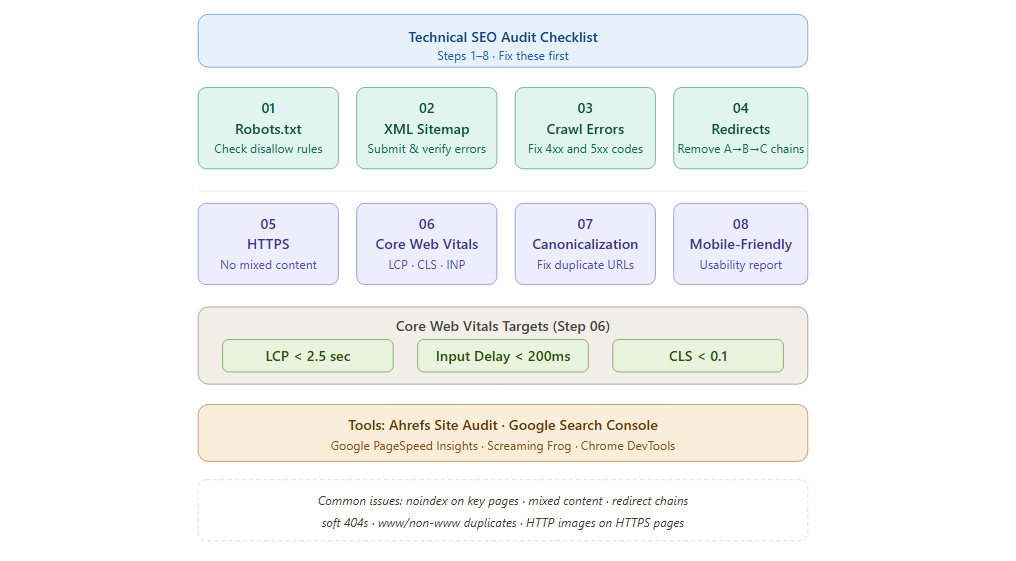
1. Check Your Robots.txt File
Your robots.txt is where you specify which URLs should be crawled by the search engines. Go to yourdomain.com/robots.txt and check the “Disallow” statements. Check whether Googlebot has access to your critical pages using the Robots Tester of Google Search Console.
Common issue: Inadvertently disallowing access to necessary CSS/JS files by Googlebot.
2. Verify Your XML Sitemap
Visit Search Console -> Sitemaps and ensure that your site map is registered, there are no errors with your sitemap, and the number of URLs on it is approximately equal to the number of your indexed pages.
Common issue:Sitemaps with no indexed pages or redirects.
3. Fix Crawl Errors
In Ahrefs Site Audit, analyze all 4xx and 5xx codes. In Google Search Console, go to Coverage > Error.
Common issue:404s and soft 404s for deleted pages.
4. Audit Redirect Chains
Check the reports on redirect chains in Ahrefs Site Audit (A→B→C). All internal links should lead straight to the destination URL.
5. Confirm HTTPS Implementation
Check to see that the padlock icon is present when you visit your website.
Check for mixed content errors using Chrome DevTools.
Common issue:Images or scripts delivered via HTTP on HTTPS sites
6. Test Core Web Vitals
Use Google PageSpeed Insights or the Core Web Vitals report on Search Console.
Targets:
- Largest Contentful Paint <2.5 seconds
- Input Delay <200ms
- Cumulative Layout Shift <0.1
7. Review Canonicalization
Look at Ahrefs Site Audit to identify pages having duplicate and canonical tags.
Common issue:HTTP and HTTPS are indexable; www and non-www are indexable.
8. Check Mobile-Friendliness
Use the Google Mobile Friendly Test. Look at the Mobile Usability report in Search Console.
Common issue: Font too small, clickable items too close.
On-Page SEO Audit Checklist
9. Audit Title Tags
Use Ahrefs Site Audit or Screaming Frog to get all the title tags.
Look for:
- Missing titles
- Duplicates
- Titles exceeding 60 characters
- Keywords not in titles
10. Review Meta Descriptions
Flag:
- Missing
- Duplicate
- Exceeding 155 characters
Meta descriptions may be well-written to increase click-through rates despite not being a ranking factor.
11. Analyze Header Structure
H1s are used on each page only once, containing the keyphrase. H2s serve for the structure of the content. Missing and redundant H1s can be found with the help of Ahrefs.
12. Check Keyword Optimization
Get the organic keyword report for your key pages using Ahrefs Site Explorer. Check how the ranking keyphrase matches with the targeted one.
13. Assess Content Quality
Go through your top 20 pages manually.
Ask:
- Does this cover the query sufficiently?
- Does this provide more value than the number-one result now?
- Is the information up-to-date?
14. Fix Keyword Cannibalization
In Site Explorer of Ahrefs, search for the targeted keyword. If there is more than one page ranked for that keyword, it means cannibalization exists. Resolve the issue by either merging or splitting the pages.
15. Review Internal Linking
Important pages must be linked internally from multiple pages. Orphan pages should be linked from related pages.
16. Check Image Optimization
Check for:
- Images without alternative texts
- Large-sized files (convert to WebP format)
- Non-descriptive filenames
Off-Page SEO Audit Checklist
17. Audit Your Backlink Profile
In Ahrefs Site Explorer, examine your backlinks report. Filter by DR and identify spammy links originating from bad-quality or spammy websites.
18. Disavow Harmful Links
If there are manipulative links identified, make use of the disavow tool on Google Search Console. Be cautious and conservative when using the disavow tool; most websites will not require its usage.
19. Analyze Referring Domain Diversity
Backlinks from 100 sites are better for SEO than backlinks from 100 webpages on one site. Check the DR spread and relevance of your referring sites.
20. Review Anchor Text Distribution
Your backlink profile should consist mainly of branded, naked URLs, and generic anchors. Over-optimization of keyword anchors is an obvious sign of blackhat techniques.
Content Audit Checklist
21. Identify Thin Content
Export all pages containing less than 300 words and less than 10 organic visits/month.
Choose:
- Update
- Consolidate
- Delete
22. Find Outdated Content
Filter the content according to publication dates older than 18 months.
Update:
- Statistics
- Create new sections
- Update examples
- Publication dates
23. Close Content Gaps
Ahrefs Content Gap tool (Site Explorer > Content Gap)Enter up to three of your main competitors to see what they are ranking for and you aren’t.
24. Review Click Depth
All the relevant pages must be accessible within 3 mouse-clicks from the homepage. Use internal links from high authority pages to deep content.
25. Check Schema Markup
Run Google’s Rich Results Test on your key pages.
Think about:
- Crawl errors
- Manual actions
- Index problems
- HTTPS errors
How to Prioritize Your SEO Audit Findings
Critical (Fix Immediately)
- Crawl blocks
- Manual actions
- Indexing problems
- HTTPS implementation problems site-wide
High (Fix Within 1 Week)
- Core Web Vitals problems
- Title tag issues on key pages
- 404s on linked pages
Medium (Fix Within 1 Month)
- Thin pages
- Schema missing
- Slow secondary pages
Low (Fix When Possible)
- Tiny copy tweaks
- Minor image optimization changes
How Often to Run an SEO Audit
Full Technical Audit
Every 3–6 months
Content Audit
Every 6–12 months
Backlink Audit
Monthly (Ahrefs Alerts will tell you when there are new links)
Core Web Vitals
Monthly search console review
Tools You Need
- Ahrefs Site Audit: Automatic crawl with more than 100 SEO problems detected
- Google Search Console: Index coverage, Core Web Vitals, manual actions taken
- Google PageSpeed Insights: Page speed & CWVs
- Screaming Frog: Deep technical crawl for bigger websites
Conclusion
An effective SEO audit checklist ensures that you have a structured approach to determine the precise reason for underperformance of your website. By addressing all parts of the checklist and working on the critical problems first, you can resolve issues systematically. An SEO audit should be conducted every three to six months.
Many successful websites differ from unsuccessful ones not in terms of budget or skills but in their discipline of conducting audits and resolving problems identified.