SEO Audit Template: The Exact Format We Use at Ahrefs

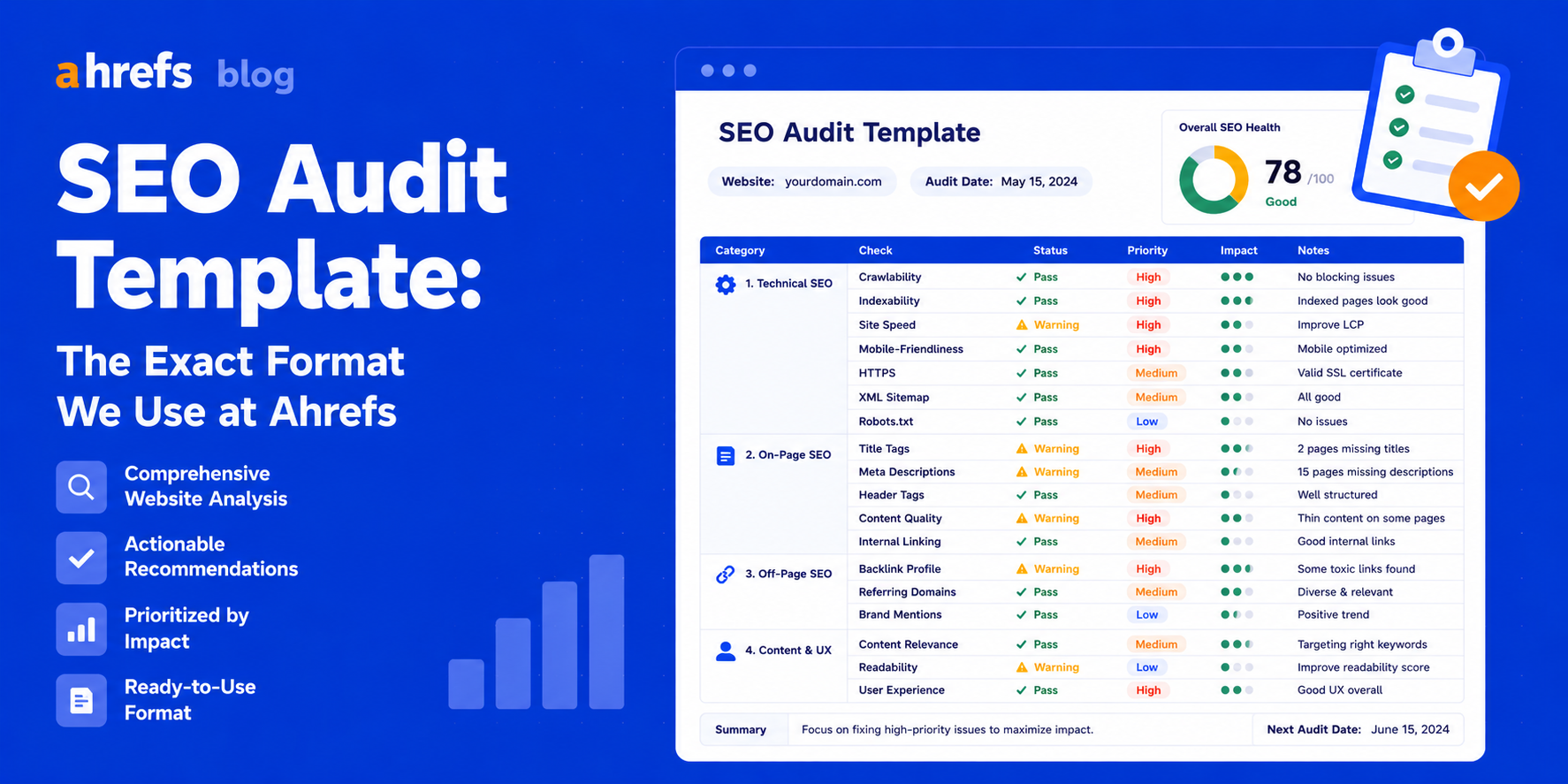
However, many SEO audit templates tend to either be too vague to provide any help at all or are extremely complicated and time-consuming. This particular SEO audit template has the right balance between being detailed enough for actual problems to come up while remaining easy to use.
What Makes a Good SEO Audit Template?
The ideal SEO audit template should consist of three components:
- Be categorized based on technical, on-page, off-page, and content-related elements.
- Note the level of severity.
- Have an ownership assigned to each item.
Otherwise, your audit will result in a long list of problems with no way of knowing where to start solving them.
The SEO Audit Template
Section 1: Site Overview
Fill this in before you start to establish a baseline.
| Metric | Current Value | Target | Notes |
| Domain Rating (DR) | DR 50+ | Ahrefs Site Explorer | |
| Organic Traffic (monthly) | Google Search Console | ||
| Total Indexed Pages | GSC > Coverage | ||
| Crawl Errors | 0 | GSC > Coverage > Error | |
| Core Web Vitals | All Pass | GSC > Core Web Vitals |
Section 2: Technical SEO
Under each point below, indicate Status (Pass / Fail / Warning) and Priority (Critical / High / Medium / Low).
Crawlability
- robots.txt file configured properly, no crucial pages blocked
- Valid XML Sitemap has been submitted to Google Search Console
- No unintentional noindex tags on key pages
- No crawl traps or redirects found
- Adequate crawl budget for the website’s size
HTTPS & Security
- Website supports HTTPS protocol across entire website
- No mixed content issues detected
- Valid SSL certificate installed on the website
- Valid security headers set
Site Speed
- Time to Interactive < 2.5 sec
- Speed Index < 200 ms
- Cumulative Layout Shift < 0.1
- First Byte < 800 ms
- Compressed images; modern image format used (WebP)
URL Structure
- No render-blocking resources
- URLs are concise; no unnecessary parameters
- Proper implementation of canonical URLs
- No redirect chains
- Uses appropriate redirect type (301 for permanent, 302 for temporary)
Mobile
- Mobile-friendly page according to Google test
- No mobile usability errors on Search Console
- Font size easy to read without zooming
- Minimum tap target size is 44 px
Section 3: On-Page SEO
Use this per-page review template for your top 20–50 pages.
Per-Page Review
URL: _______________
Target Keyword: _______________
| Element | Status | Issue Found | Recommended Fix | Priority |
| Meta Description | ||||
| H1 Tag | ||||
| Target Keyword in H1 | ||||
| Target Keyword in First 100 Words | ||||
| Header Structure (H2s/H3s) | ||||
| Internal Links (pointing to this page) | ||||
| Internal Links (from this page) | ||||
| Image Alt Text | ||||
| Title Tag | ||||
| Schema Markup | ||||
| Keyword Cannibalization Risk |
Section 4: Content Audit
Rate each piece of content across four dimensions, then assign one action.
| URL | Traffic (monthly) | Keywords Ranking | Backlinks | Action | Notes |
| Keep/Update/Consolidate/Remove |
Definitions
Keep:Performance good, no problems
Update:Traffic decrease, out-of-date info or gap compared to other companies
Consolidate:Many pages covering the same content, consolidate into a single page
Remove:Zero traffic, no links, no strategy purpose, 301 redirect to appropriate page
Section 5: Backlink Profile
| Metric | Current Value | 3-Month Target | Notes |
| Total Referring Domains | Ahrefs Site Explorer | ||
| DR Distribution (% DR 40+) | >30% | Healthy diversity indicator | |
| Toxic/Spammy Links | 0 | Review and disavow if needed | |
| Lost Referring Domains (30 days) | Monitor for unnatural drops | ||
| New Referring Domains (30 days) | Track link building progress | ||
| Anchor Text Distribution | Natural | Check for over-optimization |
Section 6: Priority Action List
Transfer your most important findings here with clear ownership and deadlines.
| Priority | Issue | Page/Section | Recommended Fix | Owner | Due Date | Status |
| Critical | ||||||
| High | ||||||
| Medium | ||||||
| Low |
How to Use This Template
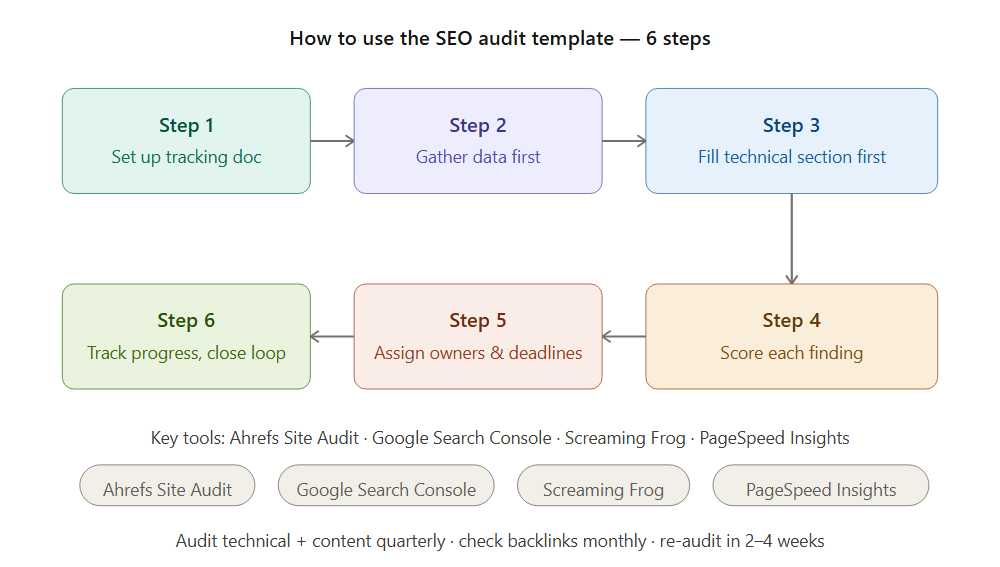
Step 1: Set Up Your Tracking Document
Insert this format into Google Sheets (a sheet for each section is ideal) or Notion. Input the name of your website and date of audit at the top of the document.
Step 2: Gather Your Data First
Prior to completing any sections, generate the following reports from:
- Ahrefs Site Audit (technical problems)
- Google Search Console (indexing, CWV, mobile user experience)
- Google Analytics or its equivalent (traffic figures for content analysis)
- Ahrefs Site Explorer (backlinks)
Relying on memory results in incomplete audits. Use the data.
Step 3: Fill Technical Section First
Technical problems could impact all other categories. Crawl block impacts all content. Canonicalization problems impact link equity. Resolve them prior to optimizing content or earning links.
Step 4: Score Each Finding by Priority
Not all things are equally urgent. If you’re missing your meta description on an underperforming page, don’t worry about it too much. If there’s a crawling error on your homepage, that should be a top priority. Prioritizing makes a to-do list out of a laundry list of problems.
Step 5: Assign Owners and Deadlines
All recommendations must have a point person and a deadline. Otherwise, those recommendations will never see the light of day.
For small groups, one SEO is the point person for nearly everything. In larger environments, split technical changes (dev team), content problems (writer/editor), and link building (SEO).
Step 6: Track Progress and Close the Loop
Have a follow-up check of your audit 2-4 weeks after you complete it in order to assess how much progress you have made and rectify it.
Common Mistakes When Using an SEO Audit Template
Mistake 1: Trying to Audit Everything at Once
Conduct the audit on your 20-30 pages first before auditing your whole website. It would take you days or even weeks to do a full site audit on your huge website.
Mistake 2: Treating All Issues as Equal
Keyword cannibalization of three low-traffic blog posts does not equal Core Web Vitals failure on your website’s homepage. Prioritize everything by force!
Mistake 3: Auditing Once and Never Returning
SEO is continuous. Content creation will bring up new problems. Algorithms will change focus points. Audit technical aspects and content every quarter, and check backlinks monthly.
Mistake 4: Not Sharing Findings with Stakeholders
Auditing without anyone looking at the results will be useless. Share your audit results in Priority Action List form; this method is better than exporting reports.
Tools to Use Alongside This Template
Ahrefs Site Audit
Automation of the technical crawl stage. Constantly operates, alerting you to any arising problems. Most effective way to keep up with your technical SEO performance.
Google Search Console
Official source for all data related to indexing, Core Web Vitals, mobile usability, and manual actions. It is free and indispensable.
Screaming Frog SEO Spider
In-depth technical crawl of more complicated websites. Everything gets exported into a spreadsheet.
Google PageSpeed Insights
Speed and Core Web Vitals per page. Ideal for troubleshooting issues with CWVs.
Conclusion
An effective SEO audit template makes an unmanageable task into a process you can replicate every time. Whatever it may be, whether it is your website or a client’s, the structure outlined above, site overview, technical, on-page, content, backlinks, priorities should have everything that you need to cover.
Customize it according to your requirements, make it part of your routine, and use it as a dynamic document.