Accounting Firm Project Management Software: The Best Options in 2025

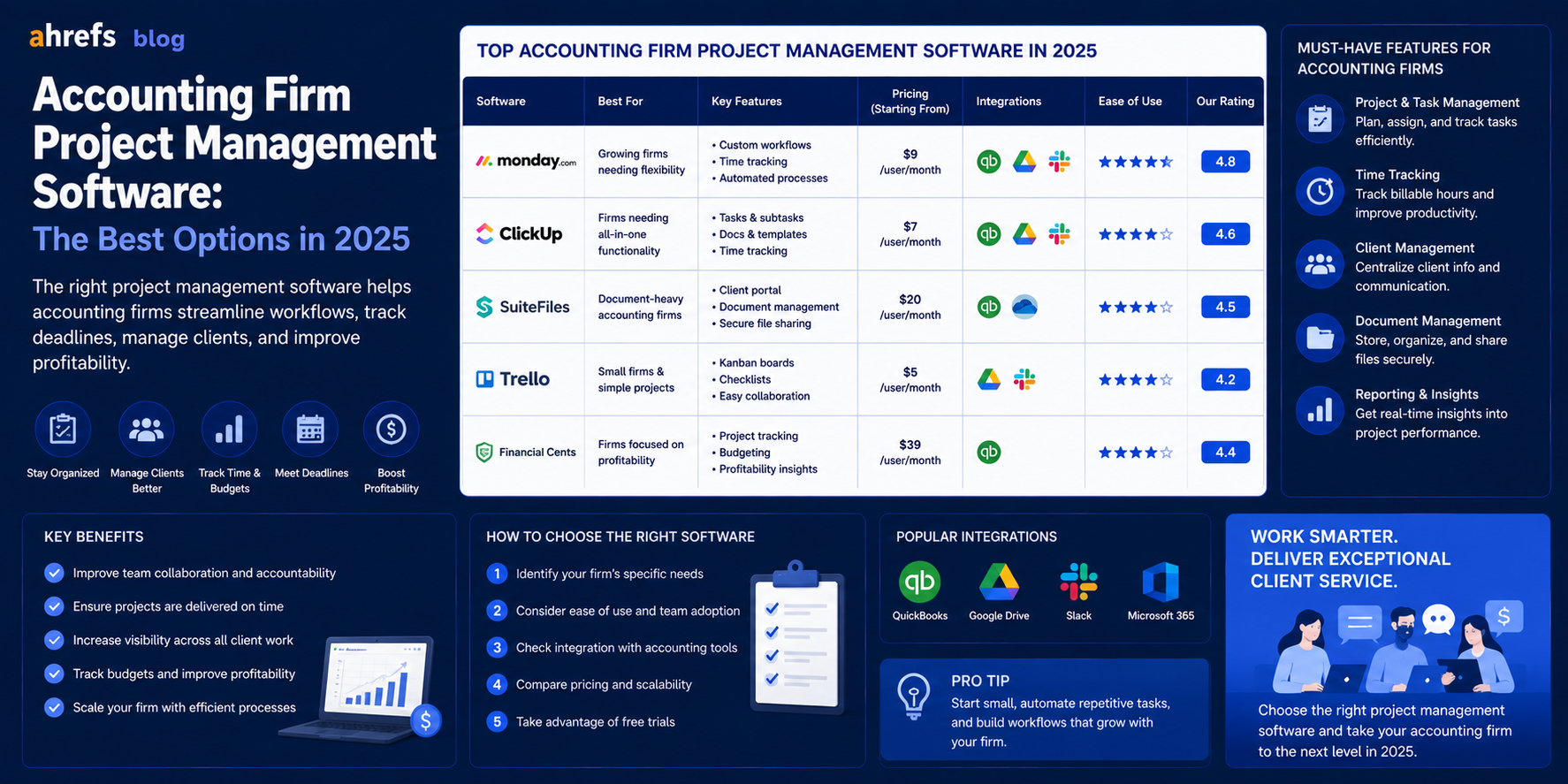
Standard project management solutions were never designed with tax seasons, customer engagements, and billable time in mind. When accounting firms attempt to use Asana and Trello, they find themselves spending lots of time on complex workarounds for functions already implemented in custom-made software.
This is what you should consider when choosing the right solution.
Table of Contents
- What Makes Accounting PM Software Unique?
- The Features Accounting Firms Must Have
- Project Management Software for Accounting Firms
- How to Pick the Right One for Your Firm
- Conclusion
What Makes Accounting PM Software Different
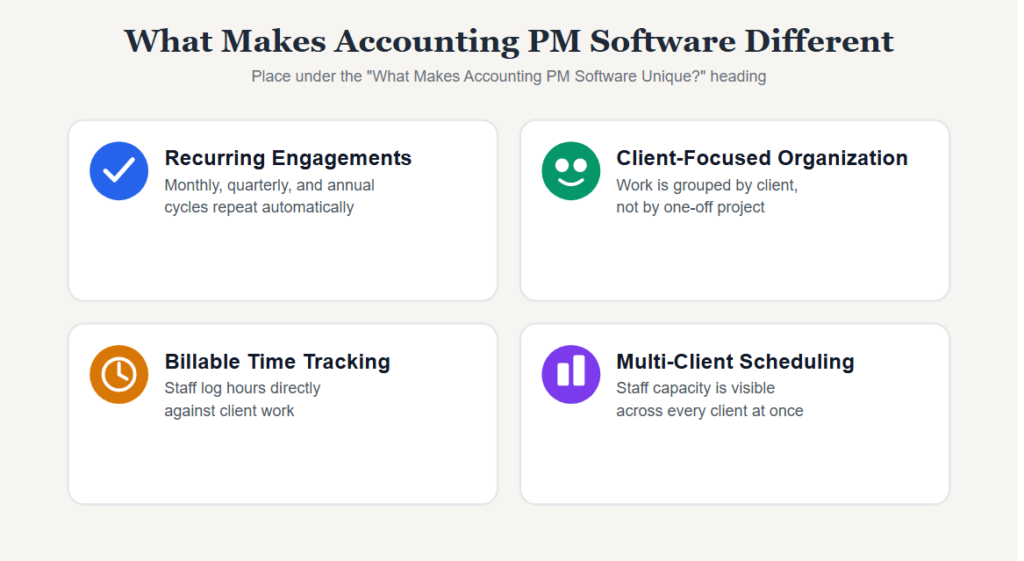
Accounting tasks require deadlines, repeat themselves, and have clients as their organizing principle. The software that can be applied in a marketing agency where campaigns are done on a one-off basis cannot be effectively used in an accounting firm handling 200 tax returns at once deadline, repeat clients and partner reviews.
The ideal tool must take into account the following:
- Regular engagements (monthly, quarterly, annually)
- Client-focused organization (work organized by client rather than project)
- Billable time tracking
- Staff scheduling for several clients at once
Must-Have Features for Accounting Firms
Before even considering any tool, make sure it supports all of these:
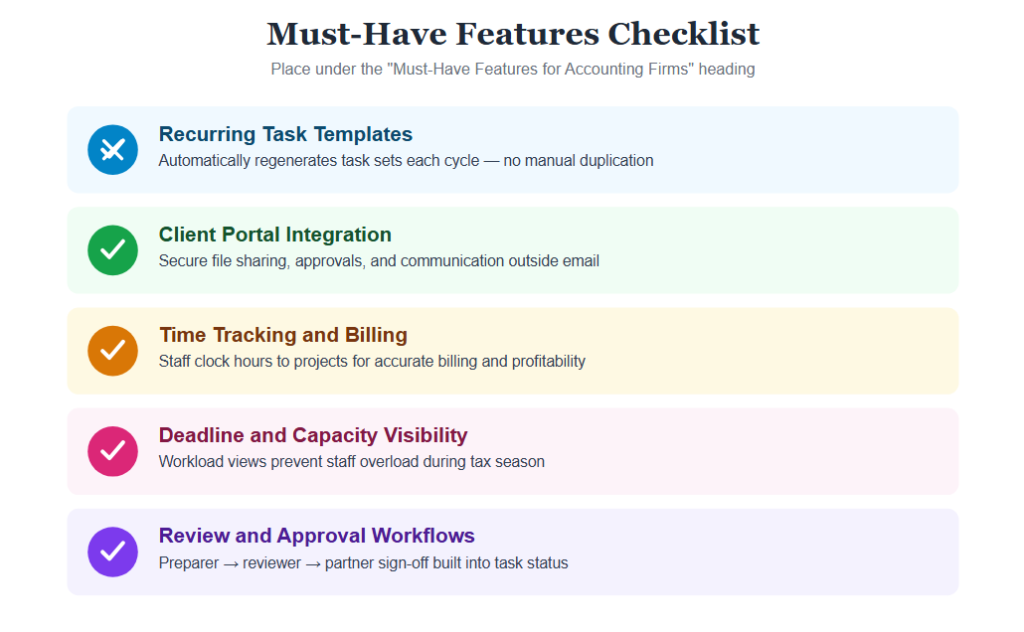
Recurring Task Templates
Tax preparation, month-end closing, and auditing processes follow a repetitive cycle. You need tools that will create a set of tasks automatically each time the cycle repeats, not manual duplication each time.
Key Benefits
- Automates repetitive process
- Eliminates task creation manually
- Maintains recurring deadlines regularly
Client Portal Integration
Most accounting project management tools have a client portal through which the client can upload documents, approve deliverables, and communicate without clogging up your email.
Why It Matters
- Security for file sharing
- Speed for communicating with clients
- A simplified approval process
Time Tracking and Billing
Time tracking for billable hours must be part of the process, where staff members clock time against the project itself.
Benefits
- Proper billing
- Profitability management
- Easier billing preparation
Deadline and Capacity Visibility
It is important to have a workload or calendar view that shows which employee is working too hard during tax season in any business that has more than a few clients.
Advantages
- Workload balance improvement
- Improved deadline management
- Employee burnout prevention
Review and Approval Workflows
A multi-level review system (preparer -> reviewer -> partner approval) should be integrated into the task statuses rather than simulated using comment threads.
Why It’s Important
- Standardized review workflow
- Improved accountability
- Less risk of overlooking an approval step
Best Project Management Software for Accounting Firms
Jetpack Workflow
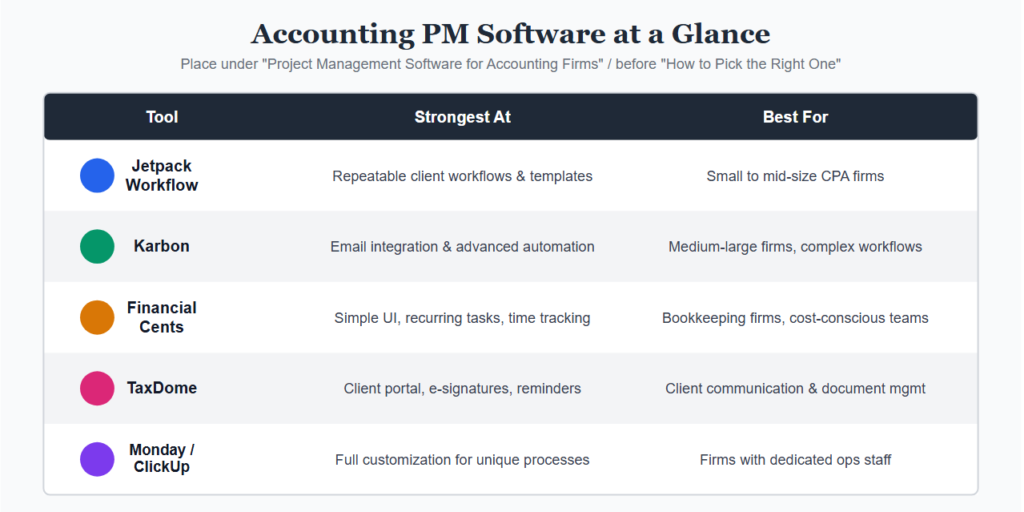
Developed specifically for accounting practices. Works well with repeat business, client-oriented structure, and templates for typical accounting services (1040s, 1120s, monthly bookkeeping). The most widely-used specialized solution among smaller CPA firms.
Best For
- Small CPA firms
- Mid-size accounting firms
- Firms concerned about repeating workflows
Karbon
Feature-rich compared to Jetpack Workflow, featuring email integration that allows for bringing client correspondence straight into the workflow view. More appropriate for bigger firms or those requiring advanced workflow automation. The premium price is justified by the additional functionality.
Best For
- Medium to Large Firms
- Complicated Workflows
- Businesses that deal with substantial client communications
Financial Cents
Another newcomer that has gained popularity among firms whose work is based mostly on bookkeeping. Good user interface, decent recurrence task management, time tracking and a client portal. Cheaper than Karbon for businesses that don’t require email integrations.
Best For
- Bookkeeping Firms
- Cost-Conscious Practices
- Smaller Accounting Teams
TaxDome
Client-focused solution with a great portal, document management, electronic signatures, and automatic client reminders. The project management component is not as powerful as in Karbon or Jetpack Workflow, but for firms where the main problem is related to client communications, TaxDome will fill the void.
Best For
- Client communications
- Document management
- Companies requiring secure client portals
Monday.com or ClickUp (General Tools)
Some companies can do these things well through sufficient customization. The downside is that it takes a lot of setup time to replicate what specialized software can do easily. Best for companies who have a designated operations individual to set up the system.
Best For
- Companies with unique processes
- Organizations that have operations personnel
- People who feel comfortable customizing
How to Choose the Right One for Your Firm
Look at the size and structure of your company.
Solo or 2–5 Person Firm
Financial Cents or Jetpack Workflow, simple, cheap, less configuration required.
5–20 Person Firm
Karbon or Jetpack Workflow, it all depends if email integration is important to you.
Larger Firm with Complex Client Communication Needs
Karbon or TaxDome, it depends on where you have your friction points.
Consider What’s Costing You the Most Time Right Now
Chasing Clients for Documents?
→ TaxDome
Staff Unclear on Task Status During Busy Season?
→ Karbon or Financial Cents
Recurring Tasks Falling Through the Cracks?
→ Jetpack Workflow
Final Thoughts
The right software for accounting firm project management will be the one that suits your needs without making you redesign everything within the software again. Most accounting firms have discovered that choosing a specialized software (Jetpack Workflow, Karbon, Financial Cents, TaxDome) pays off very fast in terms of saving time during tax season.
The first step should be taking a trial of the software that solves your most costly bottleneck problem.