Monday.com for Project Management: Features, Use Cases, and Honest Limitations

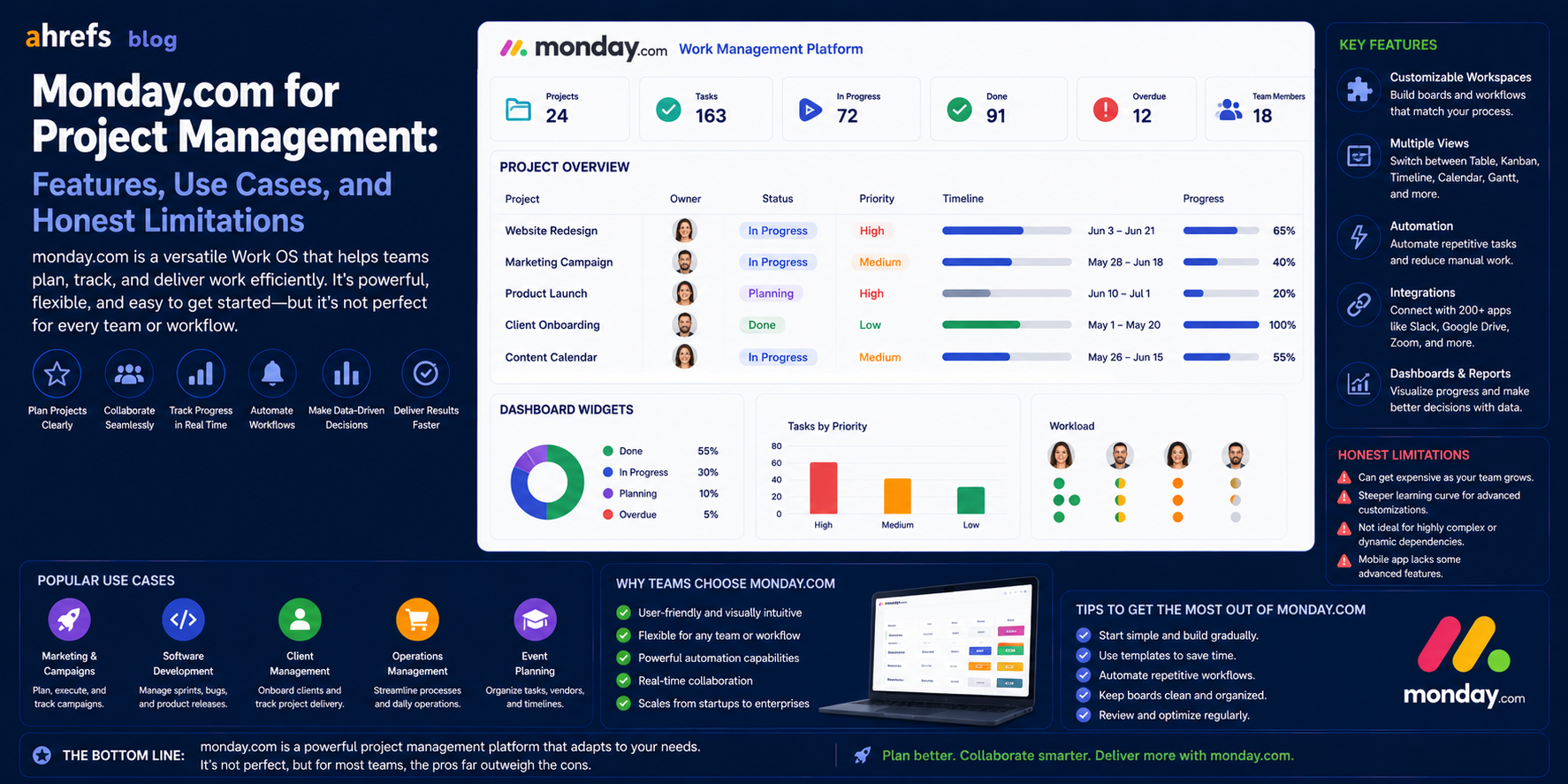
Monday.com has evolved from being a basic work tracker to become one of the most popular project management tools out there, used by very diverse groups, such as marketing firms, building contractors, or software developers. However, it is not the best tool for everyone. This article presents an unbiased review of what Monday is good at, where it falls short, and what teams it can benefit.
Table of Contents
- What Is Monday.com?
- Core Project Management Features
- Strengths of Monday.com
- Weaknesses of Monday.com
- Pricing Details
- Comparison With Other Tools
- Conclusion
What Is Monday.com?
Monday.com is a cloud Work Operating System (Work OS) that allows people to create custom workflows, manage projects and tasks in a common workspace. The most important difference between Monday and other similar tools is its high level of customization: you design boards in accordance with your workflow, not in line with some methodology.
This high level of flexibility is both the biggest advantage of Monday and one of its greatest weaknesses.
Core Project Management Features
Boards and Views
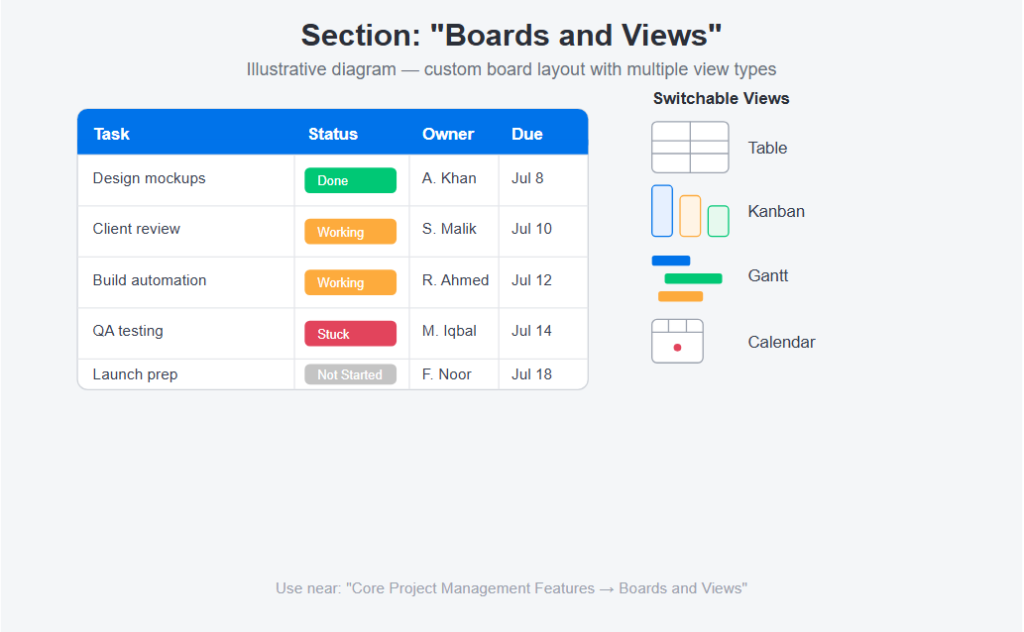
The basic Monday unit for the core day Monday is the Board, which is a custom table whose rows contain tasks/projects/items and columns contain fields such as status, owner, due date, priority, etc.
All boards can be viewed as:
- Table (default)
- Kanban
- Gantt
- Calendar
- Charts
- Workload
Automations
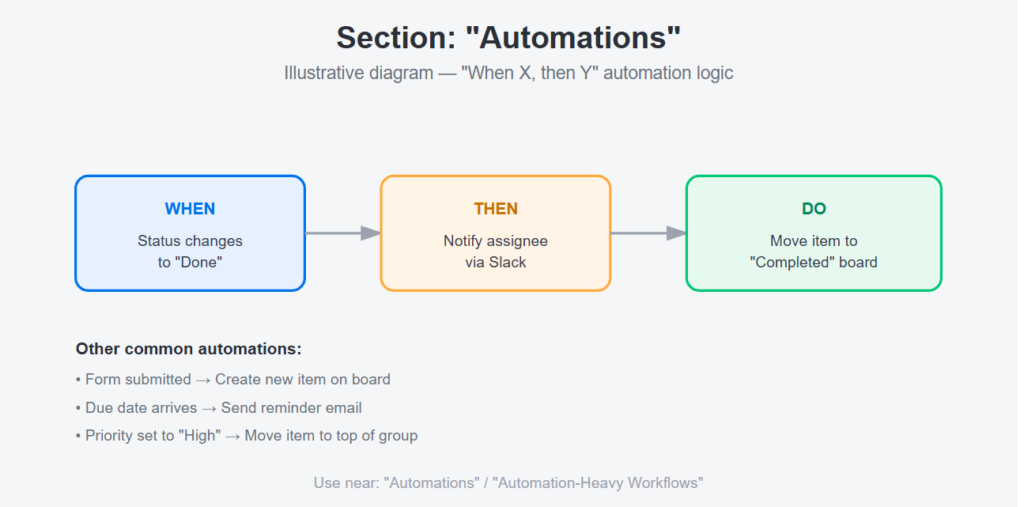
With Monday’s automation builder, you can make “When X, then Y” rules without programming.
Examples:
- Get automatically notified when the status of a task is changed.
- Create a new item when a form is filled out.
- Move items from one board to another depending on their statuses.
Great automation suite which minimizes manual status updates.
Dashboards
A cross-board dashboard collects information from different boards to present it in one reporting view and is helpful for seeing an overview at a portfolio level in terms of many projects at once.
WorkForms
Create intake forms for submitting into a board on Monday, useful for creative briefs, IT requests, HR onboarding, etc.
Integrations
Monday is perfectly integrated with:
- Slack
- Google Workspace
- Microsoft Teams
- Salesforce
- Jira
- GitHub
- Zoom
- Hundreds more
The integration library is among the most robust out there.
Where Monday.com Excels
Visual, Flexible Work Management
Teams who seek a very customizable environment where they can create their statuses, columns, and views do well with Monday because it does not force you to fit into another person’s methodology.
Cross-Functional Project Management
Boards are extremely customizable, which is why teams from various departments (marketing, operations, HR, IT) can utilize the same board without the tool being customized for someone else.
Client-Facing Work
Agencies and consulting firms leverage Monday’s guest access to allow their clients to view project progress, review deliverables, and give feedback without full account access.
Automation-Heavy Workflows
If you’re utilizing a lot of “If X, then Y and do Z” logic in your project management process, then Monday’s automation builder should be perfect for your needs.
Where Monday.com Falls Short
Learning Curve for Setup
Flexibility of Monday is a two-way street. It takes some effort at the beginning stage in order to develop a working system for your team. Off-the-shelf, the templates are only a basis, but not something complete.
Gantt Chart Depth
The Gantt chart of Monday is much simpler compared to the tools such as Smartsheet and MS Project; in particular, it does not have critical path visualization and any kind of dependency management.
Reporting Limitations on Lower Tiers
Reporting and cross-board dashboards are the features of the more advanced packages, thus increasing the price considerably.
Not Built for Agile Sprints
JIRA would be good for teams using Scrum since Monday will mimic sprint cycles but does not have built-in sprint planning tools, story points, or velocity metrics.
Pricing Overview
Monday.com pricing is based on a per-seat model, billed monthly or yearly.
Free
- Up to 2 seats
- Limited functionality
Basic
- Core features
- No automations or integrations
Standard
- Automations (250/month)
- Integrations (250/month)
- Timeline and Gantt views
Pro
- Unlimited automations and integrations
- Time tracking
- Workload visualization
Enterprise
- Advanced security
- Audit logs
- Custom onboarding
The Standard package will be enough for any team to make use of project management features. The Pro package will make the platform truly useful.
Monday.com vs. Alternatives
vs. Asana
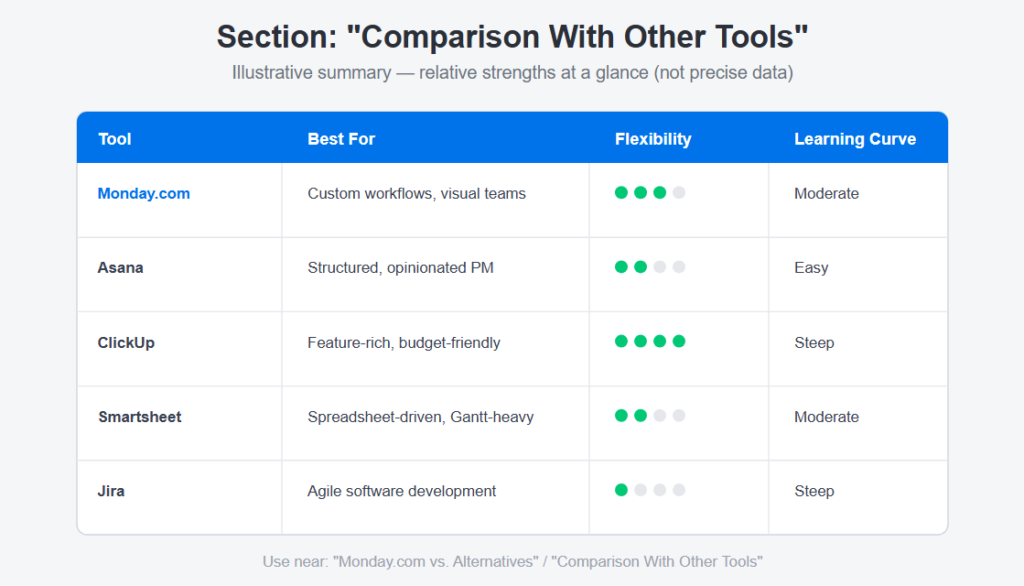
Asana is more rigid and opinionated; Monday is more flexible. Asana is the winner when it comes to project management for workflows; Monday is the winner when you need to create your own workflows.
vs. ClickUp
ClickUp offers more functionality for the money but has a harder learning curve. Monday tends to be easier to use overall.
vs. Smartsheet
Smartsheet is better suited for spreadsheet-driven workflows and Gantt chart-driven project management. Monday is more visually pleasing and collaboration-oriented.
vs. Jira
Monday shines for all other uses, and Jira for software development using agile.
Final Thoughts
One of the most versatile PM tools that exist is Monday.com. There are many benefits to using Monday in addition to the cost-free plan and ease of use; however, the initial configuration process might take more time than generic users realize. The benefit of Monday lies in spending time on making the tool work for your unique process and workflow rather than trying to make your process fit the ready-made solution. If you require flexibility and a visual board, Monday could be right for you; otherwise, consider using Jira or Smartsheet.